Chadrack

Black Friday falls on November 27, 2026, and Cyber Monday follows on November 30. If you run an affiliate website, the next four weeks are your opportunity to fix problems, prepare your best content, and position your site to capture holiday shopping traffic. The deadline is closer than it looks.
Over the years, I’ve learned that publishing a few deal posts at the last minute will not help much. That alone cannot fix broken affiliate links, outdated product reviews, weak internal linking, or pages that Google has yet to index. You need a system that prepares your existing content and new deal pages before shoppers start comparing offers.
With the Web Income Journal, I approach AI-assisted affiliate marketing as a system of connected processes. Tools such as Foenix.ai, SEOWriting AI, and Rank Math SEO Pro can help with audits, content preparation, and search optimization, but the decisions still require human judgment. The priority is to fix the pages and processes that matter most.
This post, How to Prepare Your Affiliate Website for Black Friday 2026, is specifically written for affiliate publishers. It gives you a practical four-week checklist for preparing your website, verifying offers, improving search visibility, and getting your email campaigns ready before the rush.
Key Takeaways
- Audit existing content first. Identify your most valuable affiliate pages, outdated reviews, broken links, and content that needs refreshing.
- Fix internal links. Connect relevant articles to your comparison pages and Black Friday deals hub so readers and search engines can discover them.
- Build your deals hub early. Use an evergreen URL, publish a useful placeholder if offers are not confirmed, and request indexing through Google Search Console.
- Optimize for SEO and AI search. Improve titles, introductions, comparison tables, FAQs, and relevant structured data.
- Test website performance and affiliate tracking. Check mobile usability, page speed, redirects, coupon codes, and conversion tracking before launch.
- Prepare your email campaigns. Give subscribers a reason to hear from you before Black Friday, and plan timely updates for Cyber Monday.
- Verify every offer. Publish confirmed prices and discounts, remove expired promotions, and monitor results throughout Cyber Week.
DISCLOSURE: WebIncomeJournal is supported by readers like yourself. We may earn an affiliate commission when you purchase through our links, which helps us offer our content for free. Learn more here.
Why Black Friday and Cyber Week Matter for Affiliate Websites
Black Friday and Cyber Week give affiliate publishers a concentrated opportunity to reach shoppers comparing products, software, and services before they decide to buy. Your results depend on having useful recommendations, accurate offers, discoverable pages, and working affiliate tracking ready before demand peaks.
The Black Friday and Cyber Monday Opportunity
Black Friday 2026 falls on Friday, November 27, and Cyber Monday follows on November 30. The wider Cyber Week period includes Thanksgiving through Cyber Monday, while the Cyber 5 refers to the five-day shopping period from Thanksgiving through Cyber Monday. Together, these dates form a major part of the holiday shopping season.
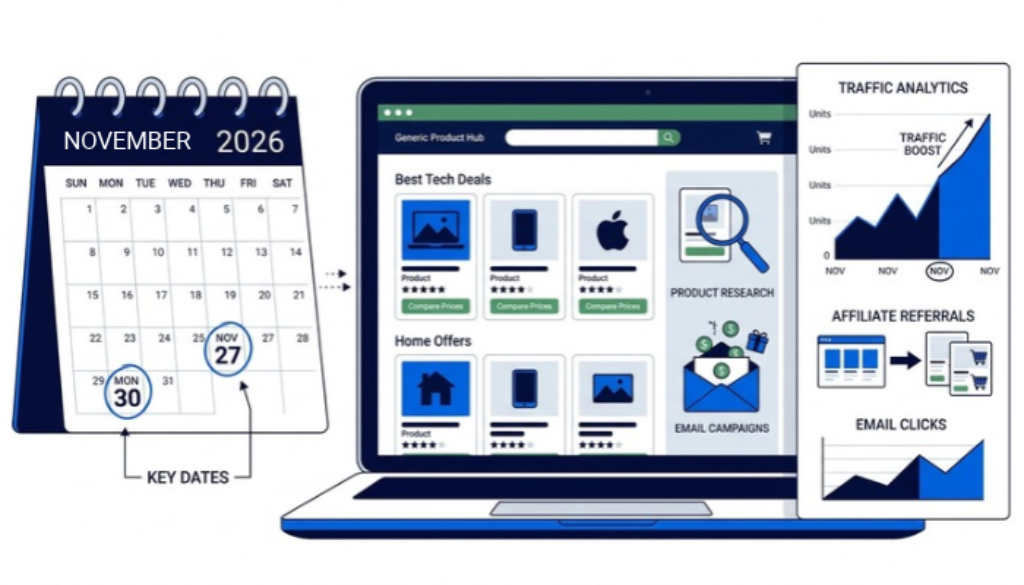
The spending figures show why affiliate publishers should prepare early. According to Adobe's 2025 holiday shopping reports, U.S. shoppers spent $11.8 billion online on Black Friday 2025, up 9.1% from 2024. Cyber Monday generated $14.25 billion in U.S. online spending, an increase of 7.1% year over year. Adobe also reported that Cyber Week accounted for $44.2 billion in U.S. online sales.
Affiliate publishers have a growing role in this activity. Digital Commerce 360's reporting on Adobe's holiday data found that affiliates and partners accounted for 21.8% of Cyber Week traffic in 2025, up from 20.3% in 2024. That makes affiliate content an important route through which shoppers discover products and compare offers.
The opportunity starts before Black Friday itself. Search engines need time to discover and index new pages, while email subscribers need time to learn about your upcoming recommendations. An evergreen deals hub, refreshed comparison articles, and early promotional emails give your website more opportunities to reach shoppers before and during the main sales period.
What this means for you: prepare your affiliate website before shoppers are ready to buy. A useful page published early, with verified offers and working links, is better positioned to serve purchase-ready visitors than a rushed page published on Black Friday morning.
What “Prepared” Means for an Affiliate Website
A prepared affiliate website gives visitors a fast, trustworthy path from product discovery to a merchant's offer. It also gives you a reliable way to maintain links, update promotions, and measure affiliate performance when traffic increases.
Use these five standards to assess your website.
- Fast and mobile-friendly: Product reviews, deal tables, and affiliate buttons work on smartphones. Check your key pages with Google PageSpeed Insights and review Core Web Vitals.
- Accurate affiliate links and tracking: Every link reaches the intended merchant, preserves the correct tracking parameters, and follows the affiliate program's rules. Check redirects, coupon codes, and attribution settings.
- Fresh commercial content: Reviews reflect current products and versions. Comparison tables show accurate prices, relevant features, and verified offers.
- Clear calls to action and disclosures: Readers can identify the recommended product, understand why it suits them, and recognize your affiliate relationship. Place your disclosure where visitors can see it before engaging with affiliate links.
- Active campaign monitoring: You have a process for checking clicks, conversions, commissions, merchant availability, and expired deals throughout Cyber Week.
You do not need an expensive technology stack to meet these standards. Start with Google Search Console, Google Analytics 4 (GA4), and PageSpeed Insights. Add paid tools when they solve a specific problem that manual checks cannot handle efficiently.
Having said that, let’s tackle how you can get your affiliate site ready for Black Friday and Cyber Week promotions starting now. Please note that the dates here are only suggestive. You can start now and run through all the phases in your own timing.
Alright, let’s get onto it.
Phase 1: Audit What You Already Have (Now–November 2)

Start your Black Friday affiliate marketing preparation by auditing existing content before creating new pages. The goal is to identify which articles deserve an update, which internal links need repair, and which technical problems could prevent visitors from reaching your offers.
Step 1: Identify Your Most Valuable Pages
Open your affiliate network dashboards and analytics reports. Pull your top 20 pages by affiliate revenue and organic traffic, then compare the lists to identify pages that attract visitors and pages that generate commissions.
Prioritize these groups:
- Revenue-generating pages: Product reviews, comparison articles, and buying guides that have already produced affiliate sales.
- High-traffic pages: Articles attracting relevant visitors but generating few affiliate clicks or conversions.
- Older content: Posts published two or three years ago that contain outdated pricing, product versions, screenshots, or recommendations.
- Technical problem pages: URLs returning 404 errors, redirecting unexpectedly, or linking to discontinued products.
Use Google Search Console to identify pages with search impressions and clicks, then compare that information with GA4 and your affiliate dashboard. Search traffic alone does not establish commercial value. You need to understand whether visitors are progressing toward an affiliate offer.
Step 2: Check Affiliate Links and Outdated Offers
Inspect the affiliate links in your priority articles. Confirm that destinations load correctly, redirects lead to the intended product, and tracking parameters remain intact.
Pay particular attention to:
- Expired Black Friday discount codes from previous years.
- Products that have been discontinued or replaced.
- Merchant pages with changed URLs.
- Redirect chains that slow down or interrupt the visitor journey.
- Affiliate links that no longer belong to an active program.
Create a spreadsheet with columns for the page URL, issue, required action, priority, and completion status. This gives you a manageable audit record and prevents important fixes from disappearing into a long to-do list.
Step 3: Use Foenix.ai to Find Content and Linking Problems
For a larger WordPress affiliate site, Foenix.ai can support an AI-assisted audit workflow. Use it to inspect existing content, identify potential internal-linking gaps, and surface pages that need further review.
The practical workflow is straightforward: run the audit, examine the flagged URLs, verify each issue manually, and record the changes you approve. An automated suggestion is a starting point for editorial judgment, not permission to change your website without review.
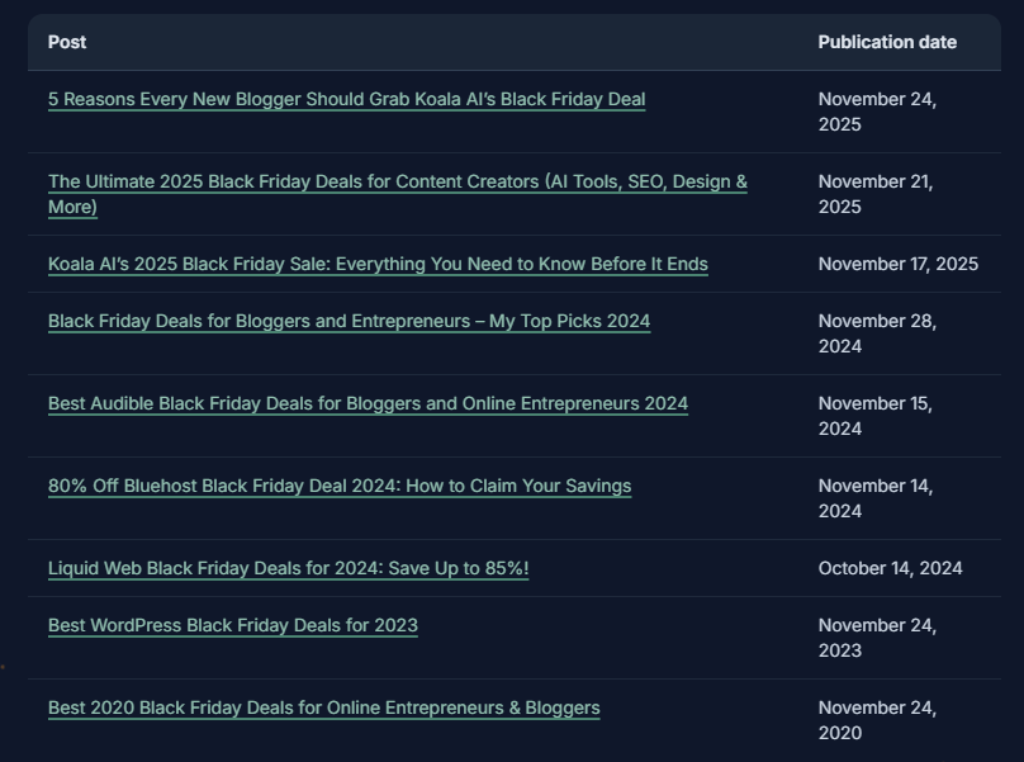
I few days ago, I just did this for the Web Income Journal. First, I gave Foenix.ai a simple prompt to give me all the posts I’ve written over the years that were specific to Black Friday and Cyber Week deals. I was pleasantly surprised when Foenix.ai returned posts from ten years ago that I never thought were there. If you’ve been running your affiliate site for over 5 years, I encourage you to try out Foenix.ai. You can use my discount code [] to get 30% off. (This is an affiliate link, and I may earn a commission if you purchase Foenix.ai using my link. But there’s no extra cost to you. Thanks for supporting my work.)
If your affiliate site has fewer than approximately 30 posts, you can simply use a spreadsheet and Google Search Console for this first audit. Review the important pages manually before adding another subscription.
Your deliverable by November 2: A prioritized list of outdated articles, broken affiliate links, technical errors, and pages ready for refreshing. Use that list to guide Phase 2 rather than starting the next week with a blank page.
Phase 2: Fix Internal Linking and Refresh Money Pages (November 3–9)
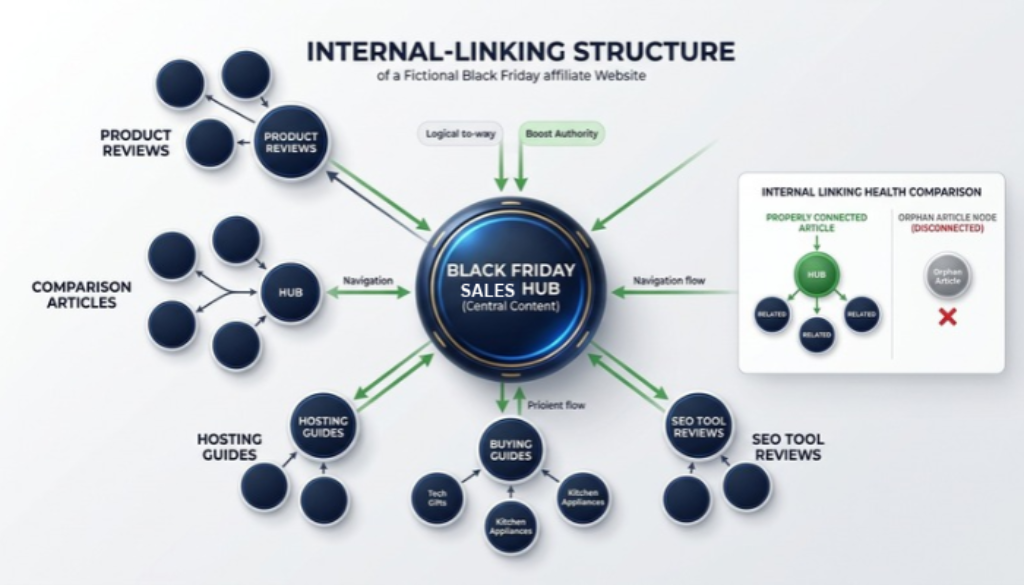
Fixing internal links and refreshing your highest-value affiliate pages helps search engines discover important content and gives readers a clearer path to relevant deals. Start with the pages identified during your audit, especially articles that already attract organic traffic or generate commissions.
Step 1: Fix Orphan Pages and Strengthen Internal Links
An orphan page has no internal links pointing to it from other pages on your website. Underlinked pages receive few relevant internal links, making them harder for readers to discover and potentially harder for search engines to find through normal crawling.
Finding underlinked pages by hand means opening every post and scanning for links. But you can speed this up with Foenix.ai. Use it to identify potential linking opportunities, then review each suggestion before making changes. Prioritize links from established, relevant articles to your Black Friday deals hub, product reviews, and comparison pages.
For example, a hosting review could link to your hosting comparison guide, which then directs readers to your Black Friday hosting deals page. Each link should help readers take a logical next step.
Use descriptive anchor text that explains the destination. “Compare Black Friday hosting deals” tells readers more than “click here.” Avoid forcing links into unrelated paragraphs simply to increase the number of internal links.
Another tool you may consider for this is LinkWhisper. With LinkWhisper, adding links to your orphan pages is as easy as clicking with your mouse. LinkWhisper regularly searches your site and lets you update internal links. Check out LinkWhisper here.
Step 2: Refresh Money Pages Before Writing New Ones
Your existing commercial content deserves attention before you expand your publishing schedule. Update these elements first:
- Prices and product versions: Verify current pricing, plan features, availability, and promotional terms against the merchant's official information.
- Comparison tables: Make differences between competing products easy to understand, including who each option suits.
- Black Friday deal boxes: Add a clearly labelled section explaining which offers have been confirmed and when further updates are expected.
- Calls to action: Ensure affiliate buttons describe the next step and link to the correct merchant.
- Outdated content: Remove redundant sections, broken recommendations, and information that no longer helps readers make a decision.
Do not delete an older article simply because it attracts little traffic. Check its backlinks, historical performance, and relevance before deciding whether to improve, consolidate, redirect, or retire it.
Step 3: Clean Up Technical SEO Issues
Use Rank Math SEO for this. Its free version includes a 404 Monitor that logs broken URLs and a built-in redirection manager. Rank Math SEO Pro adds AI Link Genius, an internal-linking feature available only in Pro, with an Orphan Posts tab that lists every page without incoming internal links. It also adds a Custom Schema Builder and automated schema implementation for the Product and Article markup on your refreshed pages. Free Rank Math covers redirects while Pro covers schema and linking.
Your deliverable by November 9: Updated priority pages, relevant internal links pointing to your commercial content, and a documented list of technical fixes. Review the changes before moving on to your deals hub.
Phase 3: Build and Index Your Deal Hub Early (November 3–10)
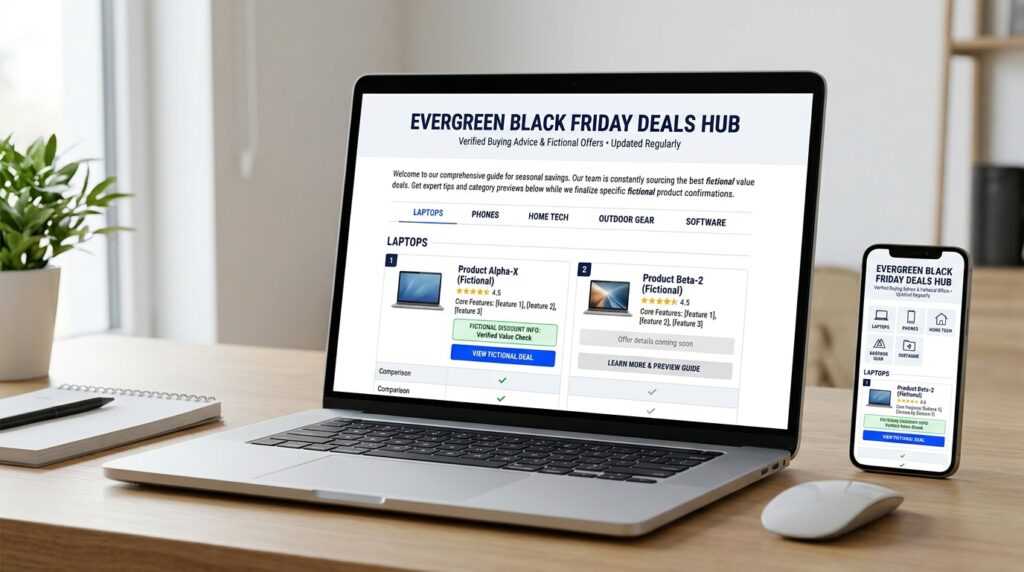
Publish your Black Friday deals hub early enough for search engines to discover and process it before November 27. An evergreen URL, useful initial content, internal links, and a Google Search Console indexing request give your page time to become discoverable before shoppers begin searching for specific offers.
Step 1: Create an Evergreen Black Friday Deals Page
Use a URL you can update every year, such as /black-friday-deals/, rather than creating a new URL containing 2026. A consistent URL lets you maintain the same page over multiple holiday seasons while updating its content for the current campaign.
Your hub should include:
- A clear headline, such as “Best Black Friday Deals 2026.” Check out my hub page here.
- A short introduction explaining which products or services you cover.
- Sections for relevant categories, such as hosting, SEO software, and AI writing tools.
- Product names, verified prices, discount details, and clear calls to action.
- A visible affiliate disclosure and a last-updated date.
What if merchants have not confirmed their discounts? Publish a useful placeholder page that explains which categories you cover and when you expect to update the offers. Do not invent prices, discount percentages, or launch dates to make the page look complete.
Step 2: Help Google Discover the Page
Once the page contains useful content, check that it is accessible to search engines and included in your XML sitemap. Submit the sitemap through Google Search Console, then use URL Inspection to request indexing for the deals hub.
Requesting indexing does not guarantee immediate inclusion. Google decides whether and when to crawl and index the page, so publish early and monitor its status rather than waiting until Black Friday week.
Next, add relevant internal links from established articles. Your hosting reviews, SEO software comparisons, and affiliate marketing guides can point readers to the deals hub using descriptive anchor text. This connects the seasonal page to your existing content and gives visitors a direct route to relevant promotions.
Step 3: Publish Supporting Comparison Content
Aim to have your priority comparison articles and “best X for Y” pages live by November 10. Focus on topics that match real purchasing decisions, such as the best hosting for beginner affiliate marketers or which SEO plugin suits a growing WordPress website.
Drafting several comparison pages in one week is the bottleneck for a solo publisher. This is where SEOWriting AI is useful. It can help draft comparison articles, product roundups, and supporting content from a detailed brief. Its features include SEO-focused content generation and WordPress publishing workflows. Note, however, that the tool can speed up drafting, but you need to add what no tool supplies: your first-hand testing notes, screenshots, verified prices, and a clear verdict. That human edit keeps the page from reading like a generic AI output. Use it when you need several pages by November 10 and write two or three yourself.
For an idea of a deal hub, check out the Web Income Journal’s Cyber Week hub. Notice how the category cards sit on one evergreen page, and each card links to a full review.
Phase 4: Optimize for Search and AI Answers (November 10–16)

Optimize your Black Friday content so search engines and AI answer systems can quickly identify what each page covers, which products it recommends, and why those recommendations are useful. Clear answers, descriptive headings, accurate metadata, relevant internal links, and appropriate structured data strengthen the foundations of your affiliate site Black Friday SEO.
Step 1: Improve Titles, Introductions, and Meta Descriptions
Give each page a distinct search purpose. Your deals hub should target broad commercial searches, while supporting articles should address specific product comparisons or buyer questions.
For example:
- Deals hub: Best Black Friday Deals 2026
- Comparison article: Best SEO Plugins for WordPress: Rank Math vs. SEOPress
- Buying guide: Best Hosting for Beginner Affiliate Websites
Write a descriptive meta title and meta description that accurately reflects the page. In the introduction, answer the main question directly before explaining the supporting details.
Use the BLUF approach throughout. If a heading asks which hosting option suits a beginner affiliate publisher, answer that question immediately, then explain the cost, performance, and trade-offs.
Step 2: Structure Content for AI Answers
AI Overviews and conversational search systems need clear information they can interpret in context. Organize each section around a specific question and provide a self-contained answer before adding supporting evidence.
Prioritize these elements:
- Direct answers: State the recommendation or conclusion near the beginning of each section.
- Comparison tables: Show meaningful differences in pricing, features, limitations, and intended users.
- Frequently asked questions: Address specific buyer concerns using concise, factual answers.
- Named entities: Identify products, brands, publishers, and relevant services explicitly.
- First-hand evidence: Include actual testing observations and documented findings instead of generic claims.
For example, a hosting comparison should explain which plan suits a beginner, what its limitations are, and when upgrading becomes worthwhile. That is more useful than repeating a list of hosting features.
Step 3: Review Schema and On-Page SEO
Rank Math SEO Pro is my go-to SEO tool when it comes to technical SEO. It provides on-page SEO analysis, advanced redirection tools, and support for additional schema functionality. Its features also include Google Search Console integration and advanced schema options. Use the features available in your installed version to identify optimization opportunities and manage technical SEO tasks.
Apply structured data that accurately describes the content. An article may qualify for Article schema, while an appropriate FAQ section can use FAQPage markup where applicable. Structured data helps search engines interpret a page, but it does not guarantee rich results or AI citations.
For additional context, read the Web Income Journal article on Rank Math and AI-era SEO.
Your deliverable by November 16: Updated metadata, clearer answers, useful comparison tables, reviewed schema, and content that addresses specific buyer questions. These improvements support traditional SEO and AI search visibility without guaranteeing placement in generated answers.
Phase 5: Speed, Tracking and Capture (November 17–23)
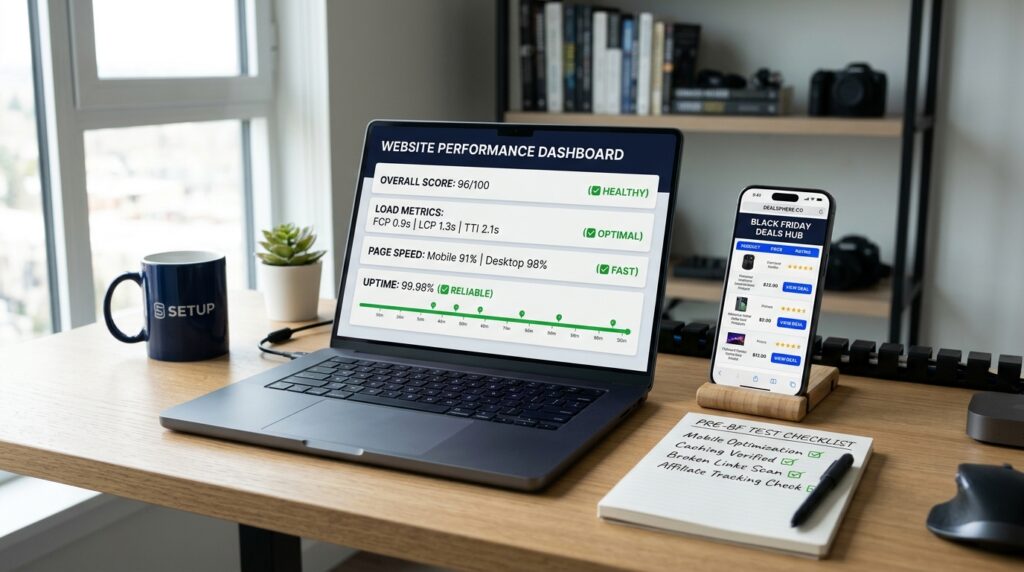
Your affiliate website needs to handle more visitors, send people to the right offers, and capture interested readers who are not ready to buy. Before Black Friday, test performance, simplify affiliate link management, and prepare your email signup so you can follow up throughout Cyber Week.
1. Check speed, mobile usability, and uptime
Start with free tools. Use Google PageSpeed Insights to check your key pages on mobile and desktop, Google Search Console to review Core Web Vitals, and Google Analytics 4 to understand traffic and engagement.
Test your most important pages, including your deals hub, product reviews, comparison articles, and email signup page. Look for slow-loading images, intrusive pop-ups, layout shifts, and buttons that are difficult to tap on a phone. Compress oversized images, remove unnecessary scripts, and enable caching where appropriate.
Also check whether your hosting plan has enough headroom for a traffic increase. Review your hosting provider’s resource limits and uptime notifications. If your site regularly struggles under normal traffic, consider whether an upgrade to a suitable plan from Bluehost or Liquid Web makes sense. Do not assume that buying a more expensive plan automatically fixes a poorly optimized website.
2. Make affiliate links easier to manage
Avoid scattering raw affiliate URLs throughout dozens of articles without a clear way to find and update them. Keep a central record of each offer, destination URL, affiliate link, product name, and verification date. I suggest you use a consistent link-management system (I use PrettyLinks for this) that lets you update a destination centrally.
This matters when a merchant changes its landing page, replaces a promotion, or ends a discount. Test redirects and destination URLs after every change. Centralized management reduces repetitive work, but it does not eliminate the need to check that links work.
3. Prepare your email capture
Create an appropriate lead magnet to offer your readers as a practical reason to join your list. For example, for the Web Income Journal’s deal hub, I’m offering a free 2026 Cyber Week Stack Planner that helps readers decide which tools to buy, which to skip, and what to purchase first. You can get this either on the deal hub page or on the planner's dedicated landing page.
For your lead capture, I recommend either FluentCRM or GetResponse. If you’re using WordPress and want to manage forms, subscriber records, and follow-up emails within your own site environment, consider FluentCRM. GetResponse is an alternative if you prefer a hosted email marketing platform.
Before November 23, test the opt-in form, confirmation process, delivery email, mobile display, and subscriber tagging. Make sure subscribers receive the lead magnet they requested and that your emails include the appropriate unsubscribe option.
Your November 23 deliverable: A tested mobile experience, working affiliate links, a documented offer list, and an email signup flow ready for Cyber Week.
Phase 6: Final Verification Before Launch (November 24–26)
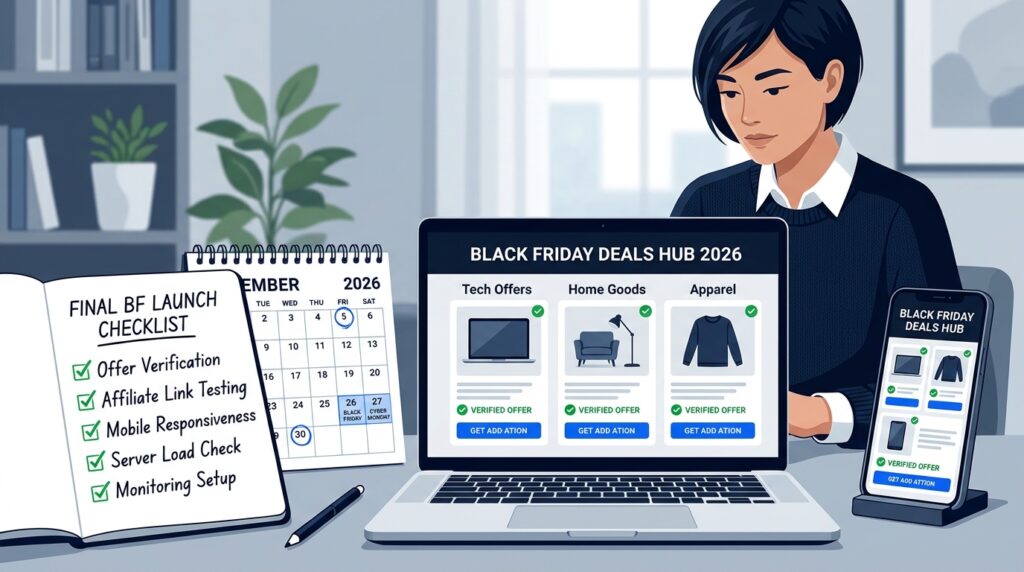
Use the final three days before Black Friday to verify your offers and remove avoidable errors. This is not the time for a major redesign or an untested site-wide change.
1. Verify every promotion
Check each merchant’s current affiliate dashboard, official promotion page, or direct affiliate communication. Confirm the discount, eligible products, promotional dates, terms, and any required disclosure. If a deal has not been confirmed, label it as pending or leave it out rather than guessing.
2. Test the complete buying journey
Open your most important pages on mobile and desktop. Click each prominent affiliate link and confirm that it reaches the intended merchant page. Check redirects, comparison tables, buttons, email forms, and tracking parameters. If possible, use the affiliate network’s reporting tools to confirm that links are configured correctly; do not assume a click test alone proves commission tracking is working.
3. Freeze major content changes
Once the essential checks are complete, avoid unnecessary redesigns, URL changes, or large plugin updates immediately before launch. Continue making essential corrections but keep the site stable.
4. Set a monitoring schedule
From Black Friday through Cyber Monday, check for expired offers, broken links, merchant changes, unusual traffic patterns, and email delivery problems. Decide in advance who will handle urgent fixes if you work with a team.
Your November 26 deliverable: Verified offers, tested links, stable priority pages, and a clear monitoring plan for November 27–30.
Black Friday Affiliate Website Tools: What You Need and Free Alternatives
You can prepare your affiliate website for Black Friday using free tools and manual checks. Paid tools become useful when your site has many pages, you need to automate repetitive tasks, or you want to manage content, SEO, and email campaigns more efficiently.
| Task | Recommended tool | Free alternative |
| Content and link audit | Foenix.ai | Manual spreadsheet and Google Search Console |
| Internal link improvements | Foenix.ai | Review related posts and add links manually |
| Drafting comparison content | SEOWriting AI | Write your own drafts and edit them manually |
| On-page SEO, schema, and redirects | Rank Math SEO Pro | Rank Math’s free version and manual checks |
| Hosting and website speed | Bluehost or Liquid Web | PageSpeed Insights and your existing hosting plan |
| Email capture and follow-up | FluentCRM or GetResponse | A simple signup form and manual follow-up |
Which tools should you prioritize? Start with the free options if your site is small or your budget is limited. Consider Foenix.ai if auditing and internal linking across many posts would take too long to do manually. SEOWriting AI can help prepare comparison drafts, while Rank Math SEO Pro offers additional SEO and site-management features. FluentCRM or GetResponse can help you collect subscribers and send your lead magnet and campaign emails.
The goal is not to buy every tool on the list. Choose tools that solve specific bottlenecks, and keep human review in your workflow, especially when checking affiliate offers, product claims, and published content.
What Not to Do When Preparing Your Affiliate Website for Black Friday
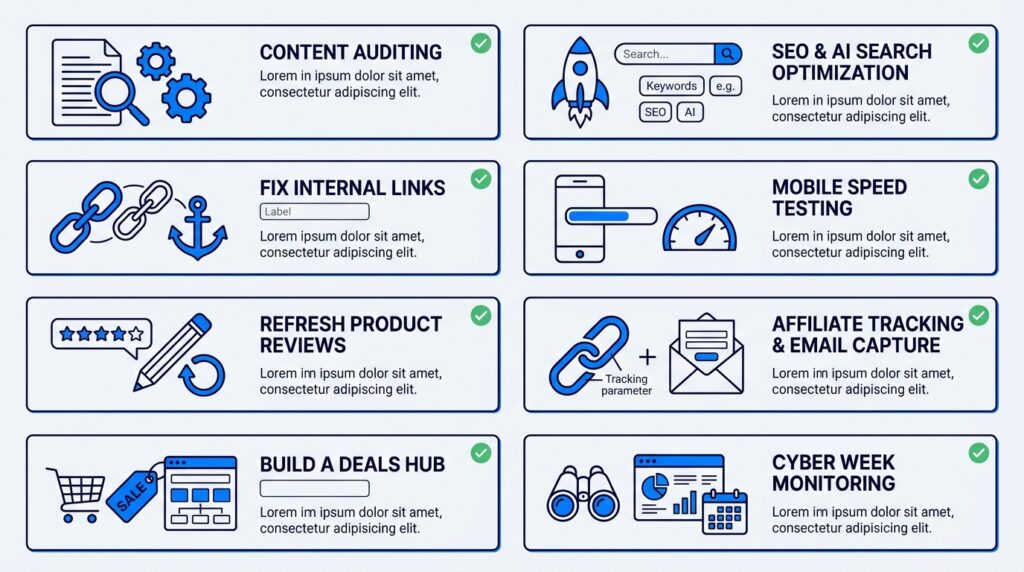
A successful Black Friday campaign depends on trust as much as timing. Avoid shortcuts that mislead readers, create unnecessary SEO problems, or leave you scrambling to correct mistakes during Cyber Week.
1. Don’t use fake countdown timers
A countdown timer should reflect a real deadline. Do not reset it every time someone visits your page or claim that an offer expires in minutes when the merchant has not set that deadline. Readers who discover the deception have less reason to trust your recommendations.
2. Don’t invent discounts or scarcity
Never advertise a discount you have not verified or claim that only a few units remain without reliable evidence. A product being popular does not prove that it is almost sold out.
Check the merchant’s official promotion details before publishing prices, coupon codes, savings percentages, or claims about limited availability. If the offer changes, update your page promptly.
3. Don’t publish unconfirmed deal copy as fact
You can prepare your deal hub and supporting content before merchants announce their promotions. However, distinguish confirmed offers from planned coverage.
For example, you can explain which products you expect to compare and tell readers that verified offers will be added when available. Do not publish a guessed discount simply to get a page online early. An indexed page with useful information is more valuable than one filled with inaccurate claims.
4. Don’t create a new URL for every year
Avoid URLs such as /black-friday-deals-2026/ if you intend to run the same campaign annually. Use an evergreen URL such as /black-friday-deals/ and update the content each year.
A reusable URL gives you a consistent destination for internal links and promotion. It also avoids splitting future updates across several nearly identical pages. Keep the page useful between sales periods, and remove outdated prices and expired offers rather than leaving old deal information visible.
The principle is simple: prepare early, verify claims, and make changes that preserve reader trust and your website’s long-term value.
What to Do After Cyber Monday
Your Black Friday work should not end when the promotions finish. Use the following days to clean up the campaign, review its results, and preserve the value of the content you created.
1. Remove expired offers
Update your deals hub as soon as promotions end. Remove expired coupon codes, mark ended offers clearly and replace outdated prices with current information where relevant. Do not leave a prominent “active deal” label on an offer that is no longer available.
2. Review what converted
Use affiliate dashboards, GA4, and your available analytics to assess which pages attracted visitors, which links earned clicks, and which products generated commissions. Compare results against your own previous performance where useful.
Identify the content that deserves further investment. A page with strong traffic but few affiliate clicks may need clearer calls to action or better-matched offers. A page that converts well could become a priority for future campaigns.
3. Keep the evergreen URL live
Do not automatically delete your deals hub or change its URL after the event. Remove the expired promotions, retain useful buying advice, and explain when readers can expect the next update. Review the page ahead of the next holiday season and refresh it with verified information.
The goal is to turn a seasonal campaign into a repeatable publishing asset, rather than rebuilding the entire system from scratch every year.
Your Next Step: Choose the Pages That Matter Most
You do not need to overhaul your entire website before Black Friday. You need to identify the pages where a few well-chosen improvements could make the biggest difference.
Start today by auditing your affiliate website and selecting five to ten priority pages. Look for pages that already attract relevant visitors, generate commissions, rank for buying-related searches, or should link to your upcoming deals hub. Fix their most important problems before expanding the campaign.
Then use the 2026 Cyber Week Stack Planner to organize your tool purchases, prioritize your preparation tasks, and decide what to handle first.
Click here to download the 2026 Cyber Week Stack Planner. It’s free!
Frequently Asked Questions
When should affiliate bloggers start preparing for Black Friday?
Start about four weeks before Black Friday, or earlier if your site needs substantial technical work. For 2026, begin on October 27. Audit existing content first, then fix internal links, build your deals hub, optimize priority pages, and verify offers before November 27.
Should I create a new Black Friday page each year?
Usually, no. An evergreen URL such as /black-friday-deals/ lets you update the same page annually instead of dividing its history and links among year-specific URLs. Refresh the title, offers, dates, and supporting content while keeping the URL stable.
How do I get a deals page indexed before the deals go live?
Publish a useful page early with relevant buying advice, product categories, and clear information about when confirmed offers will be added. Include it in your XML sitemap, link to it from relevant existing articles, and use Google Search Console’s URL Inspection tool to request indexing. Google does not guarantee immediate indexing.
Do I need new content or should I update old posts?
Start by improving existing pages that already attract relevant traffic, earn commissions, or support important buying decisions. Update outdated information, add useful comparisons, improve internal links, and connect relevant articles to your deals hub. Create new content only when it answers a distinct question or fills a meaningful gap.
What affiliate tools do I need for Black Friday?
You can start with Google Search Console, GA4, PageSpeed Insights, and a spreadsheet. These cover essential SEO monitoring, traffic analysis, performance checks, and offer tracking. Tools such as Foenix.ai, SEOWriting AI, Rank Math SEO Pro, FluentCRM, or GetResponse can help with audits, content preparation, SEO, and email marketing as your needs grow.
How do I avoid broken affiliate links during Cyber Week?
Maintain a central record of your affiliate URLs, destinations, offer terms, and last verification dates. Test important links before launch and recheck them daily during Cyber Week. When possible, use a link-management system that lets you update destinations centrally, and confirm tracking with your affiliate dashboard rather than relying on clicks alone.