Chadrack
What if you could secure reliable web hosting for your blog or affiliate website at a fraction of its regular introductory price, without committing to a hosting plan that costs more than your business needs?
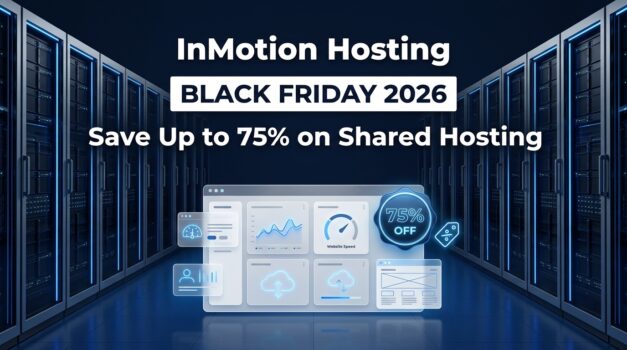
That's exactly what makes the InMotion Hosting Black Friday Deals 2026 worth examining. Starting November 9, InMotion Hosting plans to offer discounts of up to 75% on shared hosting and up to 70% on self-managed VPS hosting. The promotion is scheduled to run through December 16, 2026, covering both Black Friday on November 27 and Cyber Monday on November 30.
For someone starting a WordPress blog, building a niche affiliate website, or moving an existing business online, these discounts present an opportunity to reduce initial hosting expenses. And when you're working with a limited budget, every dollar saved can go toward content creation, SEO, email marketing, or other activities that help grow your website.
However, I have one recommendation: Don't choose a hosting plan simply because it carries the biggest discount. Choose the plan that gives your website the resources it needs at a price you can comfortably afford, including when renewal comes around.
That's why this guide focuses primarily on InMotion's shared hosting plans, particularly Launch, Power, and Pro. I'll explain their differences, who should choose each option, and what to examine before purchasing. I'll also cover the self-managed VPS promotion for experienced website owners who need greater server control.
My goal is simple: Help you take advantage of the InMotion Hosting Black Friday deals without making an expensive hosting decision you'll regret later.
Key Takeaways:
- Up to 75% off shared hosting: InMotion's planned Black Friday promotion offers its biggest advertised discount on shared hosting.
- Up to 70% off self-managed VPS: A separate offer targets developers and experienced website owners who need greater server control.
- Three shared hosting plans: Launch, Power, and Pro serve different website requirements, from beginner blogs to multi-site businesses.
- Choose according to your needs: Launch suits beginners, Power is worth considering for multiple websites, and Pro targets agencies and demanding multi-site users.
- Check the renewal price: Compare the introductory discount with the full upfront payment, billing term, and subsequent renewal cost.
- Sale dates: The planned promotion runs from November 9 through December 16, 2026.
InMotion Hosting Black Friday Deals 2026 at a Glance
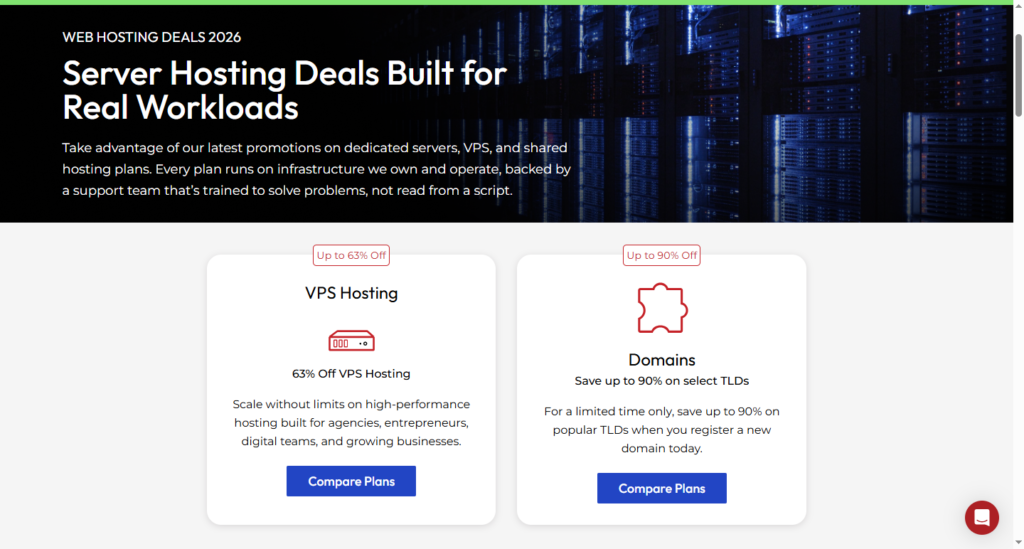
InMotion Hosting's Black Friday 2026 promotion runs from November 9 through December 16, 2026. The announced offers include up to 75% off shared hosting, up to 70% off self-managed VPS hosting, and discounts on selected dedicated server plans. Shared hosting is the main option for bloggers, affiliate marketers, and small businesses.
The promotion begins on November 9, 2026, at 12:00 p.m. EST and ends on December 16, 2026. This gives buyers a chance to take advantage of the offers before, during, and after Black Friday and Cyber Monday.
Here is a breakdown of the announced discounts and the customers each hosting category is best suited for.
| Hosting product | Black Friday discount | Best suited for |
| Shared Hosting | Up to 75% off | Bloggers, beginners, and small businesses |
| Self-Managed VPS | Up to 70% off | Developers and growing websites |
| Managed Dedicated | Up to 50% off | Businesses needing managed server infrastructure |
| Bare Metal Dedicated | Up to 50% off | Advanced users and demanding workloads |
| High-Capacity Servers | Up to 16% off | Data-heavy applications |
| Low-Priced Dedicated | 30% off | Businesses needing dedicated hardware |
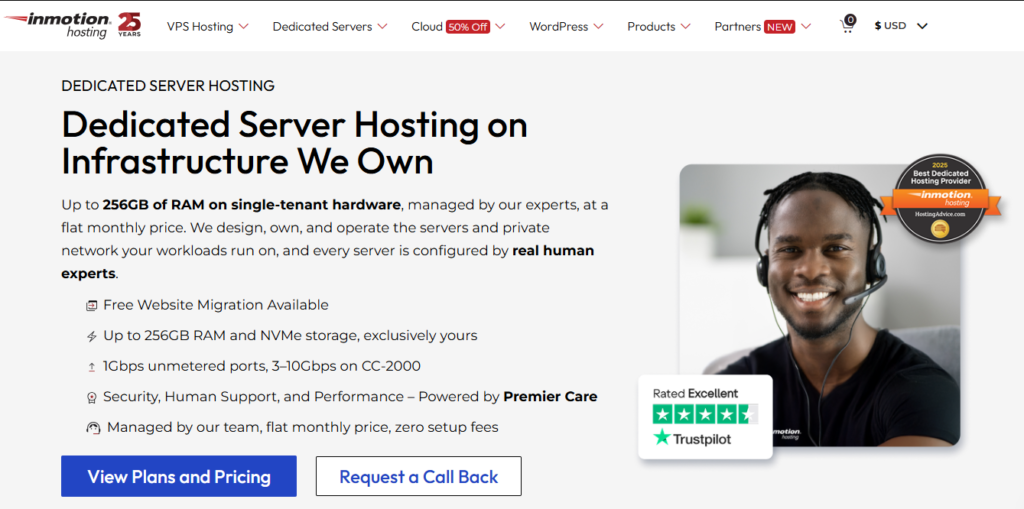
The two offers most relevant to this guide are shared hosting and self-managed VPS. Shared hosting is the more accessible starting point for most new websites. Self-managed VPS is aimed at customers who need dedicated virtual resources, root access, and greater control over their server environment.
The advertised discounts are maximum reductions, so the actual savings will depend on the qualifying plan and checkout terms. The promotional announcement does not provide confirmed prices, billing commitments, or renewal rates for individual plans. Check those details before purchasing.
You can review the promotion through the InMotion Hosting deals page. Confirm the eligible plans and final checkout prices when the Black Friday offer becomes available.
InMotion Hosting Shared Hosting Black Friday Deals: Save Up to 75%
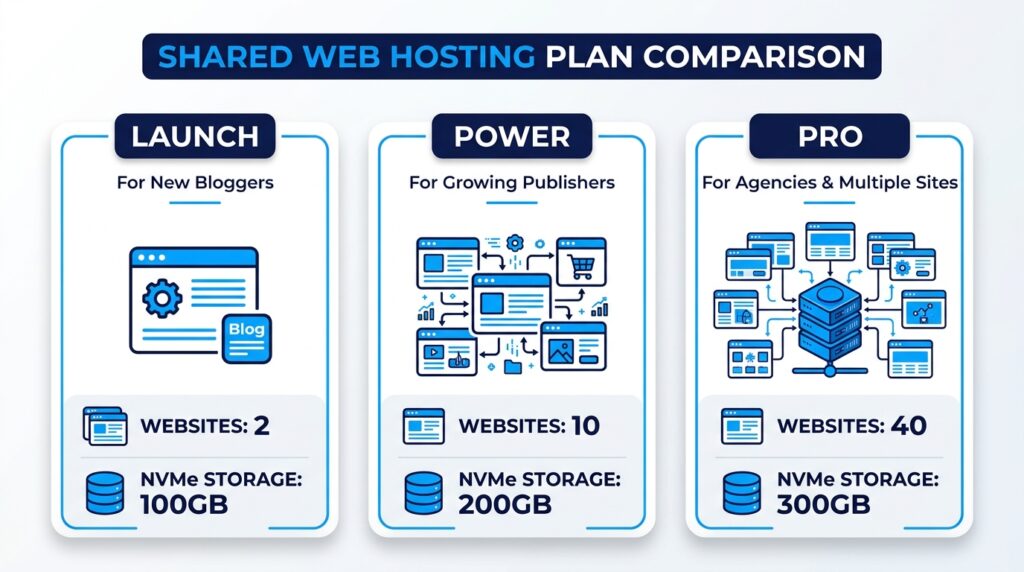
InMotion Hosting's shared hosting promotion offers up to 75% off selected plans, making it the most relevant part of the Black Friday sale for bloggers, affiliate marketers, and small business owners. Its Launch, Power, and Pro plans provide different levels of website capacity, so you can choose a package based on how many websites you manage and the resources they require.
For most people starting a WordPress blog or niche affiliate website, shared hosting is the sensible place to begin. You get the basic hosting infrastructure needed to publish and manage a website without taking responsibility for an entire virtual server.
Why Choose InMotion Shared Hosting?
InMotion shared hosting combines website management tools, storage, security features, and customer support in a hosting environment that is accessible to beginners. Its features can reduce the technical work involved in launching and maintaining a website.
Here is how some of those features benefit website owners:
- cPanel: the control panel most hosts use, so the tutorials you find match your screen.
- NVMe storage: reads and writes data faster than older SATA drives, which helps database-driven WordPress pages.
- Free SSL certificate: puts your site on HTTPS. Browsers flag HTTP pages as “Not secure,” and Google has used HTTPS as a ranking signal since 2014.
- Free domain on eligible terms: covers the yearly domain fee. Confirm eligibility at checkout.
- Free website migration: moves an existing WordPress blog for you, so you skip the manual transfer.
- Email hosting: gives you an address like you@yourblog.com, which looks better than a Gmail address when you apply to affiliate programs.
- 24/7 human support: puts a person on the line when your site goes down at 2 a.m.
- 90-day money-back guarantee: gives you a long testing window. Read the terms for exclusions such as domain fees and add-on services.
- Security tooling: InMotion's Monarx case study reports a 40% drop in security-related support cases after Monarx went onto its shared servers. That counts support cases, not attacks.
InMotion also advertises performance and security features intended to support website operation and protection. These are useful foundations, but they do not eliminate the need to keep WordPress, themes, and plugins updated or to maintain independent backups.
You can read more about the provider's business shared hosting features.
InMotion Shared Hosting Plans Compared: Launch vs Power vs Pro
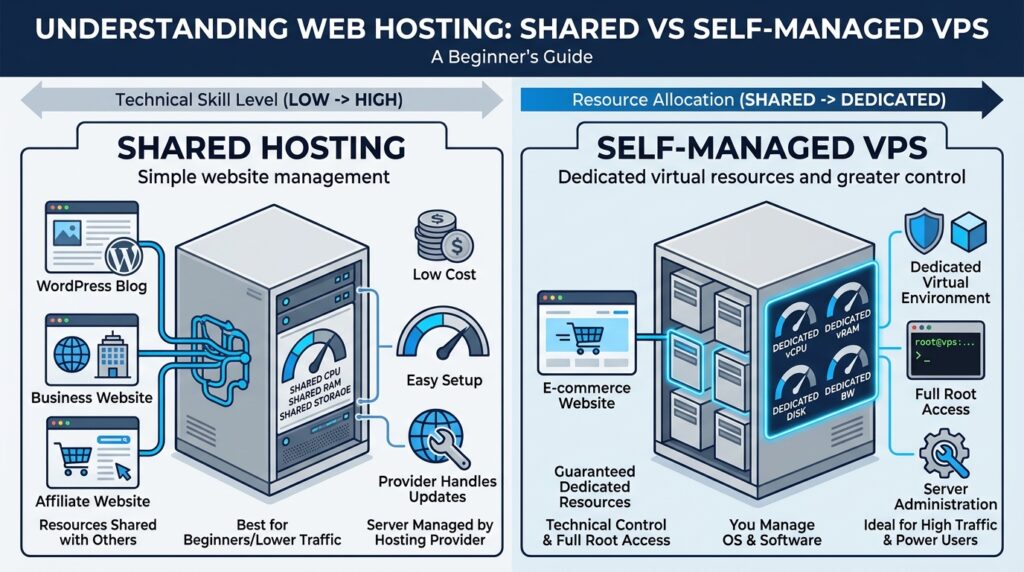
InMotion's three main shared hosting options are Launch, Power, and Pro. Their most visible differences are the number of websites each plan supports and the amount of NVMe storage available.
| Feature | Launch | Power | Pro |
| Websites | 2 | 10 | 40 |
| NVMe storage | 100GB | 200GB | 300GB |
| Bandwidth | Unmetered | Unmetered | Unmetered |
| vCPU | Not specified | Not specified | 2 |
| RAM | Not specified | Not specified | 4GB |
| Dedicated IP | Available | Available | Included |
| Best for | New bloggers | Growing publishers | Agencies and multiple sites |
Plan specifications should be checked against InMotion's current product information and the options displayed at checkout before purchase.
- Launch is the plan I recommend to most beginners. It runs two websites on 100GB of NVMe storage, which holds a new blog or a pair of niche affiliate sites with room to spare. It also has the lowest entry cost.
- Power runs 10 websites on 200GB. That suits affiliate marketers who operate several niche sites and want one account instead of five subscriptions. It is the next step once Launch fills up.
- Pro runs 40 websites on 300GB, adds 2 vCPU and 4GB of RAM, and includes a dedicated IP. Agencies and publishers with dozens of sites get the most from that capacity. Buy it only when your workload uses it.
Black Friday discounts apply at checkout, and the top rate of up to 75% goes to qualifying plans and terms. The cart shows the discount your plan receives.
Which InMotion Shared Hosting Plan Should You Choose?
The right InMotion shared hosting plan depends on the number of websites you manage and the resources they need. Use this guide as a starting point:
| Your situation | Recommended plan |
| Starting your first blog | Launch |
| Running one or two affiliate websites | Launch |
| Managing several niche websites | Power |
| Managing client websites | Pro |
| Running multiple established websites | Power or Pro, depending on resource requirements |
I would not recommend upgrading to Pro simply because it has the largest storage allowance or supports more websites. If Launch meets your current requirements, there is little reason to pay for capacity you will not use.
Power is worth considering when you are actively building several websites. Pro makes more sense when you manage a larger portfolio or need its additional resources and agency-oriented capacity.
How Much Can You Save With InMotion's Black Friday Shared Hosting Deal?
InMotion has announced a maximum discount of 75% on shared hosting, but the promotional announcement does not include confirmed Black Friday prices for Launch, Power, or Pro. It also does not specify the billing commitments or renewal rates for each plan.
I would rather give you a transparent pricing comparison than publish figures that may not match the checkout.
When the promotion launches, compare these details for each plan:
| Pricing detail | What to check |
| Regular introductory price | The standard price before the promotion |
| Black Friday price | The discounted price offered during the sale |
| Billing period | The number of months or years covered |
| Total upfront payment | The amount charged at checkout |
| Monthly equivalent | The upfront payment divided by the billing period |
| Renewal price | The amount payable after the introductory term |
| Domain eligibility | Whether the free domain applies to your chosen plan and term |
Pay particular attention to the difference between a monthly equivalent and the amount charged upfront. A hosting plan advertised at a low monthly rate may require payment for a longer period in advance.
The renewal price matters just as much. Your hosting expenses do not end when the promotional term expires.
Is InMotion Shared Hosting Good for WordPress and Affiliate Websites?
Yes. InMotion shared hosting is worth considering for WordPress blogs, niche affiliate websites, and small business websites that do not yet require dedicated server resources.
A new affiliate publisher can use it to install WordPress, publish SEO-focused articles, create product comparison pages, and build an email list. A small business can use the same hosting environment for its main website, service pages, and contact forms.
Shared hosting can also accommodate multiple smaller websites, depending on the plan and their combined resource requirements. However, a site with demanding applications, consistently high resource usage, or substantial traffic may eventually need a higher-capacity solution.
Your hosting plan should match your website's actual needs. Start with shared hosting if it provides enough capacity, then consider VPS when measurable resource limitations or technical requirements justify the upgrade.
InMotion Self-Managed VPS Black Friday Deal: Save Up to 70%
InMotion's announced Black Friday promotion includes up to 70% off self-managed VPS hosting. This offer is aimed at developers, experienced website owners, and businesses that need dedicated virtual server resources and greater control than shared hosting provides.
A self-managed VPS can be a useful upgrade when your website or application has outgrown shared hosting. However, the additional control comes with more technical responsibility.
What Is Self-Managed VPS Hosting?
A virtual private server (VPS) is a virtual server created within a physical server environment. Unlike a typical shared hosting account, a VPS provides dedicated allocations of resources such as CPU, RAM, and storage.
The self-managed part is important. You receive root access and greater control over the server, but you are also responsible for managing much of its software environment.
This means you may need to install and configure applications, manage security updates, maintain backups, and troubleshoot operating system or software issues. VPS hosting is therefore better suited to customers with the technical knowledge to administer a server or the resources to hire someone who can.
What Does InMotion Self-Managed VPS Include?
InMotion's self-managed VPS offering lists features intended for customers who need server-level access and flexibility. These include:
- Full root and SSH access for installing any software you need.
- Dedicated CPU and RAM that other customers cannot use.
- NVMe storage for fast disk reads and writes.
- Choice of Linux operating system to match your stack.
- Docker compatibility for containerized apps.
- Dedicated IP addresses for email reputation and server isolation.
- DDoS protection at the network level.
- 24/7 hardware and network support from InMotion.
One distinction deserves attention: InMotion's infrastructure support does not mean it manages your entire VPS. The provider handles the physical hardware and network, while you manage the operating system, installed software, security updates, and backups.
You can consult InMotion's VPS hosting product guide and its guidance on hardening a VPS.
Who Should Choose InMotion VPS Hosting?
Self-managed VPS is worth considering if your website or application requires resources, customization, or server access that shared hosting cannot provide.
It may suit:
- Developers who need root access and custom server stacks.
- Experienced website owners who can patch and secure a server.
- Agencies that want isolated resources for client projects.
- SaaS operators who run applications, not just websites.
- Businesses with demanding applications that need guaranteed CPU and RAM.
- Publishers who outgrew shared hosting and have the skills to move.
You should not upgrade to VPS simply because your website is growing. First identify the actual limitation. If your shared hosting account still meets your performance and resource requirements, moving to a self-managed server may introduce unnecessary costs and administrative work.
InMotion VPS Plans and Pricing
The announced promotion offers up to 70% off self-managed VPS hosting. However, the promotional announcement does not provide a confirmed list of qualifying VPS plans, individual resource allocations, checkout prices, or renewal rates.
You should verify those offers before buying. When comparing the available VPS tiers, examine:
| Pricing and resource detail | What to verify |
| VPS plan name | The qualifying plan offered in the promotion |
| CPU | Number of allocated vCPUs |
| RAM | Memory available to your server |
| NVMe storage | Available storage capacity |
| Black Friday price | Discounted price for the selected term |
| Billing period | Required upfront commitment |
| Renewal price | Regular cost after the promotional term |
| Included management | Which responsibilities remain yours |
Do not compare VPS plans by discount percentage alone. A cheaper plan may lack the resources your application needs, while a more expensive tier may include capacity you will not use.
Shared Hosting vs Self-Managed VPS: Which Should You Choose?
Shared hosting and self-managed VPS serve different customers. Shared hosting is easier to operate and generally costs less, while VPS provides dedicated virtual resources and greater administrative control.
| Feature | Shared Hosting | Self-Managed VPS |
| Cost | Generally lower | Generally higher |
| Server resources | Shared environment | Dedicated allocations |
| Root access | No | Yes |
| Server management | Provider-managed hosting environment | Customer manages the server |
| Technical knowledge | Basic website administration | Advanced server administration |
| Best for | Blogs and small websites | Developers and demanding workloads |
For beginners and most small affiliate websites, shared hosting is the better starting point. You can focus on publishing content, improving search visibility, and building your business without taking on server administration.
Choose self-managed VPS when your resource requirements, application configuration, or need for root access justify the additional cost and technical responsibility.
How to Choose the Right InMotion Hosting Plan for Your Website
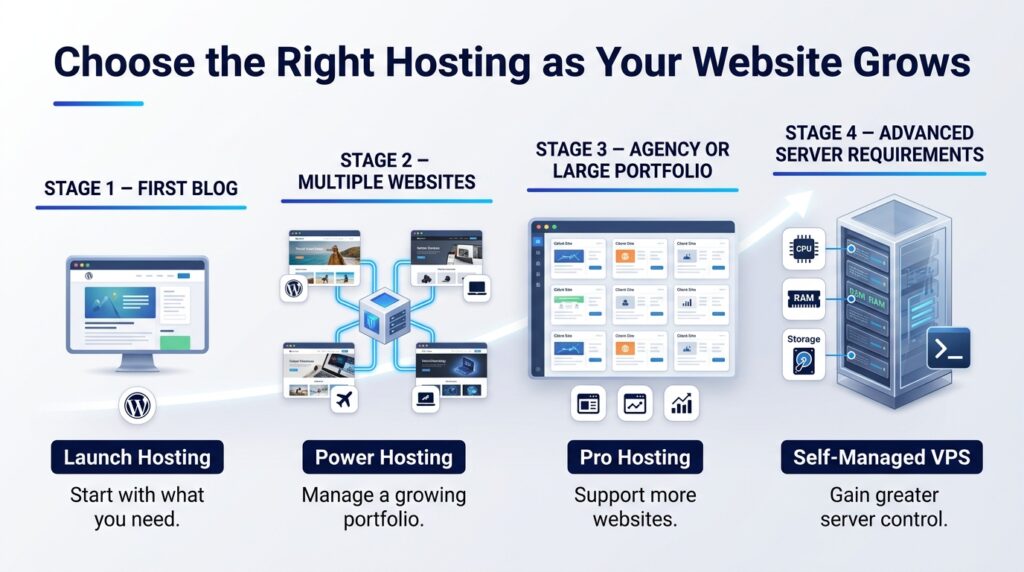
The best InMotion Hosting plan depends on what you are building, how many websites you manage, and the resources those websites consume. A new blog has different requirements from an established affiliate publisher or an agency managing client websites.
Use the following recommendations to narrow down your choice before claiming the Black Friday discount.
If You're Starting Your First Blog
Start by considering Launch Hosting. It supports up to two websites and includes 100GB of NVMe storage, giving a new blogger room to build a WordPress site and establish a publishing routine.
You probably do not need the higher capacity of Power or Pro at this stage. Keep your initial hosting costs manageable and direct more of your budget toward useful content, website design, and audience development.
If You're Building Multiple Affiliate Websites
Consider Power Hosting if you plan to manage several niche affiliate websites under one hosting account. Its support for up to 10 websites and 200GB of NVMe storage gives you more room to expand than Launch.
However, remember that supporting 10 websites does not guarantee that all 10 can handle heavy workloads comfortably. Monitor resource usage as your sites grow, particularly if several websites receive significant traffic or use resource-intensive WordPress plugins.
If You're Running an Established Content Website
Compare Power, Pro, and VPS based on your website's actual requirements. Look at resource consumption, performance issues, application needs, and the amount of control you need over the server.
Pro may be appropriate if you manage numerous websites and need its listed capacity. VPS becomes more relevant when you need dedicated virtual resources, root access, or a configurable server environment.
Do not rely on monthly visitor numbers alone. Two websites with similar traffic can have very different resource requirements because of their themes, plugins, databases, caching, and application workloads.
If You're a Developer or Agency
Consider Pro Hosting if you manage multiple client websites that fit within a shared hosting environment. Its capacity for up to 40 websites may make it a practical option for agencies handling several smaller projects.
Choose self-managed VPS when a client needs root access, custom server configurations, Docker compatibility, or dedicated virtual resources. That flexibility comes with an obligation to manage the operating system, software, security updates, and backups.
The decision comes down to the work you need the server to perform. Choose shared hosting for straightforward website management and VPS when the technical requirements genuinely call for it.
How to Claim the InMotion Hosting Black Friday Deal
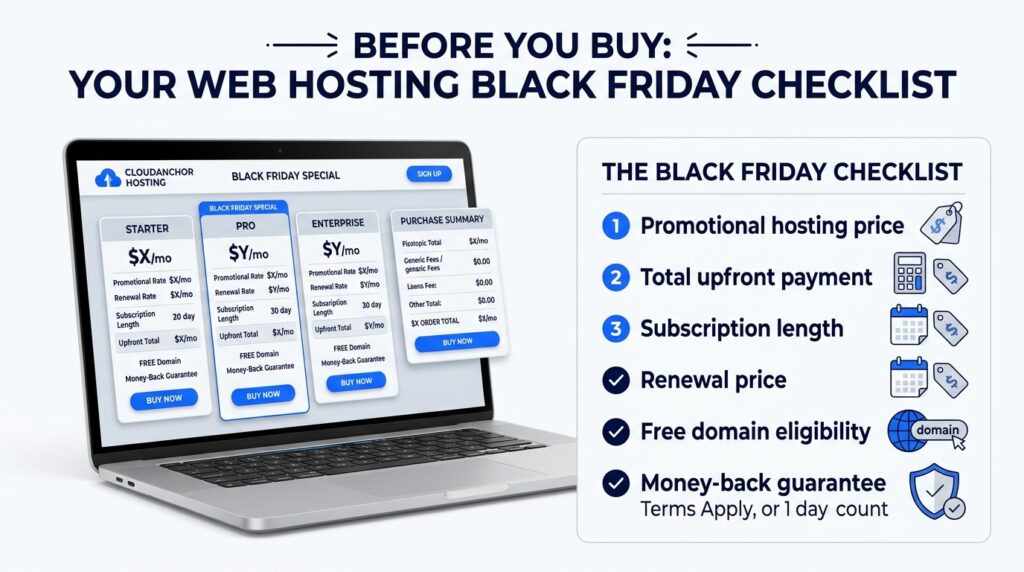
Claiming the InMotion Hosting Black Friday deal should be straightforward once you know which hosting plan you need. The important part is to check the actual promotional price, billing commitment, and renewal cost before completing your order. The sale opens November 9, 2026, at 12 PM EST and closes December 16, 2026.
Follow these steps when the promotion becomes available:
- Visit the official deals page. Click my affiliate link to reach InMotion's Black Friday deals page.
- Select your offer. Choose shared hosting for a blog or small business site. Choose self-managed VPS only if you can run a server yourself.
- Compare plans and billing terms. Put Launch, Power, and Pro side by side, then compare the 12-, 24-, and 36-month terms.
- Check the promotional price and total upfront payment. The upfront total is what your card is charged today. The monthly figure is that total divided by the months in the term.
- Review the renewal price. Write it down before you continue. It replaces the sale price when your first term ends.
- Select any eligible domain or additional services. Claim the free domain if your term qualifies. Skip any add-on you can't explain.
- Complete checkout and save your purchase confirmation. Keep the receipt email as proof of your purchase date for the 90-day money-back window.
A useful tip: Take screenshots of the promotional landing page and checkout summary after the sale launches. These provide a record of the advertised discount, selected plan, billing period, and amount charged. They can also help you compare the offer with the regular pricing later.
Ready to choose your hosting plan?
Things to Consider Before Buying InMotion Hosting During Black Friday
A large Black Friday discount can make a hosting plan look attractive, but the advertised percentage should not determine your purchase. Before ordering, examine the full cost, the hosting resources you will receive, and the responsibilities that come with your chosen plan.
Check the Renewal Pricing
The sale price covers your first term only. When the term ends, the renewal price takes over, and your yearly cost can rise.
Find the renewal line in your cart before you pay. Then decide whether you would keep this plan at that price. If the answer is no, a longer term buys you more months at the sale rate.
Understand the Billing Commitment
The monthly equivalent is a division, and the upfront payment is the bill. Take a hypothetical $4 per month. A 12-month term means $48 today, a 24-month term means $96, and a 36-month term means $144.
A longer term locks the discount for more months. It also asks for more cash on day one. Pick the term you can afford and will use.
Choose a Hosting Plan Based on Your Needs
A 75% discount on a plan you don't need is still money spent. Pro's 40 sites, 2 vCPU, and 4GB of RAM do nothing for a blog with three posts.
Buy Launch for one or two sites, and move up when your resource use proves you need more. Upgrading later costs less than paying for idle capacity now.
Final Verdict: Is InMotion Hosting Worth Buying During Black Friday 2026?
InMotion Hosting's Black Friday 2026 promotion is worth considering, particularly if you are planning to launch a blog, affiliate website, or small business website. The advertised discount of up to 75% on shared hosting makes this the main offer for beginners and smaller publishers.
My recommendation is to choose your plan according to your website requirements:
- Launch: A sensible starting point for new bloggers and small websites.
- Power: Worth considering if you manage several niche or affiliate websites.
- Pro: Better suited to agencies and publishers with more demanding multi-site requirements.
- Self-managed VPS: The upgrade option for experienced users who need dedicated virtual resources, root access, and greater server control.
You do not need the most expensive plan to build a successful website. Start with the capacity you need and upgrade when your website's actual resource requirements justify it.
Before purchasing, compare the Black Friday price with the regular introductory price, total upfront payment, billing period, and renewal cost. Also confirm the qualifying plans and any domain or service exclusions.
If the final checkout price fits your budget and the plan meets your requirements, the promotion could be a good opportunity to secure your hosting.
Frequently Asked Questions
How much is InMotion shared hosting on Black Friday?
InMotion has announced up to 75% off selected shared hosting plans for its 2026 Black Friday promotion. The final price depends on the qualifying plan and billing term. Check the live checkout price for Launch, Power, and Pro before purchasing.
Is the InMotion VPS deal good for beginners?
InMotion's self-managed VPS deal is generally better suited to developers and experienced website owners. Customers receive root access and dedicated virtual resources but must manage the operating system, software, security updates, and backups. Beginners will usually find shared hosting easier to manage.
Do the discounts apply when I renew?
The advertised Black Friday discounts should be treated as introductory promotional prices unless InMotion explicitly states otherwise. Check the renewal rate and billing conditions before ordering so you know what your hosting will cost after the initial subscription term.
Is there a money-back guarantee?
InMotion advertises a 90-day money-back guarantee for eligible hosting services, subject to applicable terms and conditions. Some charges, including domain registration fees and additional services, may be excluded. Review the current refund policy before completing checkout.
Can I move an existing site to InMotion during the sale?
Yes, InMotion advertises free website migration on eligible hosting plans. This can help existing WordPress website owners move from another hosting provider. Confirm the migration conditions and whether your particular website qualifies before placing your order.