Vibe vs Elementor vs Divi: Which is Better in 2025?

I’ve been building WordPress sites for over a decade. Every project, every landing page, every client site—Elementor was my comfort zone. It made sense back then: drag-and-drop, instant results, zero code.
For years, I didn’t question it. I even customized entire ecosystems around it. But over time, something shifted. The templates started to feel repetitive. Custom animations? Clunky workarounds. Truly unique layouts? Always a compromise. It wasn’t that Elementor—or Divi, for that matter—failed. They just stopped evolving at the pace of what’s now possible.
Elementor still powers over 18 million websites. Divi, with nearly a million users, remains one of the most popular visual builders ever made. They built their empires on one promise: anyone can design without code. But here's the uncomfortable truth: drag-and-drop builders have hit their ceiling. Those rigid grids and template dependencies that once simplified design now limit what creators can achieve.
As AI accelerates creative possibilities, these constraints feel increasingly outdated.
Then comes Vibe for WordPress—the world’s first AI-native, vibe-coding frontend builder fully integrated with the WordPress backend. Vibe isn’t a page builder upgrade; it’s a redefinition of what web creation feels like. Instead of dragging blocks, you describe what you want, and the AI builds it—clean, responsive, and instantly editable.
In this detailed WordPress site builders comparison, you'll discover why Vibe for WordPress breaks the “drag-and-drop” limits, fusing AI intelligence with the creative freedom necessary for modern websites.
DISCLOSURE: WebIncomeJournal is supported by readers like yourself. We may earn an affiliate commission when you purchase through our links, which enables us to offer our content for free. Learn more here.
Vibe for WordPress vs Elementor vs Divi: A Brief Overview
| Feature / Category | Vibe for WordPress | Elementor | Divi |
| Builder Type | AI-Native Vibe Coding Builder – full-site generation through natural language prompts | Drag-and-Drop Visual Builder with limited AI assistance | Drag-and-Drop Visual Builder with AI-powered content and design tools |
| Core Technology | Prompt-to-Website AI + Full WordPress backend integration | Component-based editing (templates, widgets, CSS) | Theme-based design system with visual editor |
| AI Capabilities | AI builds complete sites (structure, content, images) + chat-based refinement | AI assists with text, CSS, and design suggestions | AI assists with content and brand-based image generation |
| Design Freedom | Unlimited Frontend Freedom – build any UI, layout, or animation | Flexible within drag-and-drop constraints | Deep visual styling but confined to pre-set grid logic |
| Performance & Speed | Launch MVPs in a weekend; 2–3x faster project delivery | 1.14s average load time (Good) | 0.89s average load time (Fair) |
| Hosting & Stack | All-in-One Hosted Stack – managed WordPress hosting, CDN, SSL, backups, SEO optimizer | Requires separate hosting provider | Requires separate hosting provider |
| Ease of Use | Chat, Visual, and Code Modes + version control (rollback support) | Familiar drag-and-drop UI with moderate learning curve | Intuitive visual editor with floating panel interface |
| Developer Control | Full code access + AI-assisted coding for repetitive tasks | Partial control (via custom CSS and HTML blocks) | Limited direct code interaction; visual-first workflow |
| Integrations & Ecosystem | Full WordPress backend integration, plugin access, upcoming WooCommerce + CPT support | Integrates with CRM tools like Mailchimp, HubSpot | Strong WooCommerce integration; own theme ecosystem |
| Target Users | Freelancers, agencies, developers, startups seeking AI-native creation | Designers and freelancers who prefer visual control | Agencies and users seeking lifetime access and preset design packs |
| Pricing Model | Available via 10Web Platform – 3-day free trial + free custom domain for 1 year | $59/year (Essential Plan) | $249 one-time payment (Lifetime Access) |
| Core Value Proposition | Compresses development time from weeks to minutes; real WordPress code, AI-native design freedom | Easiest traditional builder for visual editing | Best lifetime value for agencies needing scalable licensing |
Head-to-Head Comparison: The Speed, AI, and Freedom Revolution
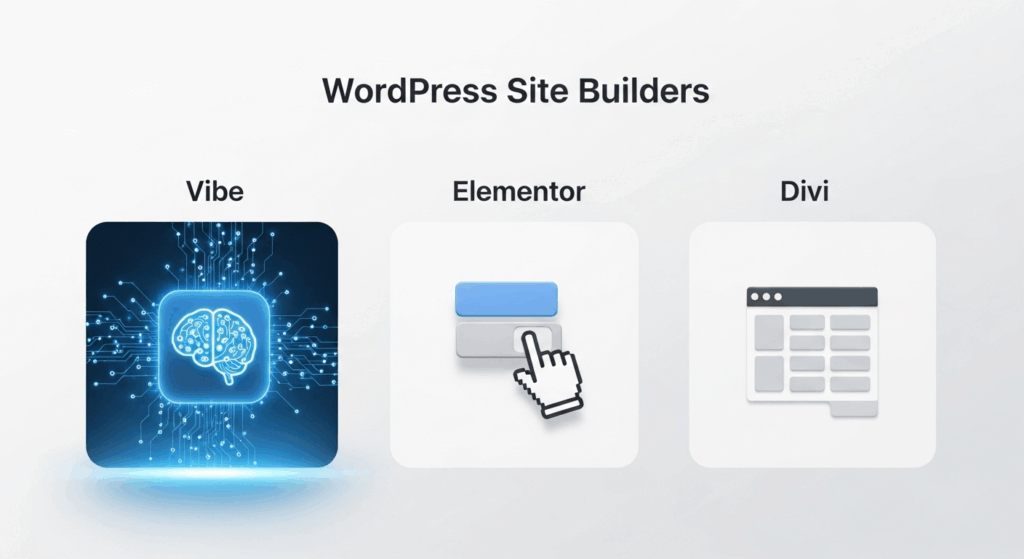
AI-Native Creation vs. Component-Based AI (The Outdated Factor)
For years, Elementor and Divi have been the go-to tools for creators seeking an easy, visual way to build websites. Their introduction of AI features seemed like a step forward—but compared to Vibe for WordPress, these additions are more like small patches on an aging system.
Vibe for WordPress represents a complete shift. It’s not just an AI-enhanced builder; it’s an AI-native creation environment. Instead of dragging widgets or toggling options, users simply describe what they want— “a modern portfolio site for a digital agency with bold typography and smooth scroll animations”—and Vibe’s Prompt-to-Website engine instantly generates a full, responsive, production-ready WordPress site. The AI handles structure, design, copy, and even image generation, producing a complete, launchable site in minutes instead of hours.
Refinement is just as effortless. You can chat directly with the AI to adjust layouts, tweak design elements, or regenerate specific sections. Developers aren’t left out either—Vibe provides clean, composable code generation, allowing quick prototyping for plugins, forms, or components that typically slow down builds. The result is a faster, smarter workflow that combines the power of AI with the flexibility of traditional coding.
By contrast, Elementor AI and Divi AI operate within their legacy frameworks. Elementor’s AI focuses on micro-tasks, such as writing text, suggesting CSS tweaks, or adjusting layouts. It helps, but it doesn’t reinvent creation. Divi AI, though more ambitious with its brand-aware generation and image tools, still requires significant manual input and suffers from a steeper learning curve, one of the reasons why I’ve stayed away from it over the years.
The conclusion is clear: while Elementor and Divi use AI, Vibe for WordPress is AI. It doesn’t enhance the old system—it replaces it. With natural language commands and full-site generation, Vibe sets the new standard for what website creation should feel like.
Customization and Design Freedom

One of the biggest frustrations with traditional builders is the feeling of designing inside invisible walls. You can drag, drop, and adjust endlessly—but the grid always wins. Vibe for WordPress breaks those walls completely.
Vibe introduces what it calls Unlimited Frontend Freedom—a design experience without drag-and-drop constraints. Whether you’re building a minimalist landing page or a fully interactive app-like interface, Vibe lets you construct any UI, layout, or animation directly within its Vibe canvas. You can click to edit visually, or prompt the AI to modify code in real time. The system is also design-system aware, meaning when you change a global style (like a color token or font pair), it cascades intelligently across every component.
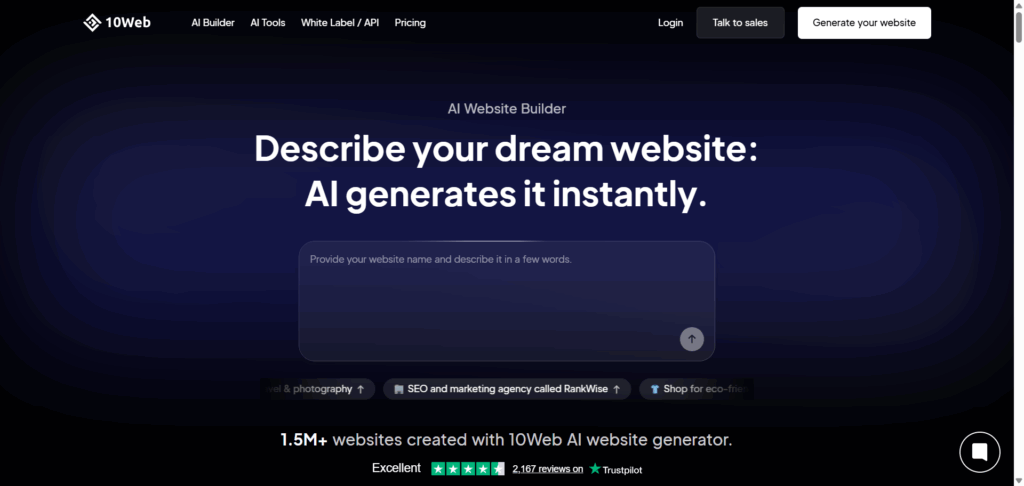
For developers, this is gold. Vibe lets them maintain full code ownership while offloading repetitive boilerplate work to the AI. You keep creative control—without wasting time on syntax or setup.
Elementor, meanwhile, remains the most flexible of the traditional builders, boasting 300+ templates, 100+ widgets, and deep customization through Theme Elements and custom CSS. But this flexibility still operates within a visual box—it’s powerful, yet inherently limited by the drag-and-drop logic.
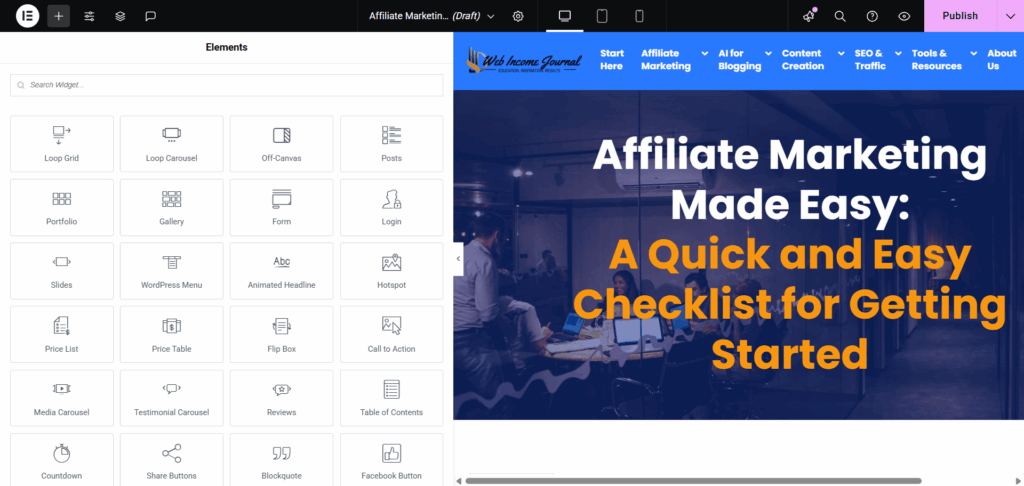
Divi also excels in visual control, offering 800+ layouts and 100+ full website packs. Its floating UI gives users detailed control over fonts, colors, and hover effects, but like Elementor, every design still lives within pre-built boundaries.
In short, Vibe’s “vibe coding” is a paradigm shift. It merges visual creativity, AI-driven code, and developer precision into one seamless system. No more rigid grids, no more repetitive tweaks—just fluid, expressive design where anything you can imagine can now exist inside WordPress.
Performance and Efficiency (Time to Launch)

When it comes to performance, traditional WordPress site builders like Elementor and Divi have spent years optimizing how fast a site loads. But in 2025, speed means more than just milliseconds (Page load speed, GTmetrix scores, Core Web Vitals, and Mobile PageSpeed scores). It’s about how fast you can go from idea to launch.
That’s where Vibe for WordPress completely changes the equation. Its AI-native vibe coding framework enables creators, startups, and agencies to launch MVPs, full websites, or even web apps within a single weekend. What once took weeks of manual design and revision cycles can now be achieved in a few conversational prompts. Many early adopters report 2–3x faster build times, thanks to Vibe’s prompt-to-production workflow.
Agencies are already leveraging this acceleration to deliver complete client projects in days instead of months, giving them a massive competitive edge. Beyond creation, Vibe includes an All-in-One Hosted Stack—managed WordPress hosting, built-in CDN, SSL, automatic backups, and performance optimization. Every generated site also passes through an automated Optimize phase, which fine-tunes the frontend, compresses assets, and sets SEO fundamentals (meta tags, schema, alt text) automatically.
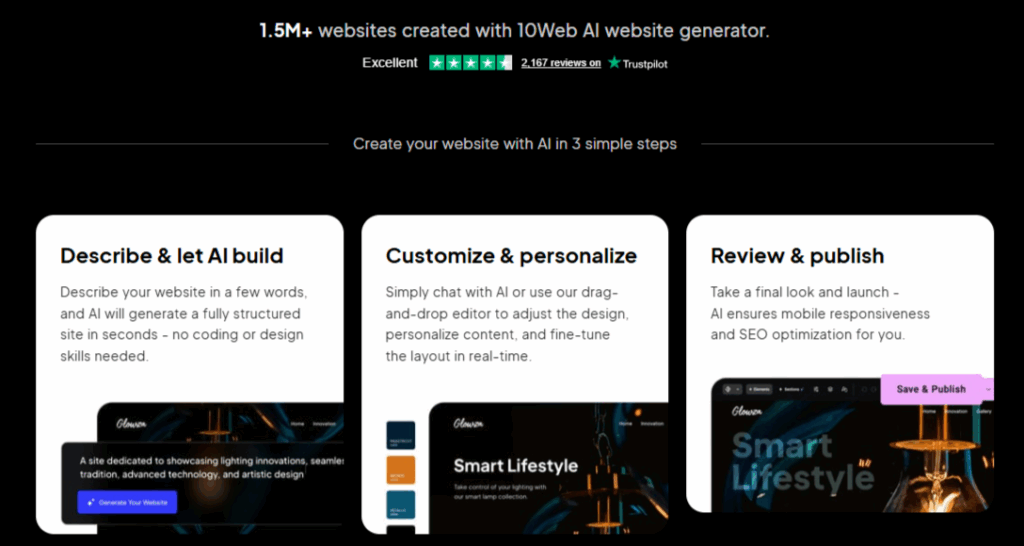
Compare that with Elementor and Divi, both of which excel in page rendering but still rely on manual workflows. Elementor sites average a 1.14s load time and a Mobile PageSpeed score of 90, while Divi clocks around 0.89s with a Mobile PageSpeed score of 91. Solid, but still bound to the old model—manual setup, theme adjustments, and plugin dependencies.
The difference is strategic: Elementor and Divi optimize the load times of existing pages, but Vibe optimizes the entire creation lifecycle. From the first prompt to a live, production-ready WordPress site, the timeline collapses from weeks or months to minutes or hours. That’s not incremental improvement—it’s evolution.
Ecosystem and Integrations (The Backend Power)

Speed and freedom mean nothing if you're building on quicksand.
Most vibe coding platforms face one critical weakness: they create beautiful frontends but leave you to figure out the backend yourself. Content management? Manual setup. User authentication? Your problem. Scalability? Good luck.
This is where Vibe for WordPress takes its AI-native innovation and fuses it with the full power of the WordPress ecosystem—something most no-code or AI site generators completely ignore.
Unlike standalone AI builders that export static HTML or sandboxed mockups, Vibe delivers a real, production-ready WordPress backend from day one. That means creators have access to thousands of WordPress plugins, robust user management, and built-in SEO architecture—right out of the box. Its seamless backend integration ensures that vibe-coded sites remain fully extensible and scalable, whether you’re adding custom post types, membership systems, or advanced analytics.
Vibe’s roadmap goes further. Upcoming updates promise full WooCommerce integration and Custom Post Type (CPT) support, empowering developers and eCommerce brands to leverage AI for store design, dynamic data handling, and personalized experiences—all within the familiar WordPress environment.
Meanwhile, Elementor continues to shine in third-party integrations, connecting easily with tools like Mailchimp, HubSpot, and other CRM platforms. Divi, on the other hand, offers strong WooCommerce compatibility and remains tightly coupled with its own theme ecosystem.
Yet, these are integrations layered on top of static systems. Vibe, by contrast, is built into the living core of WordPress itself—bridging the frontend, backend, and hosting layers into one fluid, intelligent stack.
Pricing and Value
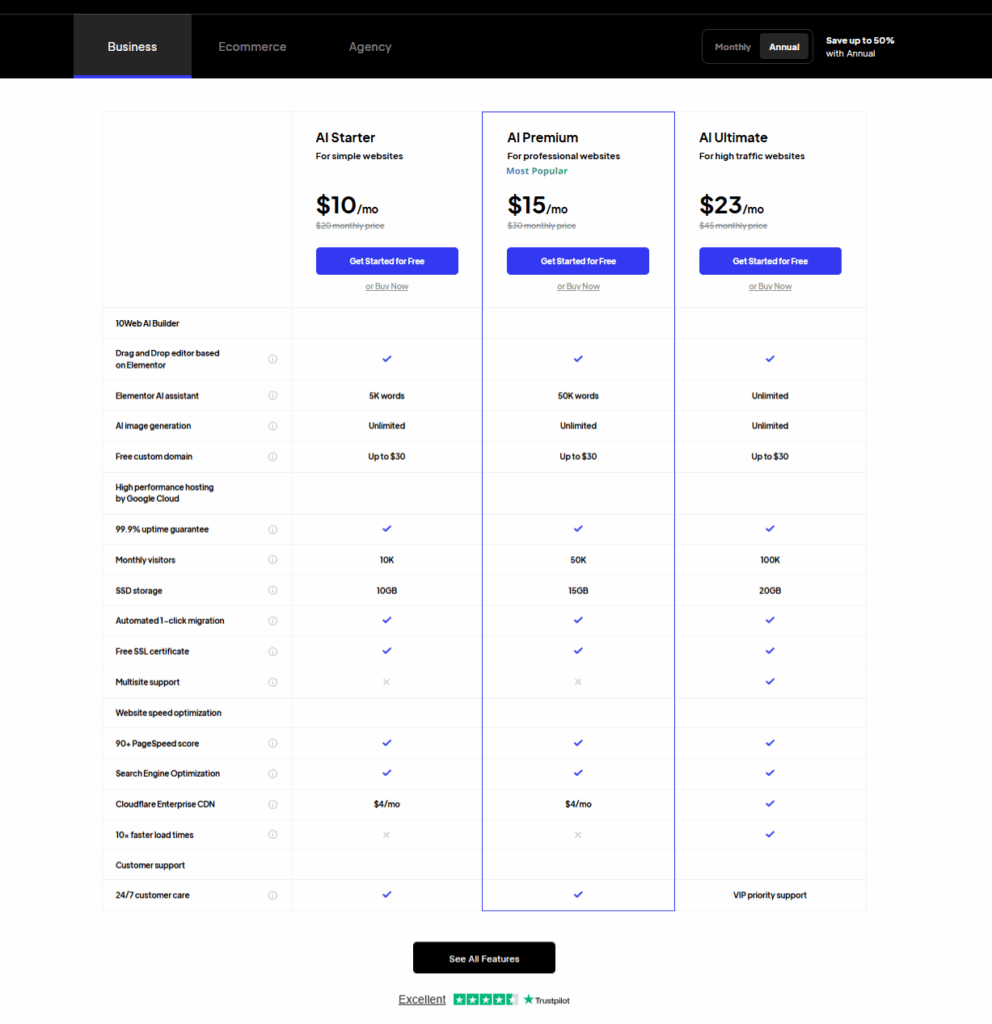
When comparing pricing and value, it’s clear that each platform takes a different approach. Divi has long been praised for its lifetime offer—$249 one-time payment for agencies that want unlimited usage. Elementor, by contrast, uses an annual subscription model, starting at $59 per year, with higher tiers for pro widgets and theme builders.
Vibe for WordPress, built on the 10Web Platform, redefines value beyond simple pricing tiers. Every plan comes with a 3-day free trial, a free custom domain for the first year, and a complete AI-powered hosting environment that includes managed WordPress hosting, CDN, SSL, and automated optimization.
But Vibe’s true value isn’t in the dollar figure—it’s in time compression. What used to take weeks of development, manual plugin setup, and design tweaking now takes hours or even minutes. For freelancers, agencies, and startups, that means launching faster, scaling smarter, and spending less.
Ease of Use and Workflow
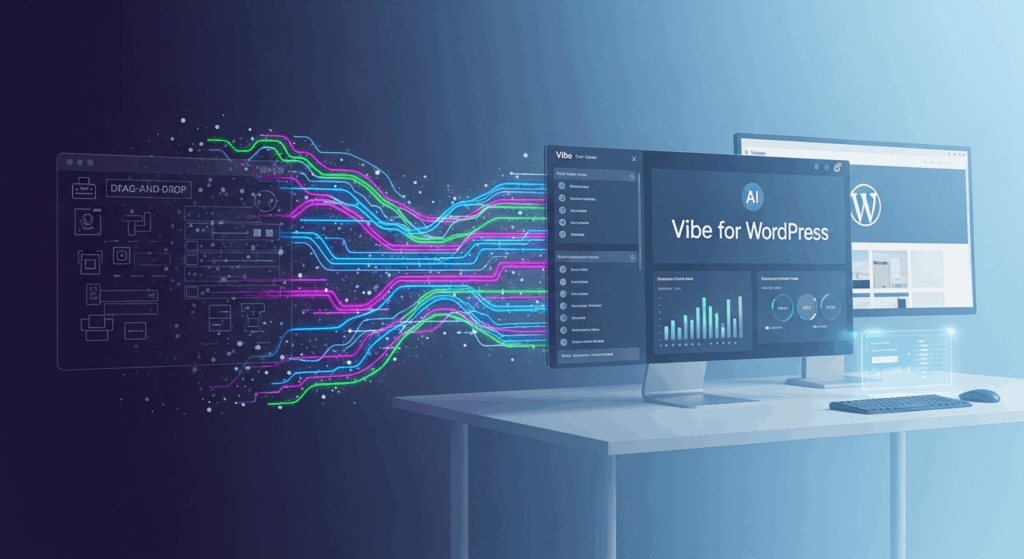
What makes Vibe for WordPress remarkable isn’t just its power—it’s how effortlessly it adapts to different types of users. Whether you’re a small business owner launching your first professional website or a developer seeking fine-grained code control, Vibe meets you exactly where you are.
The workflow is beautifully simple yet technically advanced. It starts with a descriptive prompt—you tell Vibe what kind of site you want, your brand tone, structure, and key goals. The AI then handles full-site generation, including layout, copy, and visuals. Next, it intelligently configures the right WordPress plugins, ensuring your site isn’t just beautiful but functional and scalable.
Once the site is generated, users can fine-tune it in three modes:
- Chat Mode: Talk directly with the AI to adjust design elements, regenerate sections, or add new features.
- Visual Mode: Edit visually within the vibe canvas for a hands-on design experience.
- Code Mode: For developers who want precision, direct code editing offers complete control.
Vibe even includes built-in version control, enabling users to view versioned diffs, track AI changes, and rollback or accept updates seamlessly. It’s a streamlined, intelligent workflow that bridges no-code simplicity with developer-grade transparency—a true evolution of the traditional WordPress site builder experience.
Conclusion: The Final Verdict
The truth is, Elementor and Divi have served their time well. They revolutionized the early era of WordPress site builders by giving non-developers a visual way to create stunning sites. But as design needs have evolved and AI has reshaped what’s possible, both platforms have hit a wall. Their drag-and-drop limitations, template dependencies, and manual workflows now stand in the way of speed, creativity, and scalability. For complex builds or rapid launches, they often require compromises that slow progress or dilute originality.
Vibe for WordPress changes everything. It’s not an upgrade to traditional builders—it’s an entirely new generation of creation technology. By being AI-native, it allows you to build full, responsive, and professional WordPress websites in minutes through natural language prompts. No rigid grids. No bloated templates. Just fast, clean, performance-optimized output directly connected to the real WordPress backend. Vibe makes modern web creation intuitive, fluid, and exponentially faster, empowering both creators and developers to move at the speed of imagination.
Ready to experience the future of WordPress building?
Frequently Asked Questions
1. What is “Vibe Coding” for WordPress?
Vibe Coding is a new way to build WordPress websites using AI instead of manual drag-and-drop editing. You describe what you want in plain language—like the type of site, sections, or design style—and the AI generates the full layout, content, and code instantly. It combines visual design freedom with developer-level control, producing real WordPress code ready for customization and scaling.
2. How does 10Web’s Vibe compare to Elementor’s AI features?
Elementor’s AI assists with small design tasks such as text generation, layout tweaks, and CSS suggestions. Vibe, on the other hand, is AI-native—it builds entire websites from a single prompt. It handles structure, content, visuals, and optimization in one process. In short, Elementor uses AI to enhance design, while Vibe uses AI to create the entire website.
3. Do I need a separate host if I use Vibe for WordPress?
No. Vibe runs on the 10Web Platform, which includes managed WordPress hosting, built-in CDN, SSL, backups, and performance optimization. You don’t need an external host. Everything—AI generation, hosting, and management—happens in one unified system.
4. How fast can I launch a site with Vibe?
Vibe can generate a fully functional, responsive, and SEO-ready WordPress website in minutes. Most users can launch an MVP or client-ready site within a single weekend, compared to the weeks or months required by traditional builders like Elementor or Divi.
5. Does Vibe for WordPress support WooCommerce?
Yes. WooCommerce support is a key part of Vibe’s roadmap. Current versions already allow seamless WordPress integration, and full WooCommerce and Custom Post Type (CPT) support are actively being rolled out to enable AI-driven eCommerce site creation.