Want Ecommerce Without Inventory? Here’s a Low-Risk Way to Add It to Your Blog in 2025


You've probably noticed it by now.
Google’s AI-driven search features – AI Overviews and AI Mode – are changing everything. Do a simple search for something like “best kitchen gadgets,” and you'll see product recommendations with buy buttons right in the search results.
No click-through to your blog. No ad revenue. All… gone.
I felt that pit in my stomach, too, when I watched my traffic drop last quarter. Years of creating valuable content and optimizing for SEO—and now the rules have changed again.
But here's what I've learned: if Google wants to connect readers not just with answers but with solutions they can buy, maybe it's time we stopped fighting it and started using it to our advantage.
The problem? Most of us don't want to deal with inventory. We became bloggers because we love writing and connecting with readers, not because we want to manage warehouses, handle shipping delays, or deal with customer complaints about damaged products.
What if you could add e-commerce to your blog without touching a single product? No upfront investment. No storage space. No packing boxes at 2 AM.
That's exactly what ecommerce without inventory offers, and I'm going to show you a low-risk way to test it in the next seven days—while keeping 100% of any profits you make.
Key Takeaways:
- Google’s new AI features favor e-commerce sites over pure content blogs.
- Bloggers can fight back by adding e-commerce – e-commerce without inventory means running an online store without holding physical products yourself
- You can test a done-for-you store for 7 days free, keeping all profits during the trial
- This model eliminates inventory risk, shipping hassles, and tech overwhelm for bloggers
DISCLOSURE: WebIncomeJournal is supported by readers like yourself. We may earn an affiliate commission when you purchase through our links, which enables us to offer our content for free. Learn more here.
Why Most Bloggers Struggle with E-commerce
On paper, adding e-commerce to a blog seems simple: pick products, add a store page, and start selling. In reality, most bloggers who try it end up frustrated or give up entirely. The challenges aren’t about motivation – they’re about logistics.
First, there’s inventory risk. You need to buy products upfront, often in bulk, to get decent margins. Where do you store 500 units of anything when you're working from a home office? And what happens if nobody wants what you're selling? You're left with boxes of unsold inventory and a drained bank account.
Then comes the fulfillment nightmare. Every order means printing labels, packing boxes, and driving to the post office. One shipping delay and your inbox floods with frustrated customers. Returns? That's a whole other headache—refund policies, restocking fees, damaged items you can't resell.
The next barrier is tech overwhelm. Setting up an e-commerce platform, connecting payment processors, configuring shipping calculators, managing product databases—it's a steep learning curve when you just want to sell a few products alongside your content.
And finally, there’s distraction. E-commerce steals your time from what actually built your audience. You became a blogger to write, create, and connect with readers. Instead, you're tracking inventory spreadsheets and answering “where's my order?” emails at midnight.
This is why so many bloggers hesitate or fail when they try to build a store on their own. The traditional e-commerce model just doesn't fit the blogger lifestyle. We need something different.
The Solution: E-commerce Without Inventory
E-commerce without inventory means running an online store where you never touch, see, or store the products you sell.
Think of it as the difference between opening a restaurant and recommending one. You still make money, but someone else handles the kitchen, ingredients, and cleanup.
This is different from basic dropshipping business models. With standard dropshipping, you're still building a store from scratch—finding suppliers, importing products, creating listings, setting up payment systems, and hoping your supplier actually ships on time. Only 10-20% of dropshipping businesses succeed because there's still too much to manage.
Done-for-you ecommerce is simpler. You get a complete store that's already set up, already running ads, and already generating sales.
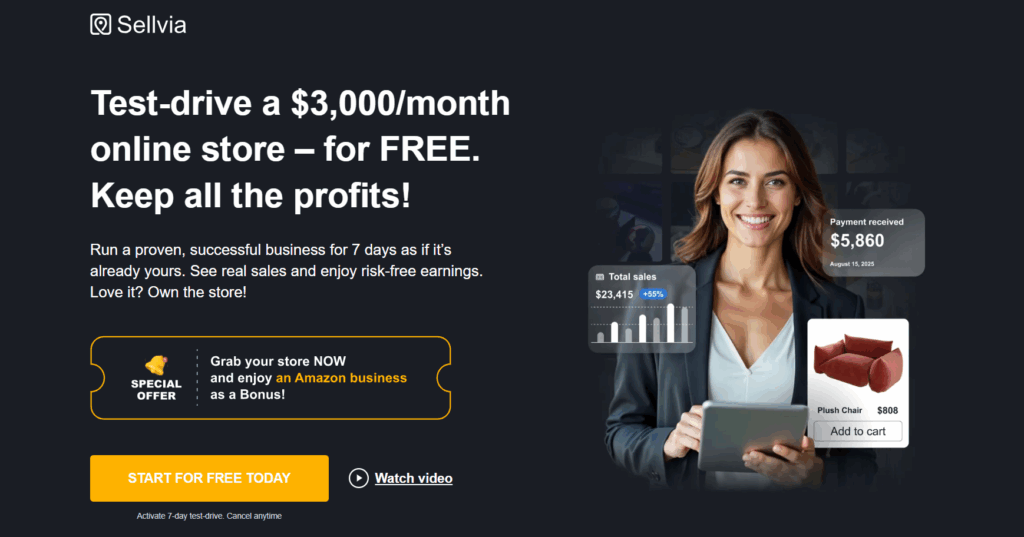
I found this through Sellvia's ready-made stores, and honestly, it felt too good to be true at first. These are prebuilt stores earning between $1,000 and $3,000 monthly in real sales. During your 7-day free trial, you test-drive one as if you own it, without committing a single dollar. And the best part? You keep every dollar you earn, no strings attached.
Here's what “done-for-you” actually means:
- Store design and branding already complete
- Trending print-on-demand products already selected and loaded
- Automated ads already running on Facebook and Google
- Payment processing through PayPal and credit cards already configured
- Order fulfillment services handled from Sellvia's California warehouse
Think of it as e-commerce on autopilot – your blog keeps running, your content keeps attracting readers, and your store quietly earns while you write.
No sourcing products. No shipping boxes. No customer service nightmares. E-commerce without the e-commerce headaches.
Why This Is a Low-Risk Way to Expand Your Blog Income
Most e-commerce advice tells you to “just start.” Easy for them to say when it's not their money on the line.
This approach is different because you risk nothing to test it.
Zero Upfront Costs With the Free Trial
You're not buying inventory. You're not paying for a Shopify subscription or theme. You're not hiring a designer or developer.
The 7-day test-drive costs you zero dollars. If e-commerce isn't for you, you walk away having spent nothing. That's the opposite of traditional retail, where you're $5,000 deep before you make your first sale.
Keep 100% of the Profits You Earn
During your trial week, every sale goes directly to you. Not 70%. Not “after fees.” All of it.
If you make $500 in week one, that's $500 in your pocket. You're testing whether e-commerce fits your blog while already profiting from it. Even if you decide not to continue, you've added a nice bonus to your monthly income.
Scale Up Only If It Works for You
After seven days, you'll know if this is worth your time. Real data beats guessing every time.
See actual sales? Customer interest? Then you can purchase the store through 10 interest-free installments and scale up. If the numbers don't work for your audience? Cancel. No penalty. No awkward exit fees.
You're in complete control of whether this becomes a real income stream or just a one-week experiment. For bloggers who want to expand income without jeopardizing what they’ve already built, this is as close to a risk-free experiment as it gets.
How to Add Sellvia Store to Your Blog
So how exactly do you take your blog – built on words, ideas, and loyal readers – and turn it into an income-generating store without the headaches of inventory, shipping, or tech confusion?
As I’ve mentioned, with Sellvia’s store offer, the process is much simpler than most people expect. In fact, you can go from “just a blog” to “blog + ecommerce” in less than a week.
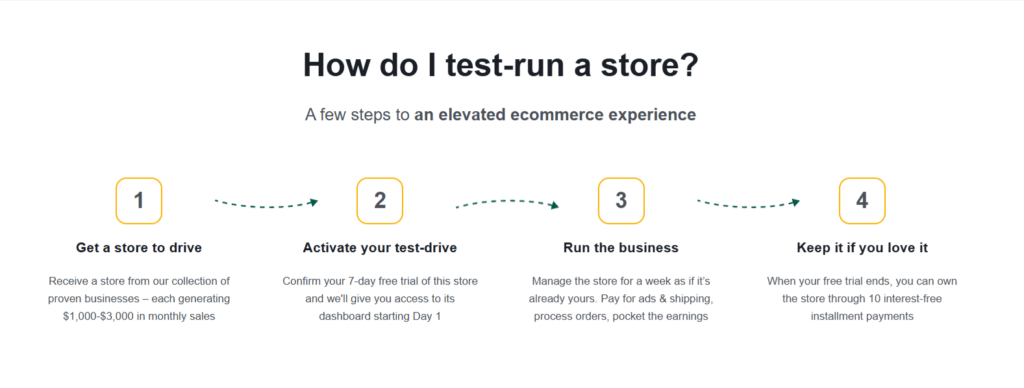
Here’s the step-by-step breakdown on how to test Sellvia’s e-commerce without inventory store in the next seven days:
Step 1: Sign Up for the 7-Day Free Trial
This takes about five minutes.
Head to Sellvia's test-drive page and fill out the basic information. You'll choose from several prebuilt stores in different niches—baby products, auto accessories, lifestyle gadgets, or gardening supplies.
Pick the niche that best matches your blog audience. If you write about parenting, the baby store makes sense. Tech blogger? Go with gadgets.
No credit card required for the trial. That's important. You're not getting charged, you're not on the hook for monthly fees, and you can literally test this with zero financial risk.
Once you submit, you get instant access to your store dashboard. Everything's already set up—products, pricing, design, the whole thing. It's live and ready to accept orders immediately.
Step 2: Launch Your Store
Here's where it gets interesting.
Your store isn't some basic template you need to customize for weeks. It's a complete, professional e-commerce platform integration that's already running. The previous owner (or Sellvia's team) has already done the heavy lifting:
- Store design is mobile-optimized and looks legitimate—no “I built this in an afternoon” vibes
- Trending products are already loaded with descriptions, pricing, and high-quality images
- Automated ads are running on Facebook and Google, bringing in traffic while you sleep
- Payment processing works immediately through PayPal and major credit cards
- Third-party logistics (3PL) handles all inventory from Sellvia's California fulfillment center
The stores you can test-drive are already generating $1,000 to $3,000 in monthly sales. You're not building from zero, you're stepping into something that's already working.
Take 30 minutes to familiarize yourself with the dashboard. Click through the products, check out the order flow, look at the analytics. You'll see real data from actual customers who've already purchased.
Step 3: Connect to Your Blog Audience
Now comes the blogger-specific part that most e-commerce guides skip.
Add a “Shop” link to your navigation menu. Put it right next to “About” or “Contact.” Make it visible but not pushy. Your regular readers will notice, and curious visitors will click to explore.
Write a short announcement post. You don't need a 2,000-word manifesto. A simple 400-word post works:
“Hey everyone, I've added a shop to the site where you can find [product category] I personally recommend. I'm testing this out for the next week to see if it's helpful for you. Check it out and let me know what you think!”
Keep the tone casual and honest. You're not selling—you're sharing something new you're trying.
Send an email to your list if you have one. Use the same low-key approach. Ecommerce marketing channels work best when they feel natural, not forced. Your subscribers already trust you, so a quick heads-up about your new shop feels like useful information, not spam.
Pro tip: Create a small “Featured Products” widget in your sidebar linking to 3-4 items from your store. This gives passive visibility without being intrusive.
Step 4: Let the System Run
This is the part that shocked me when I first learned about e-commerce automation tools.
Orders come in automatically. Someone clicks “buy,” pays through the secure checkout, and boom—you've made a sale. You'll get an email notification, but you don't need to do anything.
Sellvia handles everything from their California warehouse. They pick the product, pack it professionally, print the shipping label, and send it out. Shipping cost management is built into your pricing, and order fulfillment services happen without you lifting a finger.
Customer service? Sellvia's team handles common questions. You can step in if you want to add a personal touch, but you're not required to answer “where's my package?” emails at 11 PM.
You keep 100% of profits during the trial. Every sale that comes through in your seven days goes directly to your payment account. This isn't a revenue-share situation; it's all yours.
Your job is simple: drive your existing blog traffic to the shop and see what happens.
Step 5: Decide to Scale or Walk Away
At the end of the 7-day free trial, you’ll face a simple decision: do you want to scale your store or shut it down?
If you like the results – if your audience engages, clicks through, and buys – you can continue on Sellvia’s affordable installment plan and grow your store into a permanent income stream. From there, scaling can mean expanding product categories, running targeted ads, or even building niche-specific collections that align with your content.
If the results aren’t what you hoped for, that’s fine too. You walk away with no financial loss, no leftover stock, and no half-built Shopify project collecting dust. You’ll have learned something valuable about your audience without risking anything.
Proven Niches Bloggers Can Tap Into in 2025
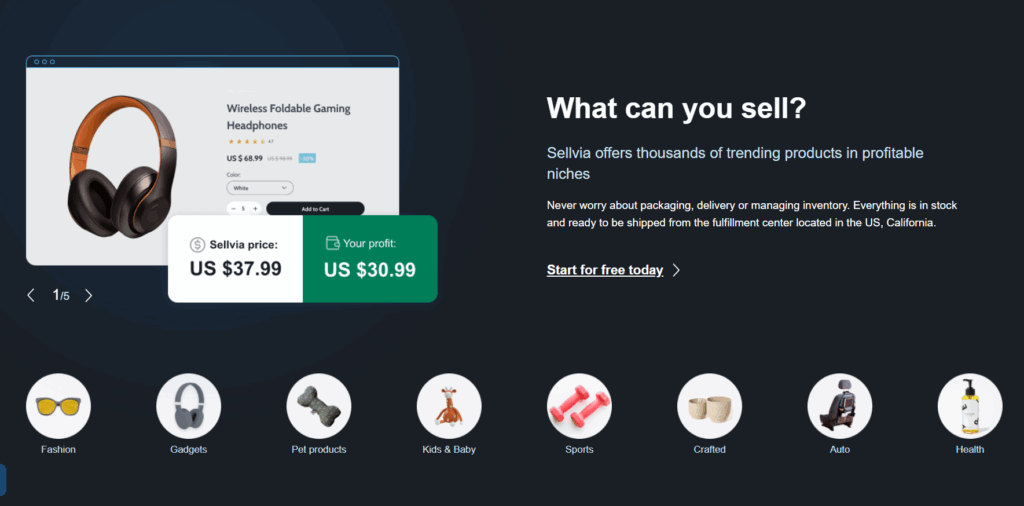
Choosing the right products matters just as much as having the right ecommerce system. The good news? Some niches continue to perform year after year, while others are exploding thanks to shifting consumer habits in 2025.
Here are four proven niches that work particularly well for bloggers testing inventory-free online stores:
Niche #1: Baby Products – Always in Demand, Emotional Buyers
Parents never stop buying for their kids. Strollers, baby monitors, teething toys, nursery decor—the list goes on.
What makes this niche special? Emotional purchasing decisions. Parents want the best for their children and will pay premium prices for quality and safety. One successful baby store in Sellvia's network generates around $49,000 monthly by focusing on trending baby gear and safety products.
The audience is also highly engaged. Parenting bloggers already have readers actively seeking product recommendations, making the transition to e-commerce natural.
Niche #2: Auto Accessories – High-Volume, Repeat Buyers
Car enthusiasts and everyday drivers constantly upgrade their vehicles. Floor mats, phone mounts, dash cams, seat covers, cleaning kits—these are practical purchases people make repeatedly.
This niche scales fast. One auto accessories store hit $523,000 in monthly sales by stocking high-demand items with solid profit margins dropshipping typically delivers. The key? Product supplier reliability and fast shipping, which Sellvia's California fulfillment center provides.
Auto is also less seasonal than other niches. People need car accessories year-round.
Niche #3: Lifestyle/Gadgets – Trending, Impulse Purchases
Tech gadgets, home organization tools, fitness trackers, smart home devices, these products tap into impulse buying behavior.
The advantage here is trends. When a product goes viral on TikTok or Instagram, you can capitalize quickly without worrying about ecommerce order processing delays or inventory shortages. A general merchandise store focusing on trending lifestyle products generates around $40,000 monthly.
Digital product sales and physical gadgets work well together for bloggers in the tech or lifestyle space.
Niche #4:Gardening – Seasonal but Lucrative with Passionate Buyers
Gardeners are obsessed with their hobby. Seeds, tools, planters, soil testers, decorative stakes—they buy constantly and share recommendations enthusiastically.
Yes, it's seasonal (spring is huge), but that's actually helpful for testing. One gardening store earns $16,000 monthly by focusing on peak seasons and evergreen products like indoor gardening supplies.
Gardening audiences are loyal. If you're already blogging about plants or sustainable living, this niche converts exceptionally well.
Conclusion: Ready to Try Ecommerce Without Inventory?
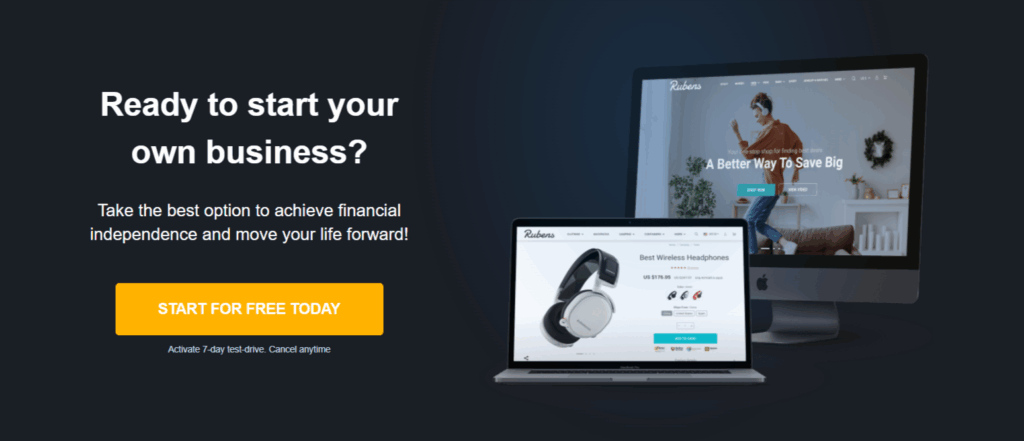
If you’ve ever considered adding e-commerce to your blog, now is the perfect time to test it without risk. Google’s algorithm changes are favoring e-commerce sites, and waiting could mean losing even more ground to competitors who act first.
Sellvia’s 7-day free trial gives you a rare opportunity: launch a fully built ecommerce store, connect it to your blog, and keep 100% of the profits you earn – all without upfront costs. If it works, scale it. If it doesn’t, you walk away with zero loss.
But this offer won’t stay open forever. Free trials can be pulled at any time, and the best way to know if e-commerce is right for you is to test it now, while it’s risk-free.
→ Activate Your Free E-commerce Store Now
No credit card required. No hidden fees. Just seven days to see if ecommerce without inventory works for your blog.
Frequently Asked Questions
What can I sell without inventory?
You can sell many products without holding inventory yourself. Digital products like ebooks, courses, and templates require no physical storage. Print on demand products include custom t-shirts, mugs, and phone cases that print only after customers order. Dropshipping lets you sell physical goods from suppliers who ship directly to buyers. Affiliate marketing ecommerce allows you to earn commissions by recommending products from other brands. Done-for-you stores give you access to thousands of trending items across niches like baby products, auto accessories, lifestyle gadgets, and gardening supplies—all without buying stock upfront.
Do you need inventory for e-commerce?
No, you do not need inventory to run an ecommerce business. Traditional retail requires you to buy products in bulk and store them. Modern inventory-free online store models eliminate this requirement completely. Third-party suppliers handle storage, packaging, and shipping for you. Fulfillment by Amazon (FBA) and print-on-demand services manage physical products while you focus on marketing and sales. This approach reduces startup costs dramatically and removes the financial risk of unsold stock. The dropshipping market reached $464.4 billion in 2025, proving inventory-free models work at scale.
How to start an online store with no inventory?
Starting an online store without inventory takes five simple steps. First, choose your business model—dropshipping, print-on-demand, or done-for-you stores work best for beginners. Second, select your niche based on your audience's interests and needs. Third, sign up for a platform like Shopify, WooCommerce, or a ready-made store service. Fourth, connect reliable suppliers who handle order fulfillment services from their warehouses. Fifth, integrate payment processing and launch your store. Ecommerce automation tools sync inventory data and process orders automatically. Many bloggers add ecommerce by placing a simple “Shop” link on their existing website, connecting their audience to products without managing physical inventory.
Can I sell on Amazon without inventory?
Yes, you can sell on Amazon without holding inventory through Fulfillment by Amazon (FBA). Amazon stores your products in their warehouses and handles all shipping and customer service. You send bulk inventory to Amazon once, and they manage everything else. Amazon also offers their own dropshipping program where approved suppliers ship directly to customers under your seller name. However, Amazon's policies are strict about product supplier reliability and shipping times. You must maintain high performance standards or risk account suspension. Profit margins dropshipping on Amazon typically range between 15-30%, though fees can reduce your take-home earnings significantly.
Can you sell on Shopify without inventory?
Yes, Shopify supports multiple inventory-free selling methods. You can integrate print-on-demand providers like Printful and Printify directly into your Shopify store. These services create and ship customized merchandise only after customers purchase. Shopify also connects with dropshipping apps like DSers and Sprocket that sync products from suppliers automatically. The print-on-demand market is projected to reach $8.16 billion in 2025, showing strong growth potential. You can also sell digital products through Shopify with instant delivery and zero shipping costs. Ecommerce platform integration on Shopify is straightforward, making it one of the most beginner-friendly options for inventory-free selling.