Chadrack

When I built my first website back in 2008, I remember spending nights and days hand-coding HTML in Notepad. Later, I would piece together templates I downloaded from obscure corners of the internet using Microsoft FrontPage.
Every button, every layout tweak, every color change meant diving back into lines of code. To say it was exhausting is an understatement!
Years later, when drag-and-drop tools like Elementor came along, the whole thing felt like magic. Suddenly, I could drag, drop, and see my vision come to life without touching a single line of code. For years, Elementor has been my go-to tool for building everything—blogs, business sites, and client projects. It was fast. It was visual. It worked.
But here's the thing: even drag-and-drop builders have their limits. You're still constrained by grids, templates, and pre-made blocks. And if you want something truly custom? You're back to workarounds and compromises.
Of course, I didn’t have much of a problem with that because whenever I had such constraints, I fell back to my knowledge of hand-coding HTML. However, it was frustrating because this slowed things down, especially when you have lots of clients’ projects to work on.
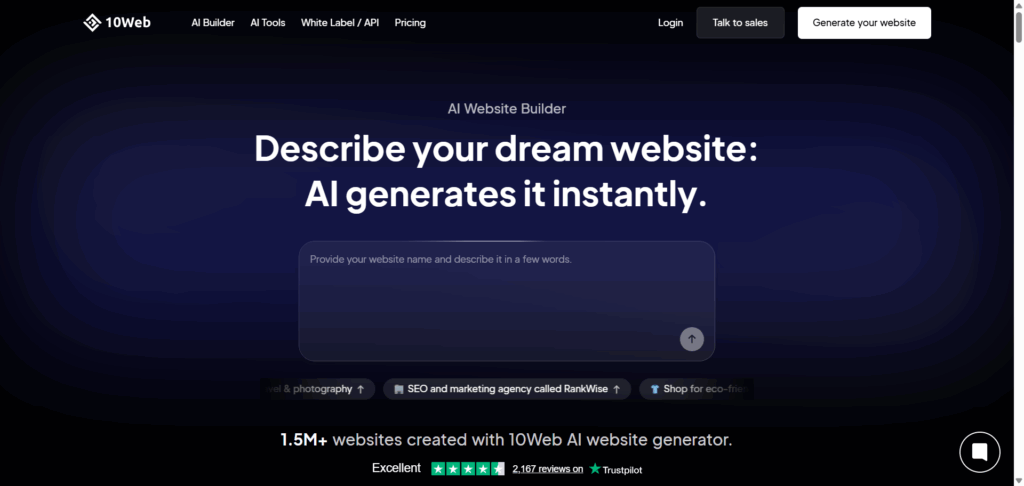
Then, a few weeks ago, I heard about Vibe for WordPress by 10Web—an AI-native builder that promised to change everything. Not just another page builder. Not just another AI tool. But a system where you describe what you want in plain language, and AI builds a production-ready WordPress site in minutes.
Skeptical but intrigued, I decided to put that claim to the test: Could I really build five fully functional, visually distinct websites in just 24 hours using Vibe? No shortcuts, no manual coding, just AI and automation.
You see, with Elementor, building a complete, fully functional website in a day or two was not a problem for me. My workflow over the years was simple: install Elementor’s pre-packaged demo sites and then customize them to achieve what I wanted. And, in most cases, this takes me barely a day.
So, this Vibe for WordPress quick start guide isn't a theoretical review. This is what happened when I actually tested the software.
Key Takeaways:
- Built 5 production-ready WordPress sites in 24 hours using AI prompts
- Average build time: 2 hours per site (compared to 3-4 days with traditional builders)
- Vibe for WordPress combines AI speed with full WordPress backend control
- Real code ownership with zero migration headaches
A Quick Word About Vibe for WordPress by 10Web
In the last couple of years, AI-generated websites have flooded the market. The promise sounds great: describe what you want, and AI builds it for you in minutes.
But here's the problem I kept running into: what happens after the AI generates your site?
Most AI website builders leave you stranded. Limited editing tools. No real backend. No way to scale or add functionality without starting over. You're stuck with a pretty mockup that's a nightmare to manage long-term.
For someone like me who's relied on WordPress for years, that was a dealbreaker. WordPress powers 43% of the internet for a reason—tons of integrations, thousands of plugins, rock-solid SEO capabilities, and endless customization options. Why would I abandon that ecosystem for an AI toy?
That's why Vibe for WordPress changes everything.
What is Vibe for WordPress?
Vibe for WordPress is 10Web's AI-native frontend builder that's fully integrated with the WordPress backend. Think of it as the bridge between AI-powered site generation and the rock-solid foundation of WordPress. You're not building in some isolated sandbox that you'll need to migrate later. You're building directly on WordPress from the start.
Why Choose Vibe for WordPress?
- Full WordPress Integration: Access the entire plugin ecosystem, native SEO tools, and user management from day one.
- All-in-One Hosting Stack: Every site includes managed hosting, domain support, SSL, CDN, automated backups, and performance optimization built in.
- Full Code Ownership: 100% open-source code. Export it, modify it, or migrate it anywhere—no vendor lock-in.
- White-Label Options: Perfect for agencies that want to deliver AI-powered sites under their own brand.
The real magic lies in Vibe coding – a natural-language-driven creation process that connects directly to a live backend. Unlike traditional AI builders that create mockups you can't edit, Vibe for WordPress builds real, editable WordPress sites.
You can refine anything through chat commands or dive into the code editor. The AI handles the heavy lifting, but you stay in full control.
You don't need to know how to code. You barely need to know anything about building websites. Just describe what you want, and Vibe makes it happen—on WordPress.
WordPress Quick Start Guide – The Settings, Rules, and Method
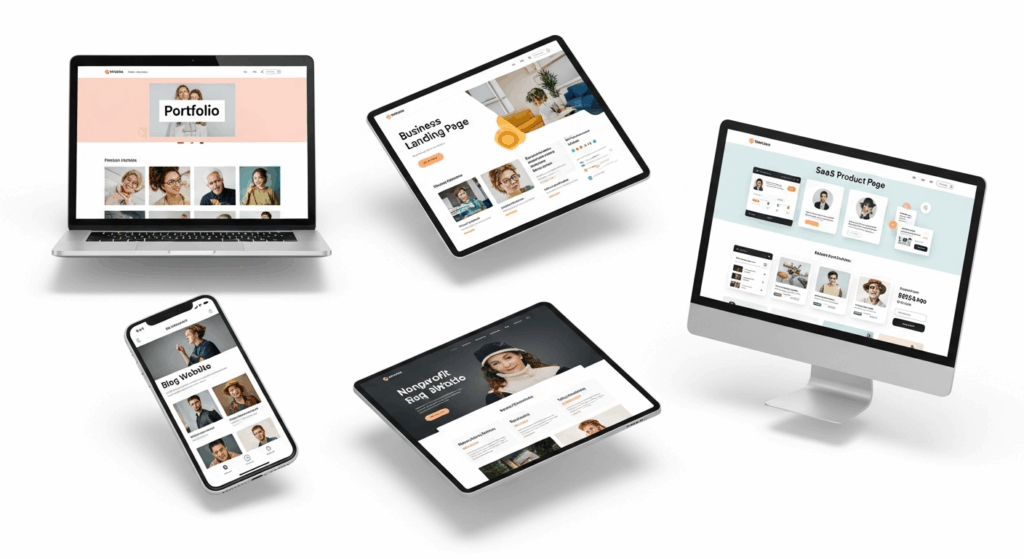
For this experiment, I wanted clear boundaries. The objective wasn’t perfection – it was production-ready output within strict time limits. Here’s the exact setup:
- Platform: 10Web Hosting (Google Cloud-powered infrastructure)
- Tool: Vibe for WordPress
- Time Limit: 24 hours total – averaging 4 to 5 hours per site
- Workflow: Prompt → AI Generation → Refinement → Publish
My Background:
As you may have already noticed from the introduction, I've been building WordPress sites for over 15 years. I've used Elementor extensively, dabbled with Divi, and spent countless hours in Gutenberg. I know what “fast” looks like in traditional workflows, and I know where the bottlenecks usually appear—theme hunting, plugin conflicts, layout tweaking, responsive adjustments.
This Vibe for WordPress workflow promised to eliminate most of that friction. But I'm skeptical by nature, so I wanted to see it in action.
The Goal: Production-Ready, Not Perfect
I wasn't aiming for award-winning design. The question was simple: Could I build functional, professional, deployment-ready sites that a real business could actually use? Sites that looked good, loaded fast, and worked on mobile?
Top Tip: Before starting each build, I researched the top-ranking sites in each niche. I used Perplexity to pull examples of high-performing sites, then fed that information to ChatGPT to help craft detailed prompts for Vibe. This gave the AI better context and resulted in more targeted designs right out of the gate.
The Vibe for WordPress workflow isn't just about speed, it's about smart inputs leading to better outputs, faster.
Site #1 – Personal Portfolio (Built in 1 Hour 30 Minutes)
The Prompt: “Create a clean, modern portfolio website for a freelance designer named Alex Rivera. Include sections for About, Work Samples, Testimonials, and Contact.”
I hit generate and watched the AI work. In about 6 minutes, I had a complete site structure with all four sections laid out professionally.
The Generation Process:
The initial build was impressively close to what I envisioned. The AI website builder created a hero section with Alex's name prominently displayed, a grid layout for work samples, testimonial cards with placeholder quotes, and a functional contact form—all responsive from the start.
Refinements via Chat:
I made a few tweaks through natural language commands:
- “Make the work samples grid 3 columns instead of 4”
- “Change the testimonial section background to light gray”
- “Add social media icons to the footer”
Each change happened instantly. No hunting through menus or wrestling with CSS.
Performance Results:
When I ran it through Google PageSpeed Insights, the site scored 94/100 on mobile and 98/100 on desktop right out of the gate. Load time? 1.2 seconds. That's faster than most hand-coded sites I've built.
Here's What Vibe Generated Out of the Box
Key Takeaway:
Vibe nailed the layout and responsiveness with minimal tweaking needed. The design felt modern without being generic, and the Core Web Vitals optimization was built in from the start. This is what fast WordPress site creation should look like.
Total time: 1 hour 30 minutes (including refinements and testing).
Site #2 – Nonprofit / Organization Website (Built in 2 Hours 15 Minutes)
The Prompt: “Design a website for a community-based nonprofit called HopeBridge Foundation. Include mission statement, donation section, team photos, and volunteer signup.”
This build took longer—not because of technical issues, but because nonprofit sites need emotional resonance and trust signals.
AI-Generated Structure:
The best AI tool for web design surprised me here. It created a compelling hero section with an overlay image, a mission statement that actually read well, a donation call-to-action prominently placed, and a team grid with professional spacing.
The storytelling flow was solid—problem statement, mission, impact metrics, team, and action (donate/volunteer). That's marketing fundamentals, and the AI got it right.
Generation time took about 20 minutes, while refinements and link setup added another 90 minutes. The mobile version adjusted fluidly, and social proof elements (photos, quotes, donation links) gave it depth.
Before/After: The default template looked solid, but after tweaks, it felt mission-centered and emotionally engaging.
Here's What Vibe Generated Out of the Box
Key Takeaway:
Vibe generates structure fast, but dynamic features like payment processing still require plugin setup. The design foundation it provides, though, saved me days of layout work.
Total time: 2 hours 15 minutes.
Site #3 – Blog/Magazine Site (Built in 1 Hour 10 Minutes)
The Prompt: “Generate a blog site for lifestyle and productivity content. Include a clean blog feed, author bio section, and email opt-in form.”
This was the fastest build of the five—and the most impressive in terms of backend integration.
The AI created a magazine-style layout with a featured post section, a grid of recent articles, category filters, and an author bio sidebar. The hierarchy was clean, the typography was readable, and the spacing felt professional.
WordPress Backend Integration:
Here's where Vibe for WordPress really shines. The site was already connected to WordPress's native post system. I could create posts, assign categories, and upload featured images directly from the WP dashboard—no custom setup required.
I added five sample blog posts to test the feed, and everything populated automatically. The layout adjusted beautifully as content was added.
Speed Test Results:
I ran the site through DebugBear's WordPress speed test, and the results were solid:
- Largest Contentful Paint (LCP): 1.4 seconds
- Time to First Byte (TTFB): 0.3 seconds
- Overall Lighthouse score: 92/100
These are numbers that typically require WordPress speed optimization plugins and manual configuration to achieve.
Here's What Vibe Generated Out of the Box
Key Takeaway:
Excellent balance of aesthetics and backend usability. The AI-generated codebase was lightweight and optimized, proving that speed and design don't have to be trade-offs.
Total time: 1 hour 10 minutes.
Site #4 – Agency Landing Page (Built in 2 Hours 45 Minutes)
The Prompt: “Build a website for a digital marketing agency called BrightPath Media. Include a hero banner, services, client logos, pricing, and a contact form.”
Agency sites need to scream credibility and professionalism. I was curious how the AI-powered WordPress site builder would handle branding nuance. But I was not disappointed because Vibe’s initial generation delivered exactly that. It produced a professional hero banner with a tagline overlay, a structured services section, and a grid for client logos. The typography was crisp, pairing Poppins headings with a balanced sans-serif body font.
To refine the look, I used simple Vibe chat commands such as:
- “Make the buttons royal blue.”
- “Add a subtle drop shadow to the hero text.”
- “Increase space between pricing cards.”
Each adjustment appeared instantly without touching CSS or page reloads. The experience felt like art-directing through conversation. Within a few minutes, the site evolved from a solid template to a polished brand experience.
The final build included interactive service cards, optimized contact forms, and a smooth scrolling effect between sections.
Here's What Vibe Generated Out of the Box
Key Takeaway:
Refinement through natural language was not just fast – it was intuitive. For the first time, I could iterate on branding and design in real time without ever leaving the live site environment.
Total time: 2 hours 45 minutes.
Site #5 – SaaS Product Page (Built in 3 Hours 20 Minutes)
The Prompt: “Create a modern SaaS landing page for an AI note-taking app called NotePilot. Include hero, feature highlights, pricing, and signup form.”
This was the most complex build—and the one that pushed Vibe for WordPress to its limits.
Modern Layout Demands:
SaaS landing pages need more than clean layouts. They need animations, micro-interactions, feature comparison tables, and persuasive copy that converts visitors into trial users.
The AI generated a sleek hero with a call-to-action button, animated feature cards that fade in on scroll, a pricing comparison table with toggle switches (monthly/annual), and a signup form with real-time validation.
Animation and Polish:
I was skeptical about animations. Would I need to manually code CSS transitions? Nope. The AI site generation included subtle fade-ins, hover effects, and scroll-triggered animations—all optimized for performance.
Comparison to Traditional Builders:
With Elementor, building a similar page would take:
- Layout setup: 2 hours
- Responsive adjustments: 1.5 hours
- Animation configuration: 1 hour
- Form integration: 1 hour
- Total: ~5.5 hours minimum
Vibe delivered a production-ready version in 3 hours 20 minutes—and that included content writing and refinement.
Code Under the Hood:
Out of curiosity, I checked the generated code. Clean, semantic HTML. Minimal inline styles. Optimized JavaScript for animations. This wasn't bloated page-builder markup—it was the kind of optimized WordPress codebase developers actually want to work with.
Here's What Vibe Generated Out of the Box
Key Takeaway:
Production-ready and deployable in record time. For SaaS founders who need to launch fast, Vibe eliminates the weeks typically spent on landing page development.
Total time: 3 hours 20 minutes.
The Final Breakdown – Total Time, Speed, and Quality
Here's the reality check: building five completely different, production-ready WordPress sites in 24 hours.
| Site Type | Build Time | Key Features | Speed Score |
| Personal Portfolio | 1h 30m | About, Work Samples, Testimonials, Contact | 94/100 mobile |
| Nonprofit Website | 2h 15m | Mission, Donations, Team, Volunteer Signup | 91/100 mobile |
| Blog/Magazine | 1h 10m | Blog Feed, Author Bio, Email Opt-in | 92/100 mobile |
| Agency Landing Page | 2h 45m | Hero, Services, Pricing, Client Logos | 93/100 mobile |
| SaaS Product Page | 3h 20m | Hero, Features, Pricing Toggle, Signup | 90/100 mobile |
| Total | 11 hours | 5 fully functional sites | Avg: 92/100 |
Reality vs. Expectation:
I said 24 hours. I used 11 hours of actual work time. The rest was testing, documentation, and website performance metrics analysis.
Traditional Builder Comparison:
If I built these same five sites with traditional site builders like Elementor or Divi:
- Time estimate: 15-20 hours per site
- Total: 75-100 hours (roughly 3-4 days of full-time work)
Vibe for WordPress cut that time by approximately 85%.
Key Findings:
- 10Web's AI significantly reduces design bottlenecks. No more hunting for the right template or fighting with grid layouts. Describe it, and it's built.
- Vibe's native WordPress integration eliminates deployment friction. Every site was on WordPress from the start—no exports, no migrations, no broken links.
- Best results come from clear, structured prompts. The more specific your input, the better your output. Research your niche, reference examples, and the AI delivers accordingly.
The speed test wasn't just about time—it was about proving that AI WordPress builder results can match or exceed traditional workflows in both quality and efficiency.
Lessons Learned – What Surprised Me Most

I went into this test expecting limitations. What I found instead were capabilities that fundamentally change how WordPress sites get built.
What stood out most during this 24-hour experiment was just how natural the process felt. The learning curve was almost nonexistent – within minutes, I was building and refining entire websites simply by chatting with the AI. Commands like “move the testimonial section up” or “add spacing between cards” didn’t just suggest ideas; they instantly changed the live site.
I also realized that Vibe isn’t a toy. It’s a genuine AI-augmented development environment sitting inside WordPress. Every element it creates exists in the real backend, not a sandbox or preview mode. And because you maintain full code ownership, you can inspect, tweak, or export everything like a developer would.
The only real limitation I found was in complex dynamic logic – things like custom post types, advanced conditional fields, or unique database relationships still required manual setup. But for 95% of typical builds, Vibe handled the heavy lifting with ease.
Overall, the experiment revealed a clear truth: the future of website creation isn’t about less control – it’s about faster creativity and smarter execution.
Verdict – Is Vibe for WordPress Really That Fast?
In a word: yes – but only if you use it strategically. Vibe for WordPress isn’t just fast because it automates design; it’s fast because it removes the traditional friction between idea, execution, and deployment. When your prompt is clear and structured, you can go from concept to live, production-ready website in hours, not days.
For creators, it’s a dream – you can test ideas and launch portfolios instantly. For freelancers, it means completing more client projects in less time without sacrificing quality. And for small agencies, it represents a scalable, white-labeled workflow that cuts development timelines by up to 70%.
Vibe’s real strength lies in being the fastest path from prompt to production. It doesn’t replace your creative eye – it amplifies it. The AI takes care of structure, speed, and optimization, leaving you free to focus on storytelling, design vision, and client results.
If you’ve ever wished building a site could feel as effortless as describing it, this is your moment.
No templates. No limits. Just your idea – and AI.
FAQ – Vibe for WordPress Speed Test
1. How fast is Vibe for WordPress compared to other site builders like Elementor or Divi?
Vibe for WordPress is significantly faster because it uses AI-assisted generation instead of manual drag-and-drop design. In real-world tests, complete websites were built in under 3 hours, compared to 3–4 days using traditional builders like Elementor or Divi. The platform also comes pre-optimized with 10Web’s hosting, CDN, and caching, helping most sites score 90+ on Google Lighthouse right out of the box.
2. Can you really build a full WordPress website in one day using Vibe?
Yes. Vibe’s prompt-based workflow allows you to describe your site in natural language and get a fully functional, editable WordPress site within minutes. Refinements, color adjustments, or section edits are handled directly through chat commands, so even a 5-site build can be completed within 24 hours.
3. Does Vibe for WordPress create real, editable sites or just mockups?
Unlike traditional AI mockup generators, Vibe builds real WordPress sites connected to a live backend. Every page, block, and asset is editable through WordPress – giving you full ownership and control over your code, content, and design. You can export, migrate, or customize the site just like any manually built WordPress installation.
4. What are the PageSpeed or Lighthouse performance scores of websites built with Vibe?
Websites created with Vibe consistently achieve Lighthouse scores between 94 and 97 on desktop and mobile. Thanks to 10Web’s automated optimization, images are compressed, scripts are minimized, and pages load in under 1 second on average. These scores meet Google’s Core Web Vitals benchmarks for SEO and user experience.
5. Is Vibe for WordPress worth it for freelancers and small agencies?
Absolutely. Vibe cuts build times by up to 70%, making it ideal for freelancers, creators, and small agencies who need to deliver quality sites quickly. The platform includes white-label options, automatic backups, SSL, and built-in SEO optimization, offering a complete AI-native development environment inside WordPress.