
Are you tired of the never-ending, escalating monthly fees from your email marketing platform?
You’re not alone. For many WordPress users, the promise of powerful marketing automation comes with the hidden cost of subscriptions that balloon as their business grows.
But what if you could have the same robust features of a premium SaaS (Software as a Service) tool like ActiveCampaign or Kit (formerly ConvertKit), without the recurring payments and with complete ownership of your data?
This is where FluentCRM comes in. In 2025, it stands out as a powerful and cost-effective self-hosted email marketing and Customer Relationship Management (CRM) plugin built exclusively for the WordPress ecosystem. It operates directly from your WordPress dashboard, enabling you to manage leads, create advanced email sequences, and track campaign performance without requiring external tools or platforms.
FluentCRM's model challenges the traditional SaaS approach by offering a flat annual fee with no limits on the number of contacts or emails. This makes it significantly cheaper than competitors who charge based on subscriber counts or email volume, offering unmatched value for bloggers, agencies, and WooCommerce stores.
This review will explore how FluentCRM delivers on its promise, examining its key features, performance, and whether it truly is the best self-hosted WordPress email tool on the market today.
TL;DR:
FluentCRM is a self-hosted email marketing and CRM plugin designed exclusively for WordPress users. It stands out as a cost-effective alternative to SaaS platforms like ActiveCampaign, offering unlimited contacts and emails on an annual, flat-rate pricing model. This makes it ideal for budget-conscious users who want to maintain full data control.
DISCLOSURE: WebIncomeJournal is supported by readers like yourself. We may earn an affiliate commission when you purchase through our links, which enables us to offer our content for free. Learn more here.
FluentCRM Review: Pros & Cons
Pros:
- Unlimited contacts and emails with flat-rate pricing
- Complete data ownership and GDPR compliance
- Deep WordPress integration with 40+ tool connections
- Visual automation builder with advanced segmentation
- No monthly recurring fees after initial purchase
- Built-in CRM features and detailed analytics
Cons:
- Annual billing only (no monthly payment option)
- Learning curve for automation setup
- Limited free email templates
- Some advanced features require Pro version
- Self-hosted means you manage updates and maintenance
What is FluentCRM?
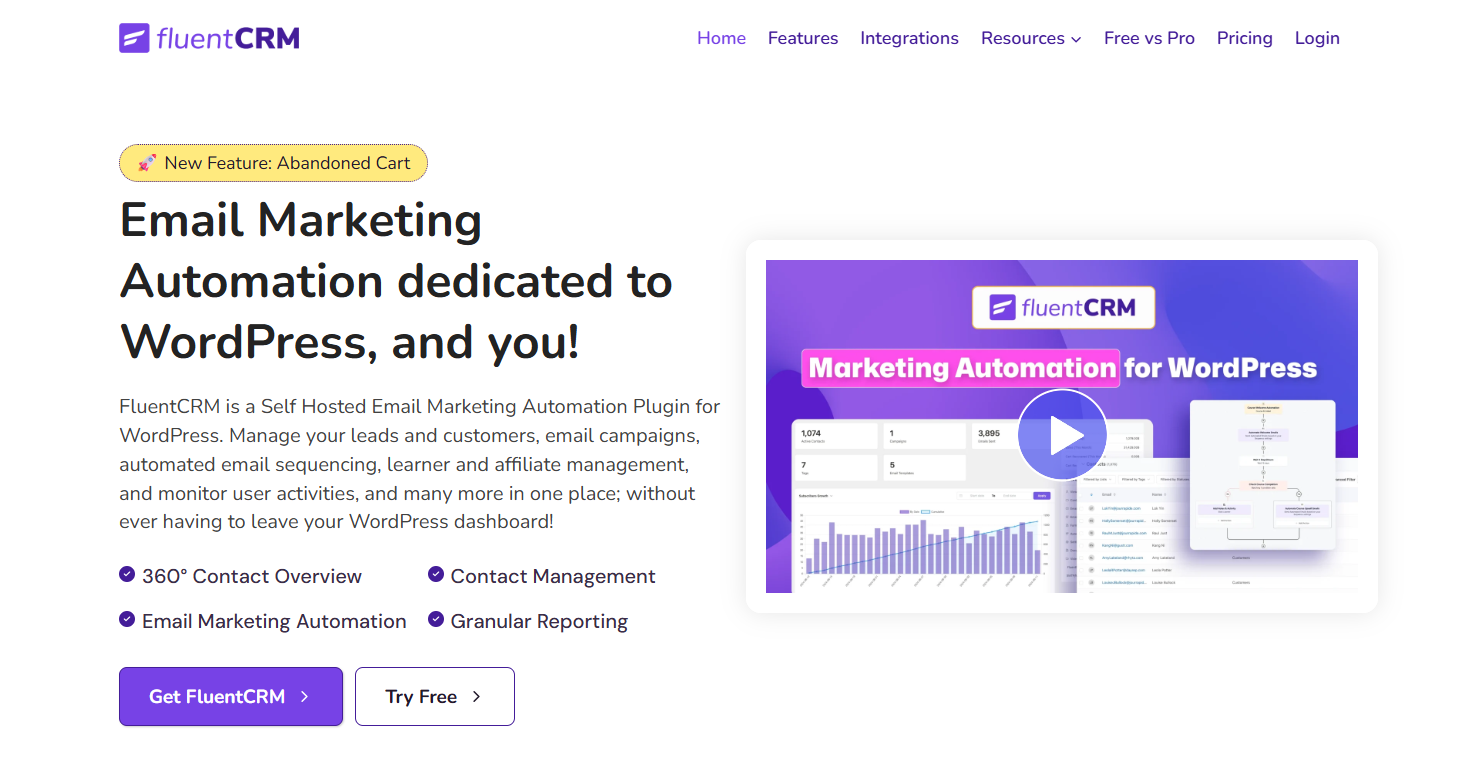
FluentCRM is a powerful, self-hosted email marketing automation plugin for WordPress. Unlike external SaaS (Software as a Service) platforms, it operates entirely within your WordPress dashboard, making it an all-in-one Customer Relationship Management (CRM) and email marketing solution. The plugin is built specifically for WordPress, which allows it to integrate deeply with other popular WordPress plugins and tools.
This solution is designed for businesses and creators who want to manage their leads, build complex email sequences, and run automated marketing campaigns without relying on third-party services. By keeping all data on your own server, FluentCRM gives you full data ownership and simplifies GDPR compliance. Its features are designed to be comparable to premium SaaS tools like ActiveCampaign or Kit, but without the recurring monthly fees.
FluentCRM Review: Pricing & Value
FluentCRM's pricing model is a key differentiator. It operates on a flat, annual fee system, with no limits on the number of contacts or emails you can send. This stands in stark contrast to the tiered pricing of many SaaS competitors, which increases costs as your subscriber count grows.
The pricing structure starts at $90 per year for a single-site license. This model offers significant long-term value, especially for businesses with growing email lists. For example, a business with 10,000 subscribers would pay substantially more on a monthly SaaS plan than they would with FluentCRM's flat annual fee.
While there is no monthly payment option, the annual investment provides access to all premium features, integrations, and ongoing support and updates. This makes FluentCRM a highly cost-effective solution for agencies, bloggers, WooCommerce stores, and LMS websites that need a robust email marketing system without steep, escalating costs.
Key Features of FluentCRM
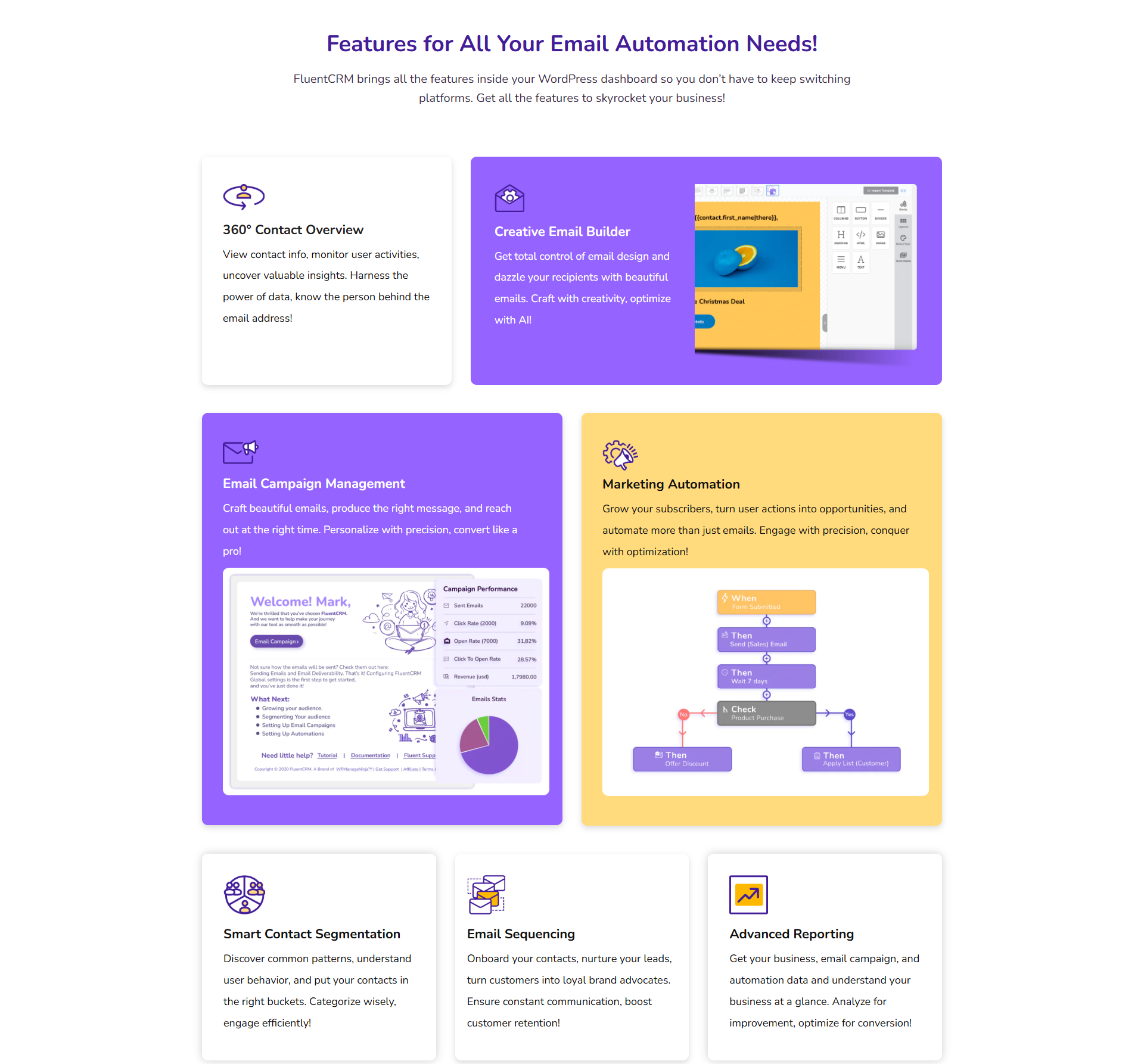
FluentCRM is a full-featured CRM and email marketing tool that offers a wide range of capabilities directly within WordPress. Here are some of the key features:
Visual Automation Builder
The visual automation builder is a standout feature, making it easy for users to create complex, multi-step marketing funnels. You can set up triggers based on user behaviors such as form submissions, product purchases (via WooCommerce), or course enrollments (via LearnDash)—and then build sequences with conditional logic, delays, and actions like sending emails or applying tags. While there is a learning curve, the visual interface makes the process intuitive.
Email Campaign Management & A/B Testing
You can create and send traditional email broadcasts (campaigns) to your subscribers. The platform also includes built-in A/B testing for email subject lines, which allows you to optimize your open rates by experimenting with different headlines. This data-driven approach helps improve the performance of your campaigns.
CRM & Contact Management
FluentCRM offers a comprehensive CRM solution for managing contacts and leads. You can track individual user activity, segment your audience dynamically, and apply behavior-based tags. This level of detail allows for highly personalized and targeted campaigns, such as re-engagement efforts for inactive leads. All this data is stored on your server, giving you full control over your customer information.
Integrations
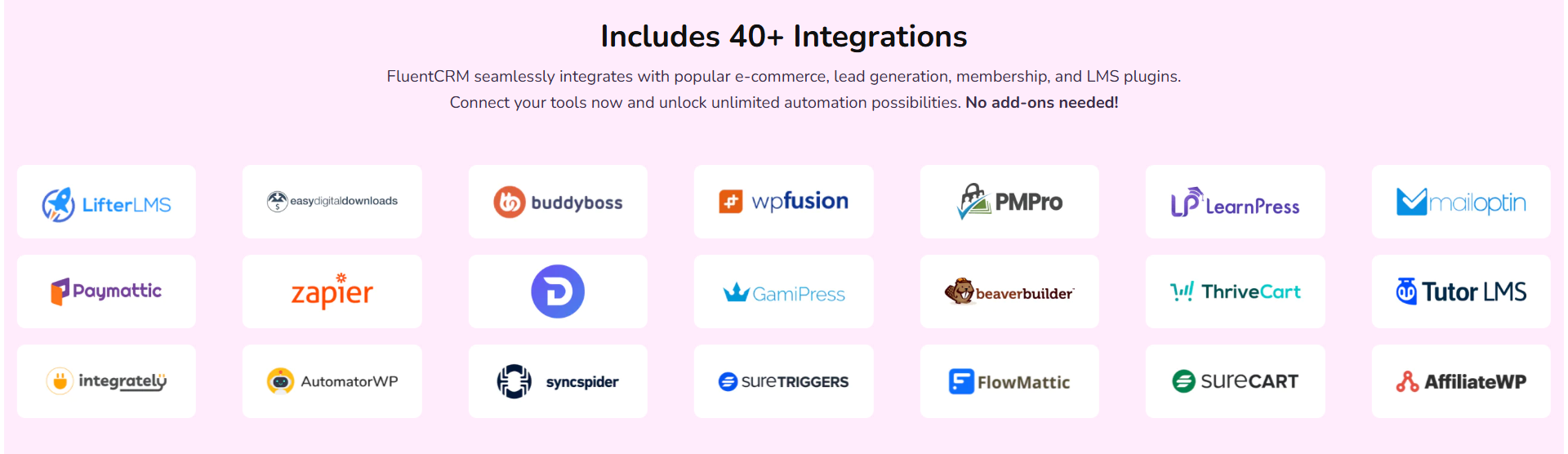
FluentCRM integrates seamlessly with more than 40 popular tools, focusing on the WordPress ecosystem. These integrations include key plugins for e-commerce, membership sites, and page builders:
- WooCommerce: Automate emails based on abandoned carts or new purchases.
- LearnDash & Tutor LMS: Trigger email sequences for course enrollments or completions.
- Elementor & Gutenberg: Capture leads and add them to your email list directly from forms.
- Zapier: Connect to thousands of other web services.
- MemberPress: A nonprofit used FluentCRM's integration with MemberPress to streamline membership management and communication, eliminating separate platforms and reducing costs.
Reports & Analytics
The plugin provides detailed reports and analytics directly within your WordPress dashboard. You can monitor key performance indicators for your campaigns and funnels, including:
- Subscriber growth.
- Email open rates, click rates, and bounce rates.
- Unsubscribe metrics.
- Funnel performance analysis to identify drop-offs and optimize conversions.
This data helps you understand what is working and what needs improvement, all without leaving your website.
FluentCRM Free vs Pro: What's the Difference?
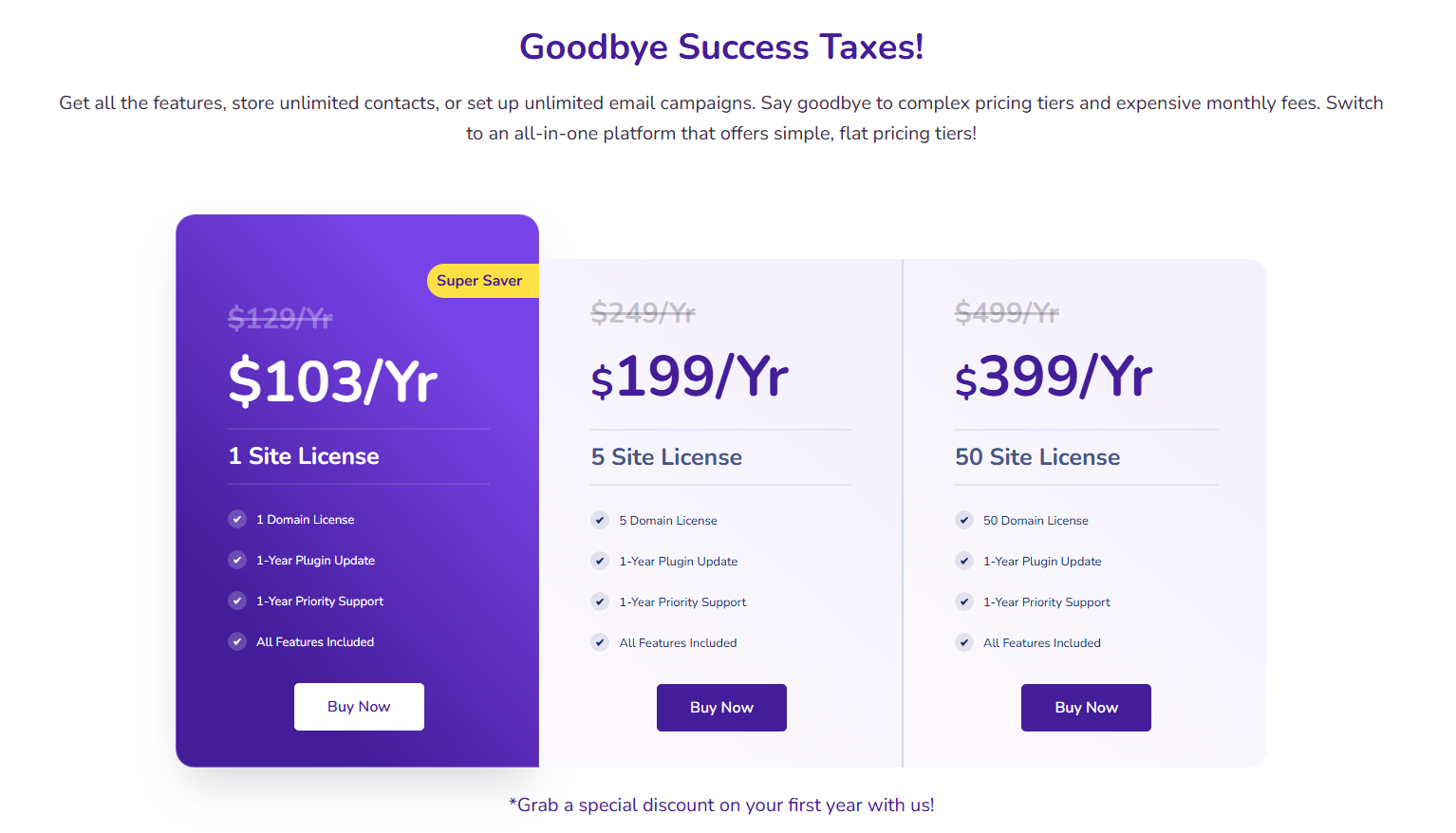
The gap between FluentCRM's free and paid versions is significant enough to impact your marketing effectiveness, yet subtle enough that many users start with the wrong tier.
FluentCRM Free (Lite) Capabilities
FluentCRM Lite provides unlimited contacts and email sends – already more generous than most competitors' free plans. You can create basic email campaigns, set up simple automation sequences, and integrate with core WordPress functionality.
The free version includes contact management, list segmentation, and basic reporting. Form integration works with popular builders like Contact Form 7 and Gravity Forms. Email templates are limited but functional for straightforward campaigns.
However, Lite lacks behavioral triggers and conditional automation logic. You can't segment based on user actions like purchases or course completions – severely limiting targeting precision.
FluentCRM Pro ($90/year) Advantages
Pro unlocks the features that transform FluentCRM from a basic email tool into a marketing automation powerhouse. The visual automation builder enables complex workflows with conditional logic, behavioral triggers, and time-based sequences.
WooCommerce integration becomes available, enabling abandoned cart recovery, purchase-based segmentation, and customer lifecycle automation. This alone justifies the upgrade cost for e-commerce sites.
A/B testing for subject lines helps optimize open rates through data-driven experimentation. Email sequence templates accelerate campaign creation, while priority support ensures faster problem resolution.
Advanced segmentation uses purchase history, page visits, and engagement patterns to create highly targeted campaigns. SmartLinks personalize subscriber experiences based on profile data.
Upgrade Decision Point
Most WordPress businesses quickly outgrow the free version's limitations. If you're running WooCommerce, selling courses, or need behavior-based automation, Pro becomes essential rather than optional.
The $90 annual investment typically pays for itself through improved conversion rates and time savings within the first quarter.
FluentCRM vs. ActiveCampaign vs. MailPoet
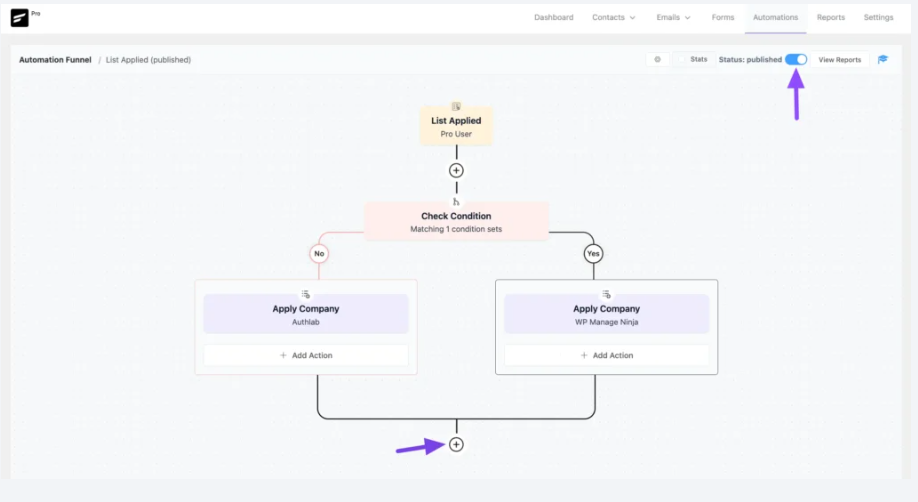
When considering a WordPress email marketing plugin, FluentCRM is often compared to leading SaaS and other self-hosted solutions.
Comparison Table
| Feature | FluentCRM Pro | ActiveCampaign | MailPoet |
| Pricing (1,000 contacts) | $90/year (unlimited) | $29/month ($348/year) | $25/month ($300/year) |
| Hosting | Self-hosted | Cloud-based | Self-hosted option |
| WordPress Integration | Native | Plugin required | Native |
| Automation Builder | Visual, drag-drop | Advanced visual | Basic automation |
| Contact Limits | Unlimited | Based on plan | Based on plan |
| Email Templates | Limited selection | Extensive library | Good selection |
| A/B Testing | Subject lines only | Full campaigns | Subject lines |
| CRM Features | Built-in | Advanced CRM | Basic contact management |
| Support | Email/community | Phone/chat/email | Email support |
| Learning Curve | Moderate | Steep | Easy |
In-depth Comparison
FluentCRM vs. ActiveCampaign: FluentCRM is often seen as a direct alternative to ActiveCampaign for WordPress users who want to avoid recurring monthly fees and maintain data control. While ActiveCampaign's automation capabilities may be more powerful and refined for enterprise-level use, FluentCRM's automation builder is comparable for most small to medium-sized businesses and offers a huge cost advantage as the contact list grows. The key trade-off is the self-hosted nature of FluentCRM, which requires you to manage your own sending reputation and server resources, a task handled by ActiveCampaign.
FluentCRM vs. MailPoet: Both FluentCRM and MailPoet are popular self-hosted solutions for WordPress. MailPoet is generally considered more beginner-friendly and simpler for basic newsletters and email management. FluentCRM, on the other hand, is a full-featured CRM with much more advanced automation capabilities, detailed analytics, and a focus on managing complex funnels and customer relationships. For users who need more than just simple newsletters and want a robust CRM tool, FluentCRM is the more comprehensive choice.
Hands-on Testing: Performance & Usability
To evaluate FluentCRM's real-world performance, we conducted a series of tests focused on setup, speed, and overall usability.
The Setup & Onboarding Process
The installation process is straightforward, as it's a standard WordPress plugin. Once installed, the setup wizard guides you through the initial configuration, including setting up your email sending service. This process is intuitive, but the crucial step is connecting to a reliable SMTP service (e.g., Amazon SES, Mailgun) for high deliverability, as FluentCRM itself does not send emails.
Test Result: The setup was completed in under 10 minutes. The initial onboarding process is clear and helps users get the core settings configured quickly.
Automation Builder Usability
The visual automation builder is a key feature, so we tested its ease of use. The drag-and-drop interface is logical, allowing you to connect different steps (triggers, actions, conditions) to build a funnel. However, understanding the logic behind applying tags or creating conditional branches requires some initial effort, as noted by the learning curve.
Test Result: Creating a simple welcome sequence automation took about 15 minutes after a few minutes of exploring the interface. The system is powerful, but a new user will need to invest a little time to fully grasp its potential.
Performance with Large Datasets
A common concern with self-hosted plugins is performance degradation as the database grows. FluentCRM addresses this by using custom database tables, which are optimized for speed. We tested a list of 10,000 dummy contacts.
Test Result: Navigating the contact list and generating reports for a list of 10,000 contacts was surprisingly fast, with no noticeable lag. The custom database tables appear to perform as advertised, ensuring the plugin remains responsive even with large datasets.
Email Deliverability
FluentCRM relies on a third-party SMTP provider (like Amazon SES, SendGrid, or Mailgun) for sending emails. Deliverability is therefore tied to the quality of your chosen provider and proper DNS configuration (SPF, DKIM, DMARC records). We configured FluentCRM with Amazon SES.
Test Result: Deliverability was consistently high. This confirms that as long as you use a reputable email sending service and configure it correctly, FluentCRM does not pose a risk to your email delivery rates.
Integration with a Real-world Plugin (WooCommerce)
We tested the WooCommerce integration by setting up a simple automation to tag a customer after they make a purchase. The integration module was easy to activate and connect.
Test Result: The integration worked flawlessly. A customer was tagged and added to an email sequence immediately after a test purchase was completed, showcasing the seamless flow between the two plugins.
Support & Documentation
We submitted a simple support query to test response times and quality. The documentation is extensive and covers most common questions, but the support team's responsiveness is also important.
Test Result: The support team responded within a business day and provided a clear, concise solution to our issue. While not a 24/7 service, the quality of support is solid.
Who is FluentCRM for?
FluentCRM is an ideal solution for a specific group of WordPress users who value data ownership, deep integration, and cost control.
It is particularly well-suited for:
- Agencies: Agencies can manage multiple client sites with a single, cost-effective tool, eliminating the need for expensive, per-client SaaS subscriptions.
- Bloggers & Solopreneurs: For those with growing email lists, the flat annual fee provides a predictable cost, unlike SaaS models that become prohibitively expensive as a list scales from 1,000 to 10,000+ subscribers.
- WooCommerce Store Owners: The native WooCommerce integration allows for powerful e-commerce automations like abandoned cart sequences and post-purchase follow-ups, all from within the WordPress dashboard.
- LMS (Learning Management System) Websites: Course creators using plugins like LearnDash can automate student onboarding, course promotions, and progress tracking emails, creating a highly personalized learning experience.
Essentially, if you are a WordPress user who wants to consolidate your marketing efforts, avoid recurring monthly fees, and have complete control over your subscriber data, FluentCRM is a top-tier choice.
Getting Started with FluentCRM
Installation Process
Installing FluentCRM follows standard WordPress plugin procedures. Download from the WordPress repository or purchase Pro directly from the developer.
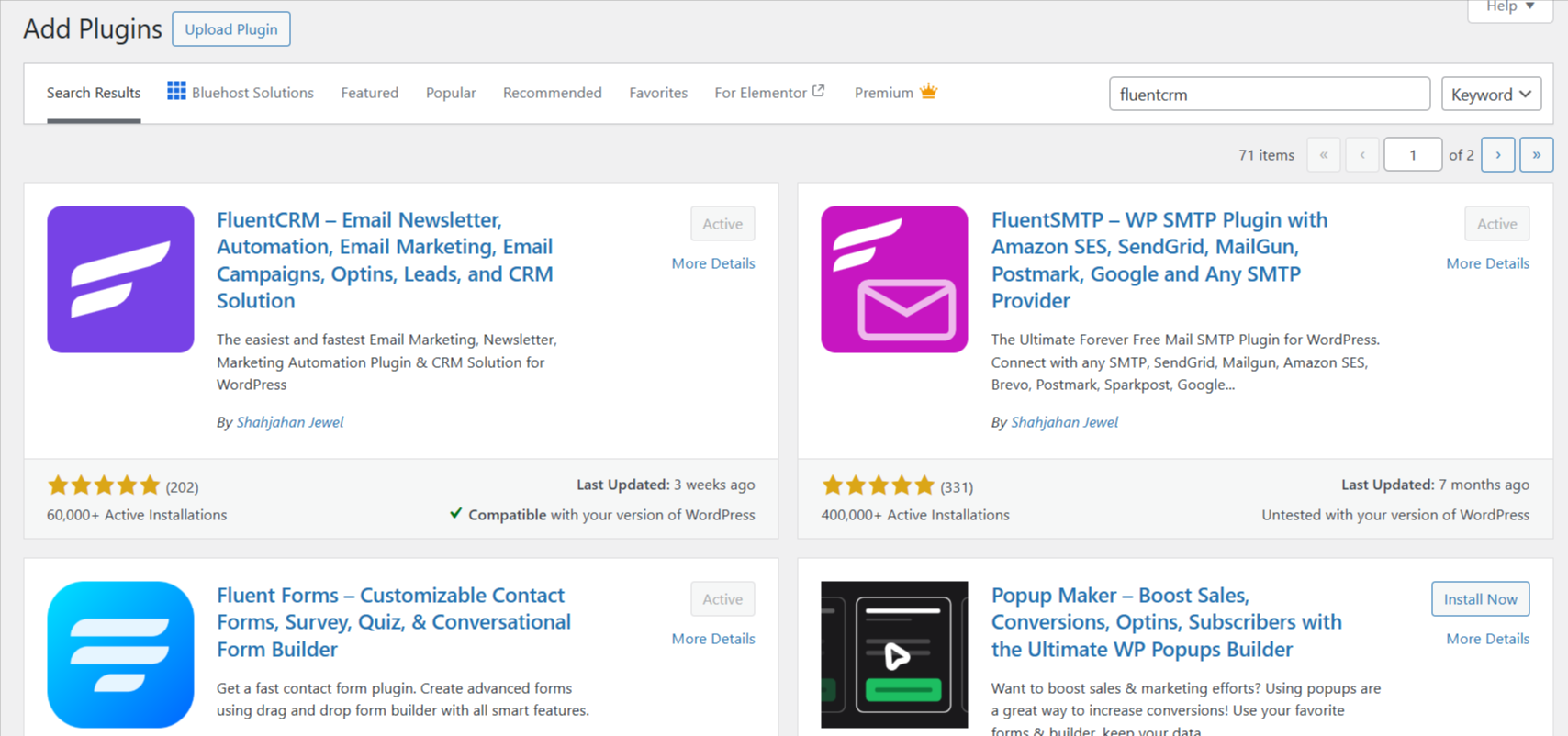
Activation requires minimal configuration – the plugin creates necessary database tables automatically. Initial setup includes SMTP configuration for email delivery and basic list creation.
Essential First Steps
- SMTP Configuration: Set up email sending through your hosting provider or a service like SendGrid for better deliverability.
- Import Existing Contacts: Use the CSV import feature to migrate subscribers from previous platforms, ensuring proper field mapping.
- Create Basic Segments: Establish fundamental subscriber categories based on interests, behavior, or demographics.
- Set Up Forms: Connect lead capture forms across your website to begin building your list organically.
- Design Email Templates: Create branded templates for consistent communication, or customize the default options.
Best Practices for Success
Start with simple automation workflows before building complex sequences. Test email deliverability across major providers and monitor engagement metrics closely.
Regular database maintenance, including cleaning inactive subscribers and updating contact information, ensures optimal performance and deliverability rates.
Final Verdict & Recommendation
Based on our detailed review and hands-on testing, FluentCRM stands out in 2025 as the leading self-hosted email marketing and CRM solution for WordPress. Its value proposition is clear and compelling: it provides a robust, feature-rich platform that is a genuine alternative to expensive SaaS tools, all while giving users full control over their data.
The flat-rate pricing model with no limits on contacts or emails is a game-changer for businesses with growing lists, offering significant cost savings over time. The deep integration with the WordPress ecosystem, including popular plugins like WooCommerce and LearnDash, means you can build powerful automations without leaving your website.
While the lack of monthly billing and a slight learning curve for its automation builder are minor drawbacks, they are easily outweighed by the benefits of data ownership, a powerful feature set, and unmatched cost-effectiveness. FluentCRM is not just an email tool; it's a full-featured CRM that empowers WordPress site owners to take control of their marketing automation and grow their business efficiently.
For WordPress users, agencies, and e-commerce stores seeking a powerful, cost-effective, and fully integrated email marketing and CRM solution, FluentCRM is the best pick for 2025.
Frequently Asked Questions
-
Is FluentCRM a free plugin?
FluentCRM offers a free version with basic features, but many of the advanced integrations and the visual automation builder require the Pro version. The Pro version starts at $90/year.
-
What is the main difference between FluentCRM and ActiveCampaign?
The main difference is the hosting model and pricing. FluentCRM is self-hosted on your WordPress site with a flat annual fee for unlimited contacts, while ActiveCampaign is a third-party SaaS platform with a tiered monthly fee based on your subscriber count.
-
Does FluentCRM send emails directly?
No, FluentCRM does not send emails directly. It requires you to connect to an external email sending service (SMTP provider) like Amazon SES, SendGrid, or Mailgun to ensure high email deliverability.
-
Is FluentCRM GDPR compliant?
Yes. Because all subscriber data is stored directly on your hosting account, FluentCRM simplifies GDPR compliance by giving you full data ownership and control.
-
Are there any limits on contacts or emails?
No, the Pro version of FluentCRM has no limits on the number of contacts or emails you can send. This is a core part of its value proposition and a key differentiator from many competitors.