
How to Start an Online Business in 2025 With Free Tools (Step-by-Step)

Do you know that the biggest mistake aspiring entrepreneurs make isn't picking the wrong business idea, but waiting for the “perfect” moment to start?
The truth is, now is the best time in history to launch an online business. Nearly 30% of all businesses are now conducted online, and with AI tools making website creation easier than ever, the barriers that once intimidated would-be entrepreneurs have practically vanished.
Over the past nine years, I've started several online businesses and have helped over a hundred other people start their own online businesses. Over this period, I've watched the process evolve from complex, expensive ventures requiring technical expertise to something anyone can do in a weekend with free tools.
Despite this happening, I see a lot of people who still think they need thousands of dollars, coding skills, or a revolutionary product to succeed online. But that's simply not true anymore.
The entire process can cost under $100 if you use the right tools. With options like Namecheap's Business Starter Kit providing everything you need—LLC registration, domain, hosting, email, and marketing tools—it can essentially be free for your first year.
By the end of this guide, you'll have a clear roadmap to launch your online business without the overwhelm, technical complexity, or massive upfront costs that stop most people from ever starting.
TL;DR:
Starting an online business in 2025 requires six core steps that can be completed using free or low-cost tools:
- Validate your business idea using free research tools like Google Trends and social media
- Choose a legal structure (LLC provides liability protection and credibility)
- Register a professional domain name (.com domains still carry the most trust)
- Set up hosting and build your website using beginner-friendly platforms
- Create a professional business email to establish credibility
- Market your business online with free social media and basic SEO tools
Let’s get started.
Step 1: Define Your Business Idea and Validate It
Here's what I've learned after watching hundreds of online businesses launch: the best business ideas in 2025 aren't necessarily the most creative ones—they're the ones that solve real problems people are actively searching for solutions to.
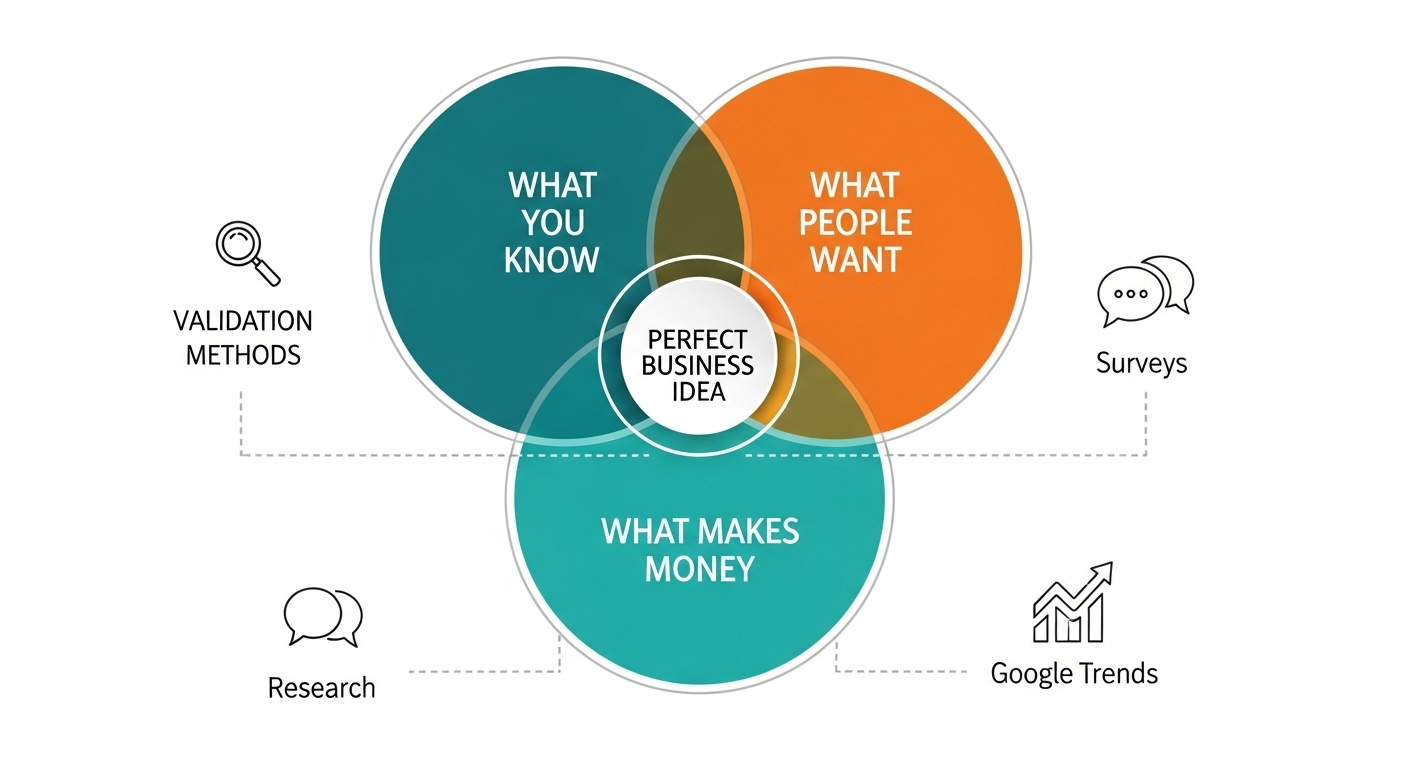
A good online business idea sits at the intersection of three things: what you know, what people want, and what can make money. You don't need a revolutionary concept. You need something that addresses genuine market demand.
Quick validation methods that actually work:
- Google Trends – Search your idea to see if interest is growing or declining
- Reddit research – Find subreddits where your target audience discusses their problems
- Social media listening – Check Facebook groups and LinkedIn discussions in your niche
- Simple surveys – Ask friends, family, or online communities about their pain points
The most profitable online business models in 2025 include dropshipping businesses (low startup costs), digital products like online courses (high margins), subscription box services (recurring revenue), and freelance service businesses (immediate income potential).
What is the easiest online business to start?
Freelance services win hands down. You can start selling your existing skills—writing, design, consulting, coaching—literally today. No inventory, no complex setup, just you and your expertise. Many successful entrepreneurs use service businesses to fund their bigger ventures later.
The key is starting with market research tools and competitor analysis before you invest time or money into any business niche selection.
Step 2: Choose a Business Structure (LLC or Sole Proprietor?)
Once you have a business idea, the next step is to make it official. Most new entrepreneurs skip this step, thinking it's just paperwork. That's a mistake that can cost you thousands later.
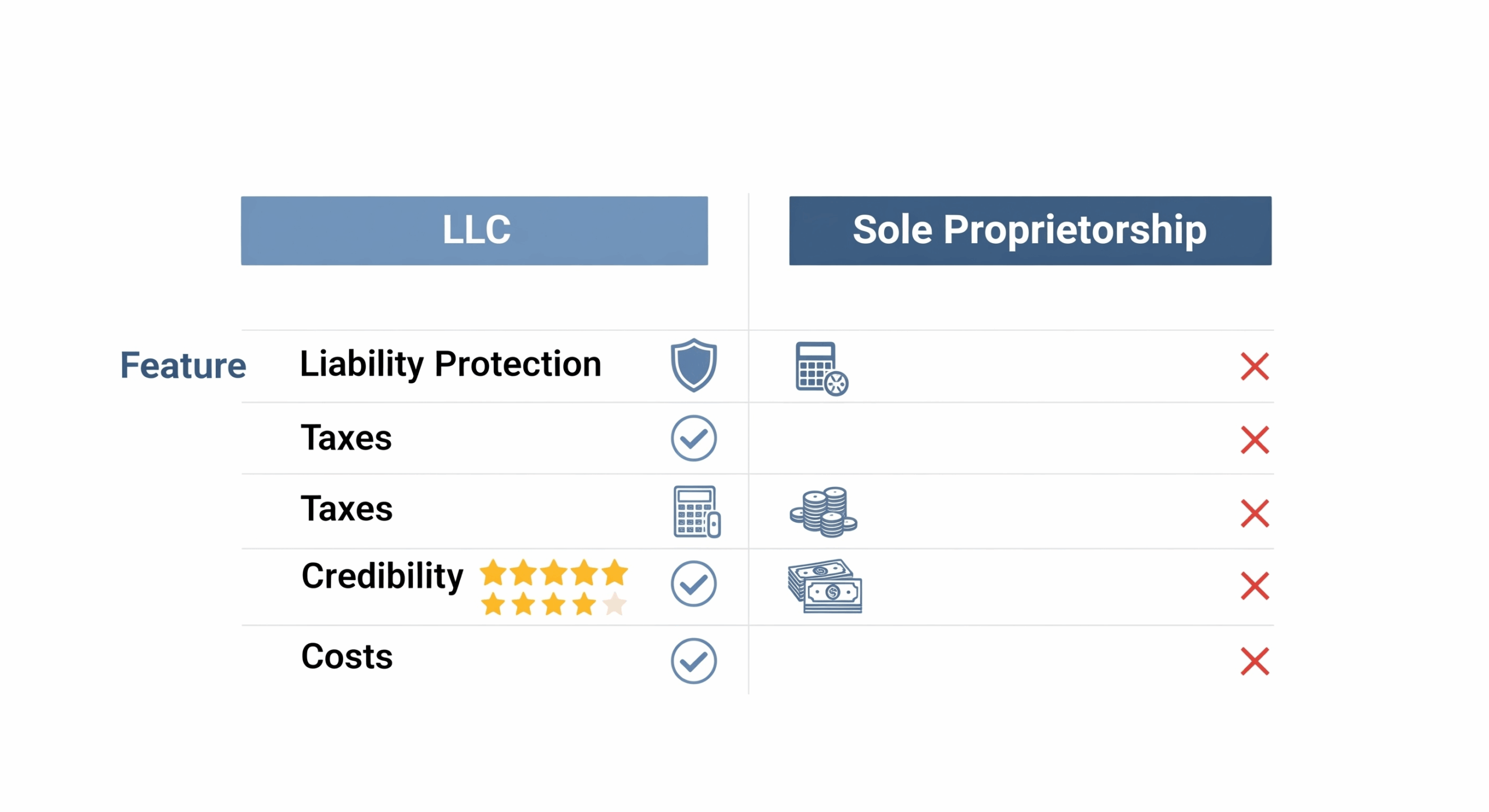
Your business structure affects three critical things: how much you pay in taxes, how protected your personal assets are, and how credible you appear to customers and partners.
Sole proprietorship is the default if you do nothing. It's free and simple, but you're personally liable for everything. If someone sues your business, they can go after your house, car, and personal savings.
LLC (Limited Liability Company) creates a legal barrier between you and your business. Your personal assets stay protected, you get tax benefits, and customers take you more seriously. The downside? Traditional LLC registration costs $50-$500+ depending on your state, plus ongoing fees.
Here's where most people get stuck: they want the protection but don't want the cost or complexity.
Do I need an LLC to start an online business?
You don't need one to start, but you should get one before you make serious money. I recommend forming an LLC once you're consistently earning $1,000+ monthly. Before that, focus on proving your concept works.
However, if cost is your main concern, Namecheap's Business Starter Kit lets you register an LLC for free—you only pay your state's filing fees (usually $50-$150). This removes the biggest barrier most entrepreneurs face when deciding on legal business registration.
Step 3: Register Your Domain Name
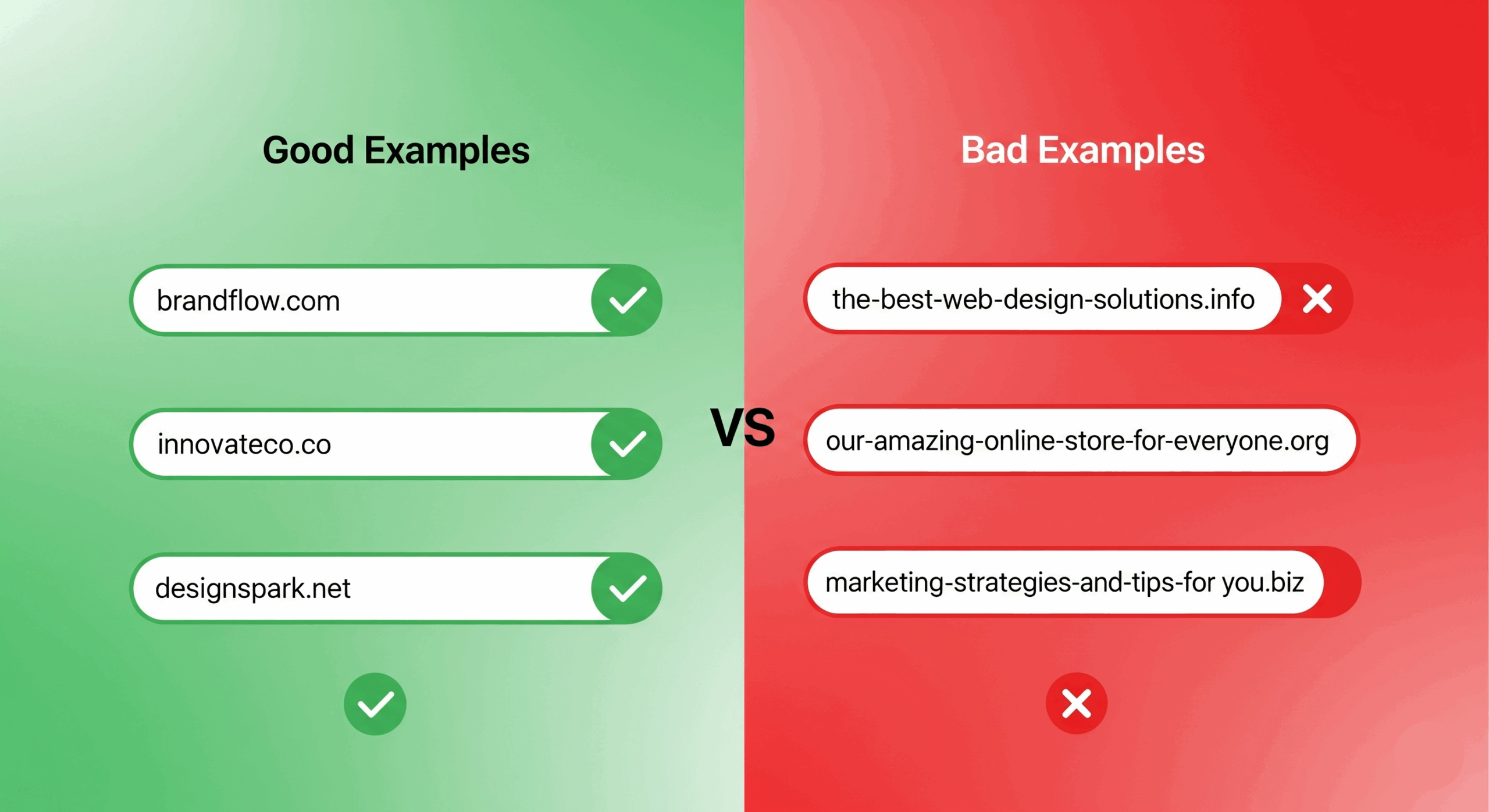
Your domain name is your digital real estate, and in 2025, .com domains still carry the most credibility with both customers and search engines. I've seen businesses lose sales simply because customers don’t trust their .biz or .info domain.
Here's how to pick a domain that works:
- Keep it short – Under 15 characters if possible (easier to remember and type)
- Make it brandable – “Amazon” works better than “BuyBooksOnlineStore”
- Avoid hyphens and numbers – They confuse people and look unprofessional
- Check social media availability – You'll want matching handles later
The biggest mistake? Overthinking it. I've watched entrepreneurs spend weeks debating domain names instead of building their business. Pick something decent and move forward.
How much does it cost to start an online business?
Domain registration typically costs $10-15 annually, but that's just the beginning. Most entrepreneurs forget about renewal fees, privacy protection ($10/year), and the fact that premium domains can cost thousands.
The smart play? Get your domain through a package deal. Namecheap's Business Starter Kit includes a free .com domain for your first year, which saves you both money and the hassle of managing separate services. After year one, you'll pay standard renewal rates, but by then your business should cover these costs.
This approach lets you test your business idea without upfront domain costs eating into your startup budget.
Step 4: Set Up Your Website and Hosting
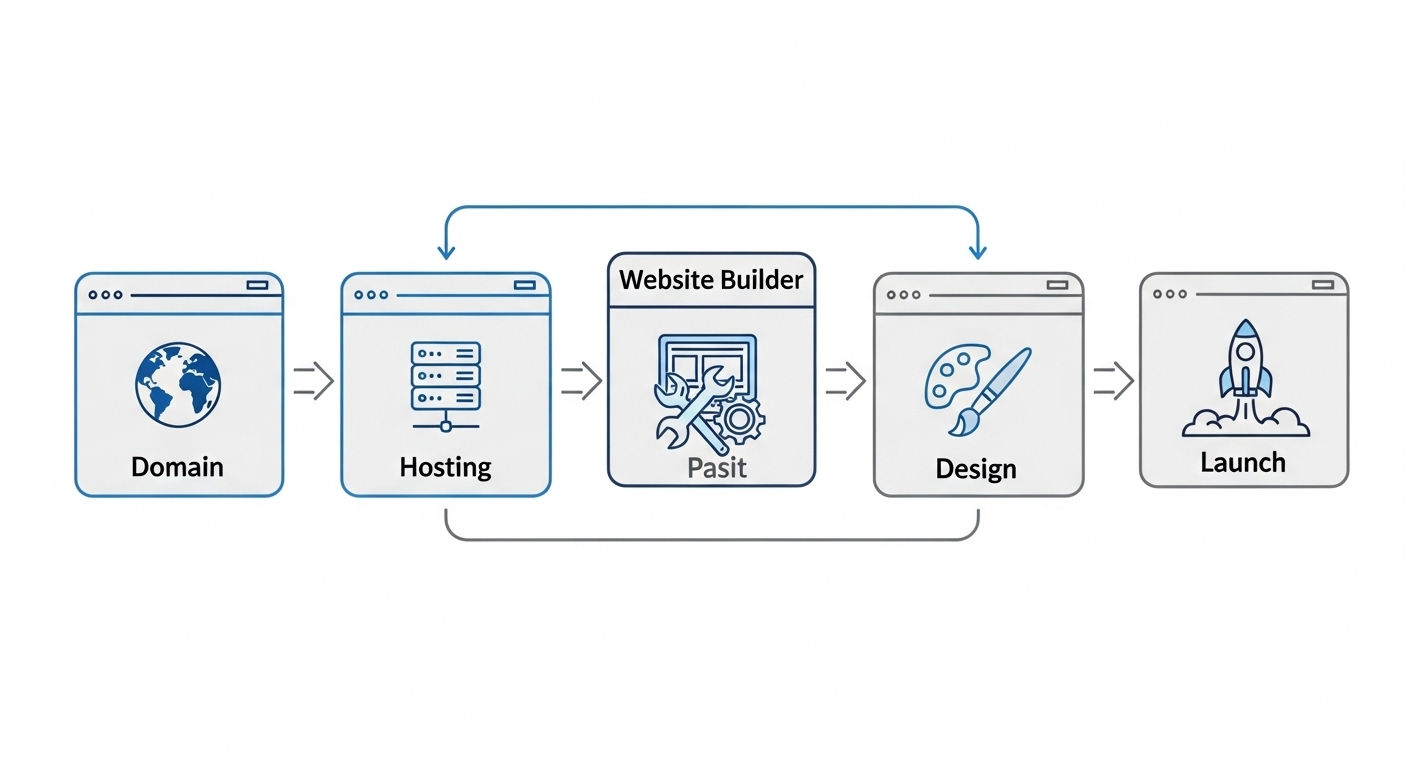
With your domain name secured, the next major step is to build your website. Your website needs two things to function: a website builder and hosting.
Think of web hosting like renting office space for your website. Your files need to live somewhere on the internet, and hosting companies provide that space along with the technology to make your site accessible 24/7.
Hosting basics you need to understand:
- Shared hosting – Your site shares server resources with others (cheapest option, fine for most beginners)
- VPS hosting – More resources and control (for growing businesses)
- Dedicated hosting – Your own server (expensive, only needed for high-traffic sites)
For starting out, shared hosting handles everything most online businesses need.
Website builder options in 2025:
- WordPress – Most flexible, slight learning curve
- Drag-and-drop builders – Wix, Squarespace (user-friendly but limited)
- Ecommerce platforms – Shopify for online stores (powerful but pricey)
Here's the reality: Shopify costs $29/month minimum, Wix runs $14-39/month, and quality WordPress hosting starts around $10/month. These costs add up fast when you're bootstrapping.
The Business Starter Kit includes both hosting and a website builder in the free first-year package. This gives you professional hosting infrastructure without the monthly fees eating into your early revenue. You can build a complete website using their drag-and-drop tools or install WordPress, whatever matches your technical comfort level.
Most beginners benefit more from an all-in-one solution than juggling multiple services from different providers.
Step 5: Create Your Professional Business Email
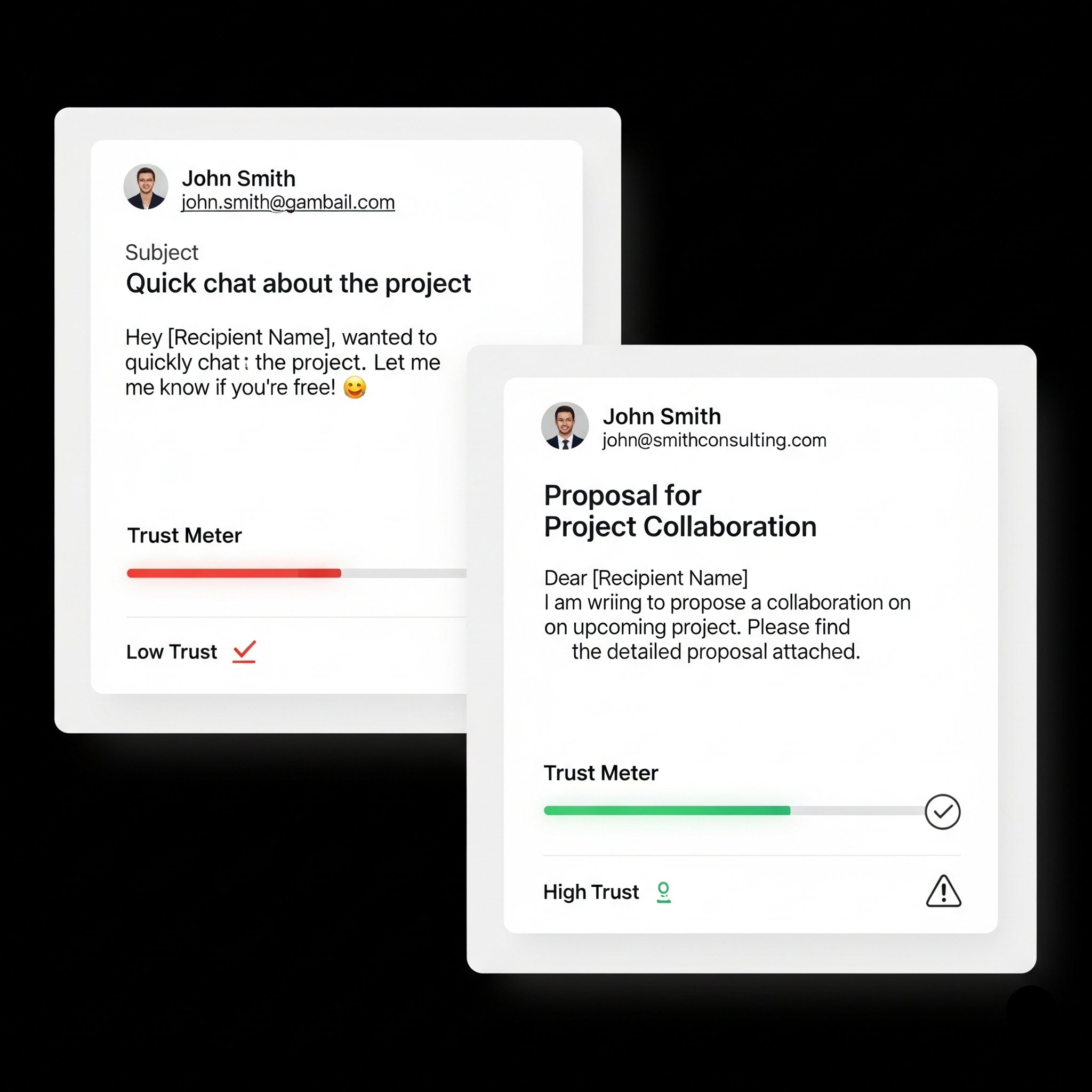
Using your personal Gmail for business is like showing up to a board meeting in pajamas. It works, but it doesn't inspire confidence.
I've lost count of how many times I've seen potential customers hesitate when they receive emails from “johnsmith1985@gmail.com” instead of “john@smithconsulting.com.” The difference in perceived professionalism is huge.
Why professional email matters:
- Credibility – Customers trust businesses that look established
- Brand consistency – Every email reinforces your company name
- Email deliverability – Business emails are less likely to hit spam folders
- Security – Better control over your business communications
Setting up professional email traditionally requires technical knowledge and monthly fees. Google Workspace costs $6/month per user, Microsoft 365 runs $6-22/month, and most hosting providers charge extra for email services.
The Business Starter Kit eliminates this barrier by including free business email for your first year. You get a professional address matching your domain (you@yourbusiness.com) without the monthly subscription fees or complex setup.
This isn't just about looking professional, it's about building trust from day one. When customers see emails coming from your branded domain, they're more likely to open them, respond to them, and ultimately buy from you.
After year one, you can either continue with paid email services or migrate to alternatives, but by then, your business should be generating enough revenue to cover these operational costs.
Step 6: Market Your Business Online (Free & Paid Tools)
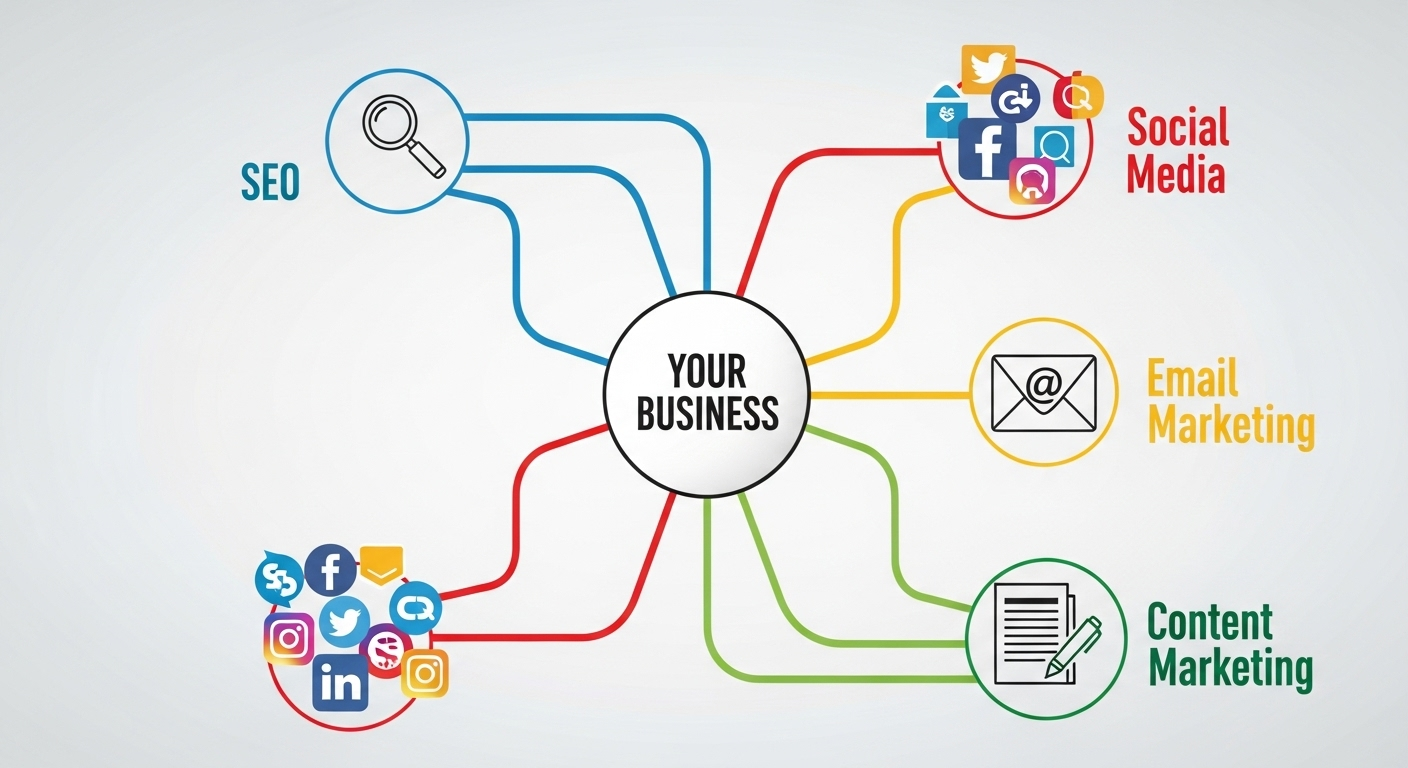
Once your business is online, it’s time to start bringing people in. The truth is that the most profitable online businesses aren't necessarily those with the best products; they're the ones with the most effective marketing strategies. So, let's look at the basics.
SEO: The Basics
SEO, or Search Engine Optimization, is about making your website visible on Google. Think of it as a roadmap for search engines. Here are the SEO basics that actually move the needle:
- Create helpful content that answers your customers' questions
- Target specific keywords your audience searches for
- Build quality backlinks from reputable sites in your industry
- Optimize for local search if you serve specific geographic areas
Social Media
Social media is where you connect directly with your audience. Don't feel like you have to be everywhere at once. Focus on the platforms that make the most sense for your business. For visual products or a younger audience, Instagram and TikTok are a must. For a more professional, B2B audience, LinkedIn is where you should be. The key is to be consistent, engaging, and to use each platform's unique strengths to your advantage.
Email Marketing
Email marketing is one of the most powerful tools for building a loyal customer base. You can start by collecting leads on your website with a simple sign-up form. Then, use an email marketing tool to send out newsletters, promotions, and updates. It’s the best way to keep your audience engaged and turn one-time visitors into repeat customers.
What online business is most profitable?
The ones that master customer acquisition. A mediocre product with great marketing often outperforms a great product with poor marketing.
The Business Starter Kit includes RelateSEO and RelateSocial tools, providing professional marketing capabilities without the typical monthly subscription fees. This lets you focus your budget on growing your business rather than paying for software.
Most marketing tools cost serious money. Mailchimp starts at $10/month, SEO tools like SEMrush cost $100+/month, and social media schedulers add another $15-50/month to your expenses.
Bonus: How to Start an Online Business with No Money
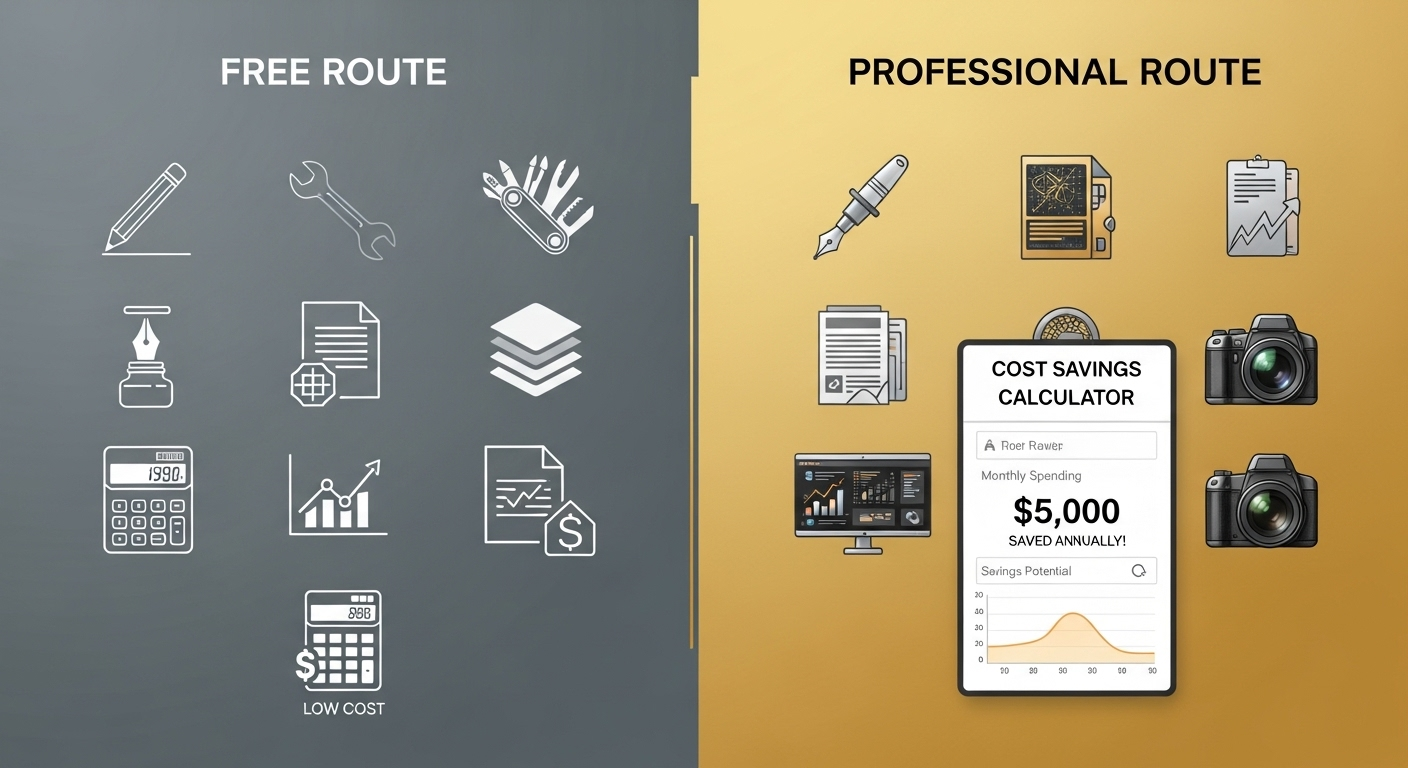
I get asked this question constantly: “Can I really start an online business with zero dollars?” The honest answer is yes, but you'll make significant sacrifices that could hurt your long-term success.
Free workarounds that technically work:
- Free website builders – Wix, WordPress.com (with their branding and limited features)
- Subdomain names – yourstore.wixsite.com instead of yourstore.com
- Personal email – Gmail, Yahoo (looks unprofessional but functions)
- Free social media – Instagram, Facebook business pages
- DIY everything – Create your own graphics, write your own content
The real costs of “free”:
You'll spend months learning things that paid tools do automatically. Your subdomain name confuses customers and hurts SEO. Free platforms limit your customization and can shut down your site without notice. Most importantly, you look like a hobby, not a serious business.
I've watched entrepreneurs waste six months trying to piece together free solutions when they could have been making money with proper tools from day one.
This is where the Business Starter Kit shines. While a “no money” approach is tempting, the Starter Kit offers the lowest-cost legitimate way to start a business. It provides a free LLC registration (you only pay state fees, around $50-150), a free domain, and a professional email for a full year. This package gives you all the essential tools to start your business the right way, without the compromises that come with using only free, less professional options.
This isn't about spending money unnecessarily. It's about investing the minimum amount needed to look professional and compete effectively from the start.
Common Mistakes to Avoid When Starting an Online Business
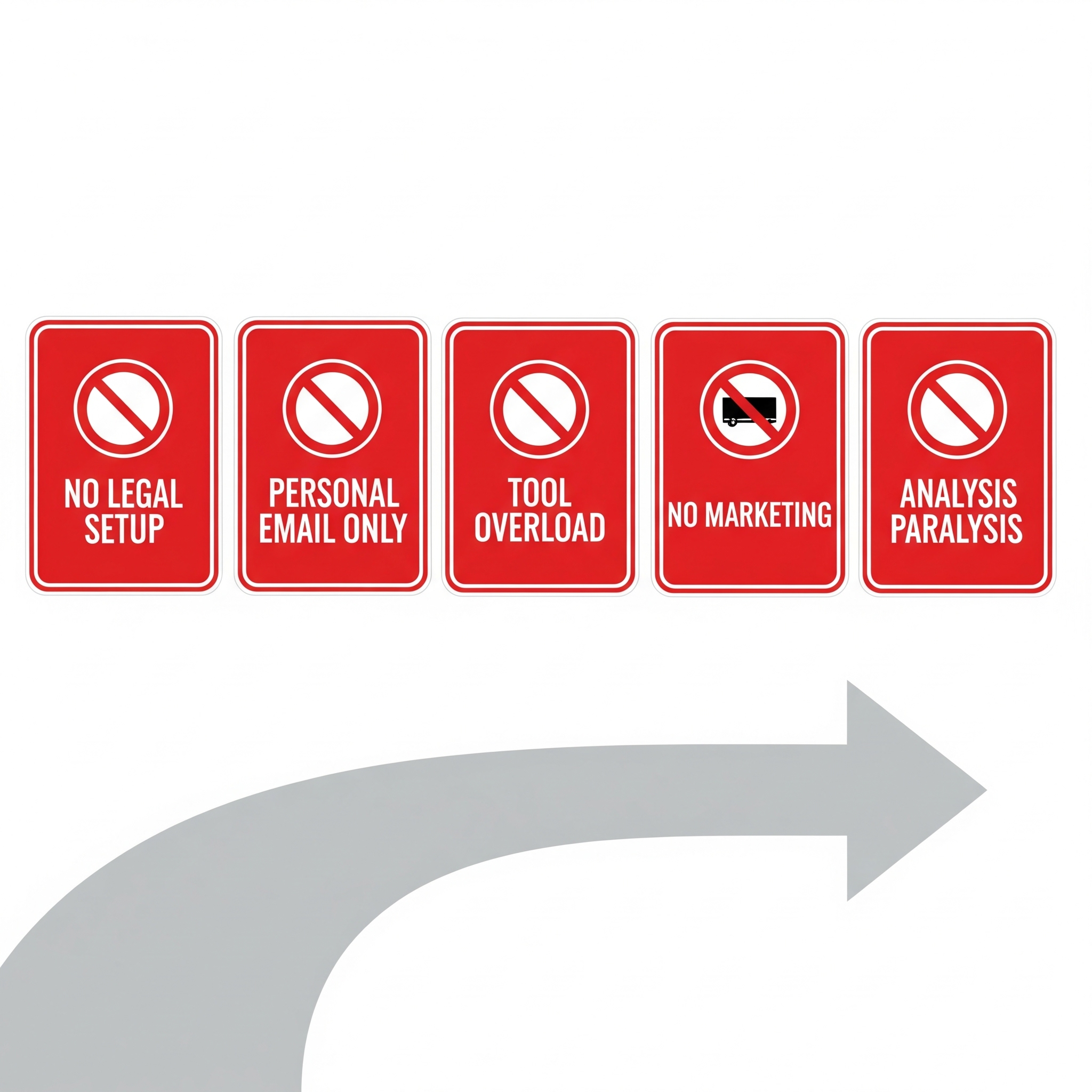
After helping hundreds of entrepreneurs launch online, I see the same mistakes repeatedly killing businesses before they gain momentum.
Mistake #1: Skipping legal setup
“I'll handle the paperwork later when I'm making money.” Then later never comes, or worse, you're making money without protection and get sued. Legal business registration isn't optional—it's insurance for your personal assets.
Mistake #2: Using personal email and cheap domains
Customers judge your legitimacy in seconds. johnsmith1985@gmail.com and yourstore.freesites.com scream “amateur.” You might save $50 upfront, but you'll lose thousands in credibility and sales.
Mistake #3: Tool overwhelm
New entrepreneurs often try to use every app, platform, and service they discover. I've seen people juggling 15+ different tools when they could accomplish the same results with 3-4 integrated solutions. Start simple, scale complexity as you grow.
Mistake #4: Treating marketing as optional
“If I build it, they will come” only worked in movies. The most common cause of business failure isn't bad products, it's invisible products. You need customer acquisition strategies from day one, not after you perfect your offering.
Mistake #5: Analysis paralysis
Spending months researching the “perfect” business model, tools, or strategies instead of starting with something decent and improving as you learn. Done is better than perfect when you're starting out.
The entrepreneurs who succeed fastest avoid these traps by choosing integrated solutions that handle multiple needs efficiently.
Conclusion: Your 2025 Roadmap to Online Business Success
Congratulations! You now have a solid roadmap for starting your online business in 2025. We’ve covered everything from validating your idea and choosing a legal structure to setting up your website and marketing your brand. You can see that building a business is not about luck; it's a step-by-step process.
And the process is simpler than most people think. But the biggest barrier isn't complexity, it's taking the first step.
Here's what I've learned after years of helping entrepreneurs launch: the businesses that succeed fastest are the ones that start with solid foundations rather than trying to piece together free solutions.
If you want to skip the guesswork and avoid the common mistakes that derail most new businesses, grab Namecheap's Business Starter Kit. You get everything you need—free LLC registration, professional domain, business email, hosting, website builder, and marketing tools—essentially free for your entire first year.
It's the fastest way to start your business today with all the credibility and tools of established companies, without the typical startup costs that keep most people stuck in the planning phase forever.
Frequently Asked Questions
-
How do I start an online business with no money?
You can start an online business with no money using free platforms and tools. Use free website builders like Wix or WordPress.com. Create social media business pages on Facebook and Instagram. Use your personal email address initially. Sell services you already know how to do.
The downside is credibility. Customers trust businesses with professional domains and business emails more than free alternatives. Free platforms also limit your control and growth options.
The Business Starter Kit offers the lowest-cost legitimate solution. You pay only state filing fees (around $50-150) and get professional business tools free for one year.
-
What is the easiest online business to start?
Freelance services are the easiest online business to start. You can sell skills you already have like writing, design, consulting, or tutoring. You need no inventory, no complex setup, and no upfront investment.
You can start selling your services today on platforms like Upwork, Fiverr, or LinkedIn. Many entrepreneurs use freelance income to fund bigger business ventures later.
Service businesses require minimal startup tools and can generate income immediately.
-
Do I need an LLC to start an online business?
You do not need an LLC to start an online business, but you should get one before making serious money. Start as a sole proprietor to test your business idea. Form an LLC when you consistently earn $1,000 or more monthly.
An LLC protects your personal assets from business lawsuits. It also makes you look more professional to customers and partners. The cost usually ranges from $50 to $500 depending on your state.
The Business Starter Kit includes free LLC registration. You pay only your state's required filing fees.
-
How much does it cost to start an online business?
Starting an online business typically costs $100 to $1,000 in the first year. Basic costs include domain registration ($10-15), web hosting ($10-20 monthly), business email ($6-10 monthly), and marketing tools ($20-100 monthly).
Additional costs may include LLC registration ($50-500), professional design ($100-1,000), and advertising budget ($100-500 monthly).
The Business Starter Kit reduces first-year costs significantly. You get domain, hosting, email, and marketing tools free for one year. You pay only state LLC filing fees.
-
What online business is most profitable?
The most profitable online businesses are those with effective marketing strategies, not necessarily the best products. Digital products like online courses and software have the highest profit margins because they have low ongoing costs.
Subscription-based businesses generate recurring revenue and high customer lifetime value. Service businesses can be immediately profitable because they require minimal startup investment.
Success depends more on your ability to acquire and retain customers than on your specific business model. Focus on marketing and customer satisfaction first.